Participant
March 29, 2018
Answered

Closing Browser during Graded Quiz Locks Course

  • March 29, 2018
  • 2 replies
  • 491 views

I’m having trouble with the graded-quiz portion of a Captivate 2017 course.  The course is rather long (about 4 hours) and if a user starts the graded-quiz by answering at least one question and closes their browser, and they try to restart the course again, the course retains their previous answer and the course is locked.  They cannot proceed.

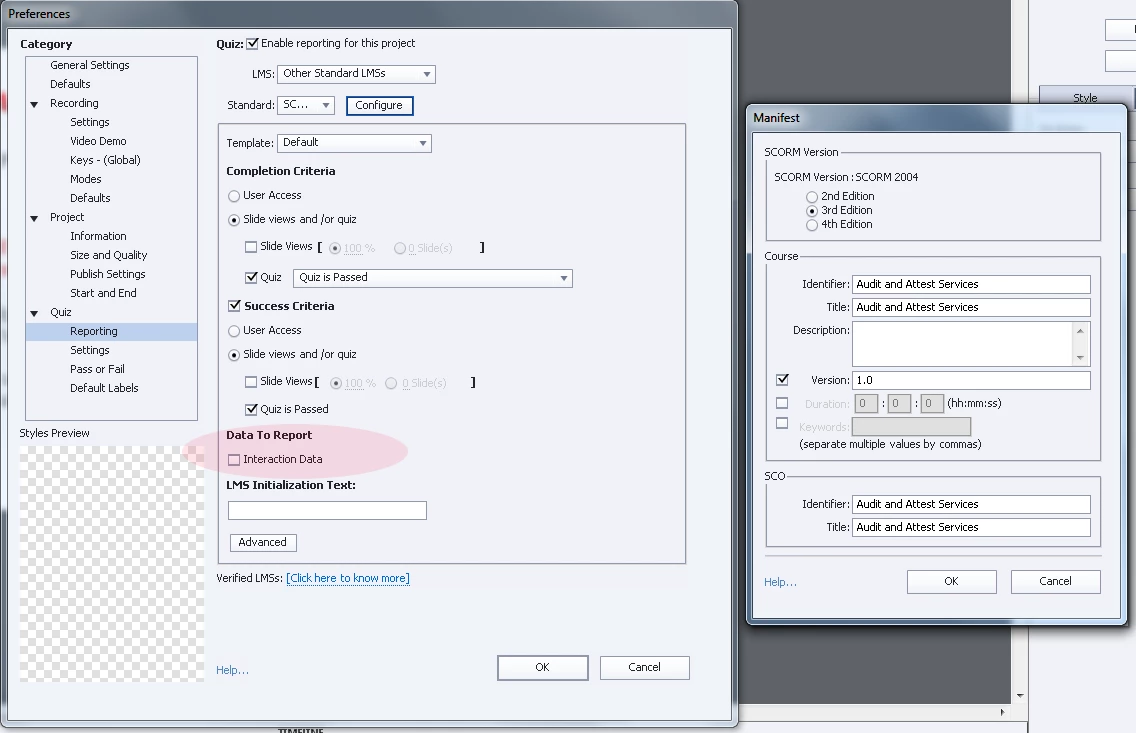
We are not concerned with how the user answers the quiz questions, just whether they passed or failed the quiz.  So the “Interaction Data” is not enabled in “Data to Report.”  Our expectation was that with this option disabled, the quiz would start fresh each time.  Is there an additional option that needs to be enabled or disabled?

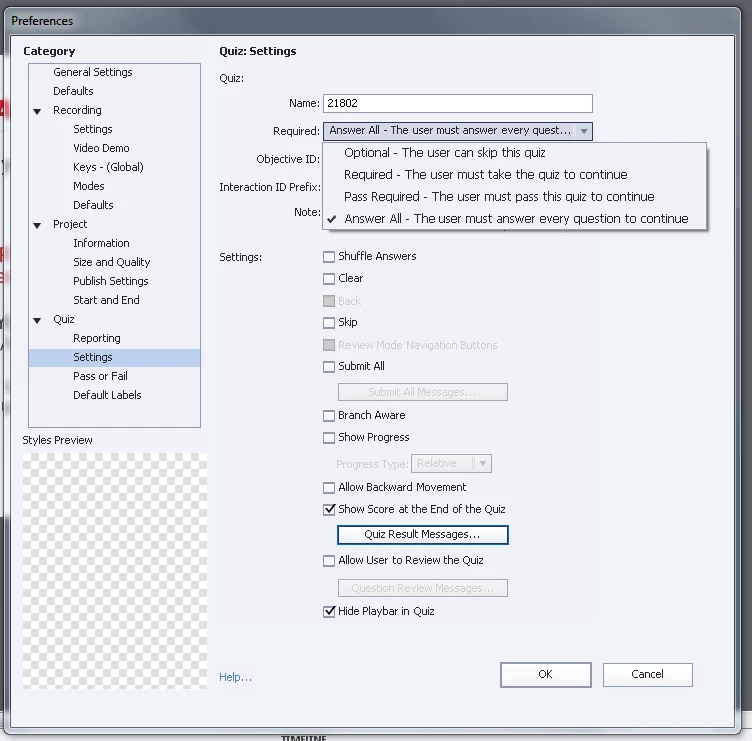
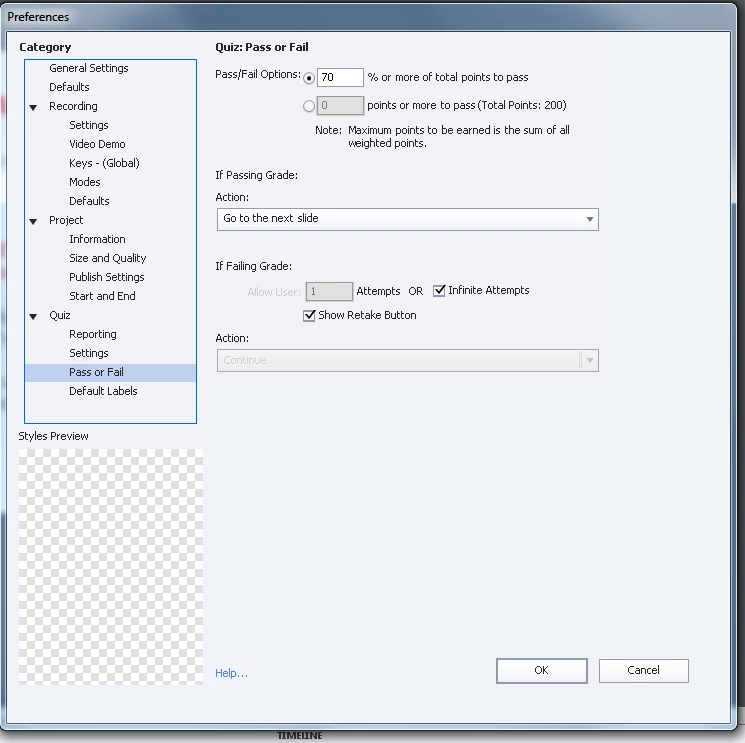
Below are screenshots of the other publishing options.

Publish Options:

eLearning Output: SCORM 2004, 3rd Edition

HTML5 only
    This topic has been closed for replies.
    Correct answer baerc234

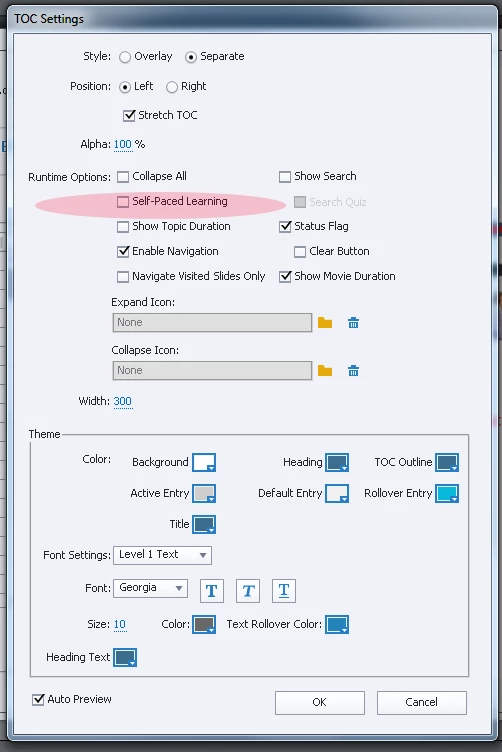
    Thanks for your help with this.  I determined that the problem was the Self-paced Learning was enabled even though course was being published to a LMS.

    Project >  Table of Contents > Settings > Deselect “Self-Paced Learning”

    2 replies

    baerc234AuthorCorrect answer
    Participant
    March 30, 2018

    Thanks for your help with this.  I determined that the problem was the Self-paced Learning was enabled even though course was being published to a LMS.

    Project >  Table of Contents > Settings > Deselect “Self-Paced Learning”

    eLearning_Pundits
    Participating Frequently
    March 30, 2018

    Although Self paced learning should not work at all for LMS, because its not designed to send any information to LMS. Glad to hear that issue is resolved.

    Would you mind sharing which LMS you are using, I will keep that in mind for future.

    RodWard
    Community Expert
    Community Expert
    March 31, 2018

    This is the first time I have heard of an LMS malfunctioning because Self-Paced Learning was turned on at the same time that Resume Data bookmarking was turned on. Normally the LMS just ignores the Self-Paced Learning bookmarking.

    However, if deselecting Self-Paced Learning fixed the issue for you, that's all that really matters.  Good to know.

    eLearning_Pundits
    Participating Frequently
    March 29, 2018

    i tried to replicate the scenario with your settings and couldn't replicate on SCORM Cloud, it worked as you expected. Could you please check the same on a new project? Let me know if new project works or not.

    RodWard
    Community Expert
    Community Expert
    March 30, 2018

    If you want the learner to restart the quiz each time you could turn off LMS Resume Data bookmarking by selecting the option for Never Send Resume Data (found under the Advanced button on the Quiz > Reporting screen).

    But that will also mean the learner will be taken right back to the very first slide of the module, not just to the quiz slide where they left off.

    It sounds to me like your issue might be due to your LMS is not correctly handling the Resume Data bookmarking. It knows which slide your learner got up to, but it's not returning all the necessary data for the quiz to be resumed from that point.

    Each LMS is different in the way it works with SCORM. I suggest you turn ON the Interaction data and see whether that works better with your LMS.