Completion Status Issue on LMS Using Presenter 8
Hi,
I am facing some issues with the completion status while we test the course uploaded on the LMS (LMS Name: Success Factors). This course is Created in Presenter 8 and published in Scorm 1.2. When we tested the same course on some scorm players (reload scorm player, Moodle, Test suit) locally it gives us the desired result (Completion Criteria as Passed) but when we uploaded the course on the LMS and tried to test it there, we are not able to get the criteria as completed or Passed even if we visited each and every slide in the course, it just shows as In progress. I have attached the screenshot for the Presenter setting for scorm as follows: 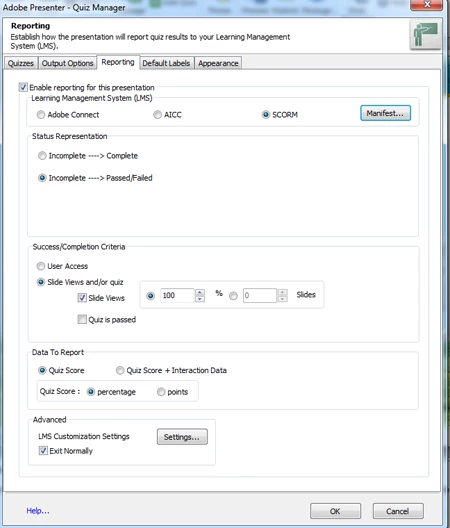
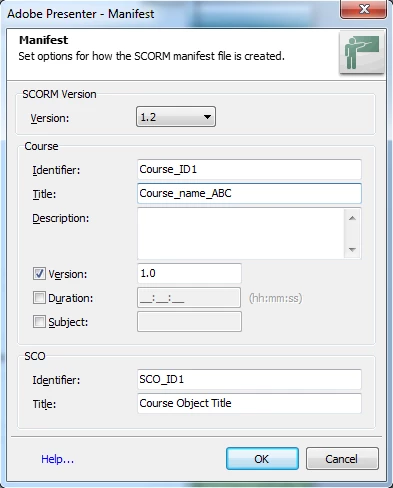
We have also tried some more scenerios, which are as follows:
Scenerio 1: Since the first time we uploaded the course it has hidden slides in it. so set the complition status to slide vise views. For example if the course has 15 slides in which it had 5 hidden slides, we set the Complition Criteria to 10 slides only but it also dint work on the LMS. Still it was showing the course is in progerss.
Scenerio 2: We also tried to decrease the percentage of the compltion status. For example instead of 100% slide views we changed it to 80% but again it didn't work on the LMS. Still it was showing the course is in progerss.
Please let me know if any other information is required.
Thanks in advance for your help.
Best Regards,
Shailesh Garg
 AdChoices