July 17, 2012
Answered

conditional actions in Captivate 6

  • July 17, 2012
  • 2 replies
  • 1051 views

I'm using the trial version of Captivate 6.  I just got started using more complex advanced actions, so I'm not sure if its me or the software that's not working

I have a course that branches.  The user chooses a path of action on Slide 2 and they move through the course.  However, I need them to see all the path options before the course is completed, so on the last slide it takes them back to Slide 2.  I want the option that the user initial chose to gray out so they will click on a new option.

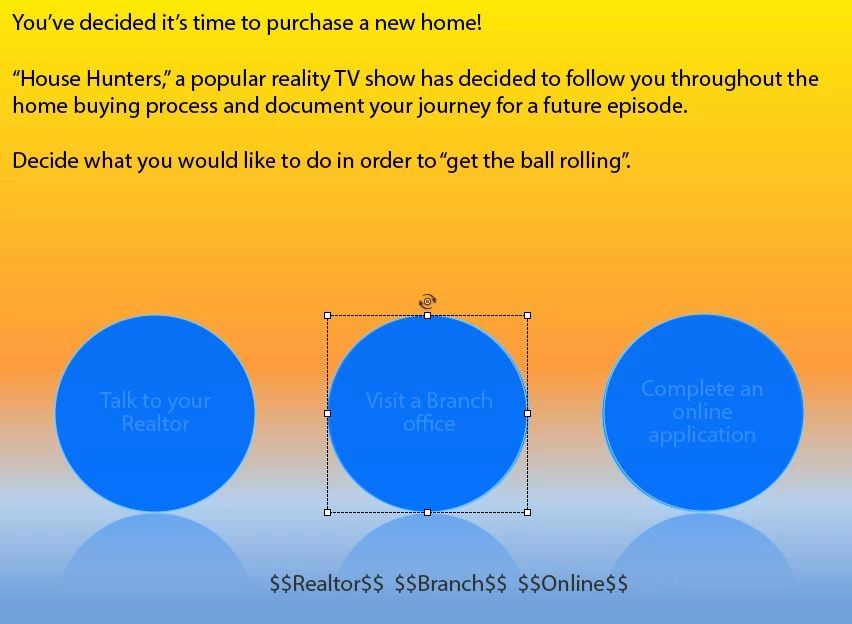
Here is Slide 2.  The transparent blue circle should only when returning to the slide for the second time only if the user previously clicked on that option.  I even added the variable to the slide (just for myself) to make sure the variable was changing from 0 to 1 when clicked.  That part is working.
Here is the action part. If the variable (Realtor) = 1 show the smartshape (the transparency on top) ELSE hide the transparency.
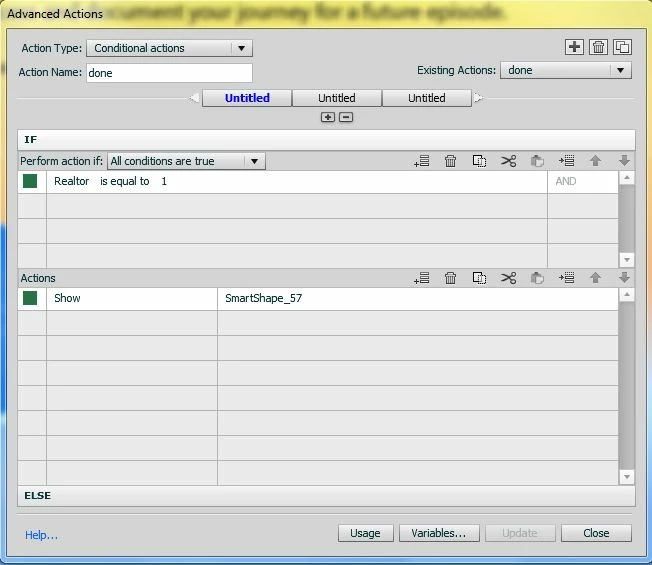
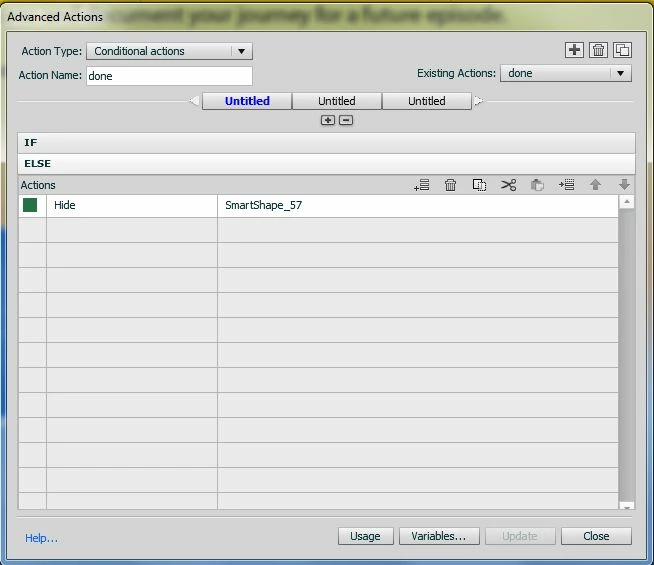
What am I doing wrong?  Thanks

    This topic has been closed for replies.
    Correct answer RodWard

    OK.  How are you calling this Conditional Action?  Are you using the ON Slide Enter event?

    2 replies

    Inspiring
    July 17, 2012

    Is it possible your logic is backwards. If it changes to 1 when clicked and 1 shows the Smart Shape then I would expect it to return to the slide and be visible. Should it be that when it is set to 1, you should hide the Smart Shape?

    July 17, 2012

    No.  I want all three options visable at first so the user can pick whichever they like.  Once they are done going down that path and return to the slide that initial option should be faded out to direct them to chose one of the remaining two options.

    RodWard
    Community Expert
    Community Expert
    July 17, 2012

    You're not expecting this to work for you in Edit mode are you?  You've published this out to test and it wasn't working?

    July 17, 2012

    I published it and it still isnt working