December 27, 2013
Question

"Connection Error" when loading videos in a published project to LMS (kallidus)

  • December 27, 2013
  • 1 reply
  • 647 views

Hello there, hopefully someone can help me,

I have looked through a number of question/answers on the forums & I have tried a few things with no luck.

I have a project in Captvate 6 where my opening 6 slides have a video (pictured below)
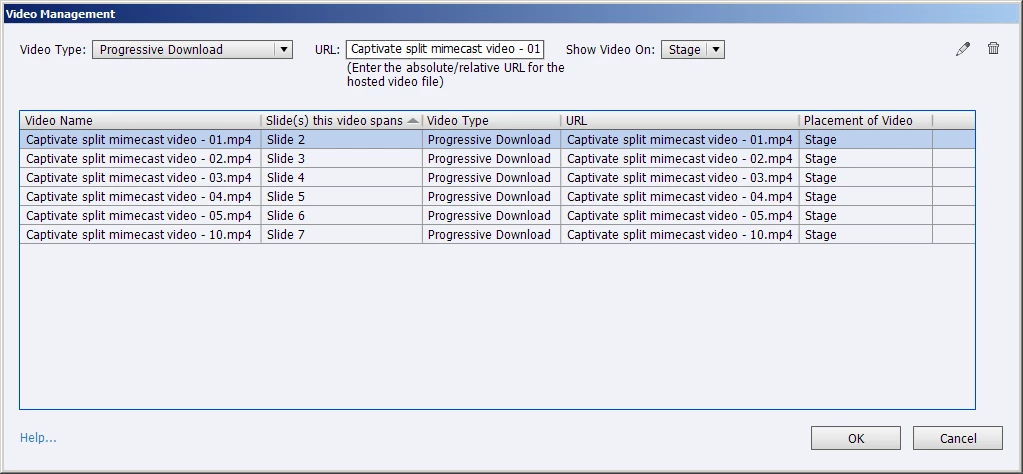
The video plays fine in preview (within captivate) but when I publish either to my desktop or onto the LMS (Kallidus) the video will not play & it says "connection error".

I've looked in the zip folder and the video files are there.
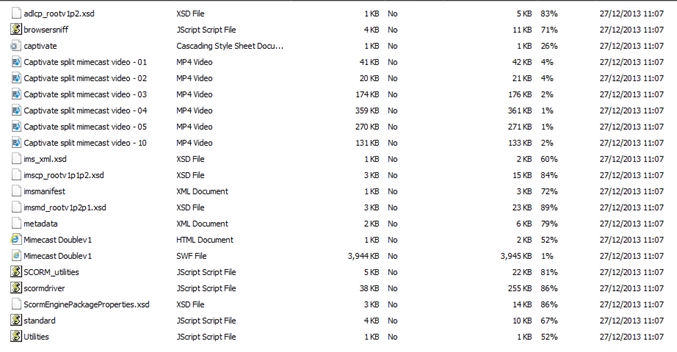
and I am able to play the video files from the zip file (in windows media player), so I know the video do work (the files are mp4)

but when I publish, I simply get no videos.

What am I doing wrong?

I'm sure its something I am doing (or not doing) in captivate rather than the LMS (I have never published a video on an LMS before)

Thank you kindly for your time

Alex

This topic has been closed for replies.

1 reply

RodWard
Community Expert
Community Expert
December 27, 2013

The reason the video does not play when you publish it locally on your hard drive is probably that you have not set the publish folder location as a trusted location in your Flash Global Security settings:

http://www.infosemantics.com.au/adobe-captivate-troubleshooting/how-to-set-up-flash-global-security

The reason the same video does not play when you upload it to your LMS web server is probably that the server administrator has not set MP4 files as a permitted mimetype.

December 30, 2013

Thank you very much (i'll forward your message onto our IT Dept)

I just tried playing the project from my hard drive locally & again I got the same issue (in other words, i've clicked publish and then viewed the output) and i'm getting the connection error.

Lilybiri
Legend
December 30, 2013

Did you set up the local drive as secure for Flash as Rod asked? And no answer yet from the IT department?