
Inspiring
March 9, 2018
Answered

Content Holder and Next Button

  • March 9, 2018
  • 2 replies
  • 667 views

Hi there

I wonder if there is an easier way to show a button after a particular content is being viewed. Lets me explain.

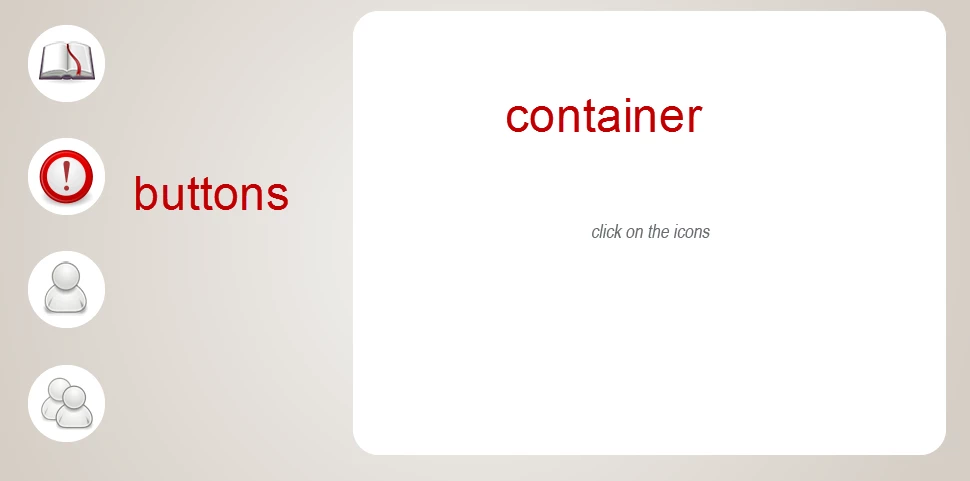
I have a text container (on the image on the right). I have 4 buttons (on the image on the left). The buttons change the state of the container and show different text. I have also a next button that is hidden and would appear only after the user has clicked on the 4 buttons. In other words, when the user has seen all the content.

I know I can have 4 variables that change value when the buttons are clicked. Then a condition will ask for the 4 variables to be with a certain value (1 instead of 0 for instance) and only then will the Next button show. I use this regularly, but I was wondering if there will be an easier way?

Any ideas?

Thanks in advance.

Bobby
This topic has been closed for replies.
Correct answer Bobby Jourdan

For the record, I found a way to do that. I have this situation so often that hopefully this will help others too. It can save literally hours.

This is a way to check what state is an object with JS. There is no need to create variables and to track.

Example.

You have three shape buttons and three states of container object.

The third shape has to be clicked before the Next button appears.

Here is the JS script, i.e. the third state of the container has to appear for the next button to appear too.

theState = cp.getCurrentStateNameForSlideItem("container_Post");

if (window.cpAPIInterface.getVariableValue("theState")==="Three")

{

    cp.show("btn_Next");

}

container_Post - the name of the object with three states.

btn_Next - the hidden next button.

theState - a variable that takes the value of the state of a container.

Three - the name of the third state of the object

If the state of the container is Three, then variable theState is also Three.

In that case the button Next is shown.

Cheers

B

2 replies

Bobby JourdanAuthorCorrect answer
Inspiring
June 14, 2019

For the record, I found a way to do that. I have this situation so often that hopefully this will help others too. It can save literally hours.

This is a way to check what state is an object with JS. There is no need to create variables and to track.

Example.

You have three shape buttons and three states of container object.

The third shape has to be clicked before the Next button appears.

Here is the JS script, i.e. the third state of the container has to appear for the next button to appear too.

theState = cp.getCurrentStateNameForSlideItem("container_Post");

if (window.cpAPIInterface.getVariableValue("theState")==="Three")

{

    cp.show("btn_Next");

}

container_Post - the name of the object with three states.

btn_Next - the hidden next button.

theState - a variable that takes the value of the state of a container.

Three - the name of the third state of the object

If the state of the container is Three, then variable theState is also Three.

In that case the button Next is shown.

Cheers

B

Lilybiri
Legend
March 9, 2018

AFAIK that is indeed the way to go, not at all that complciated. I keep some shared actions ready which I can use for this purpose in any document. It takes onlycouple of minutes to set it up,

I do present a webinar next Thursday about shared actions. Maybe you could be interested? It is free:

Invitation: Webinar Shared Actions! - Captivate blog

Inspiring
March 9, 2018

Yes, with shared actions it will be easier for sure.

I was just thinking that maybe I am missing something and there is an easier ingenious way of doing that.

I love reading your stuff and will try to attend although would be at work.

Thank Lieve

Lilybiri
Legend
March 9, 2018

Alternative will be JavaScript. If you are a skilled programmer it will be easier, but to mme shared actions are the way to go..