August 18, 2009
Question

Continue button doesnt work on Quiz Results page

  • August 18, 2009
  • 1 reply
  • 1414 views

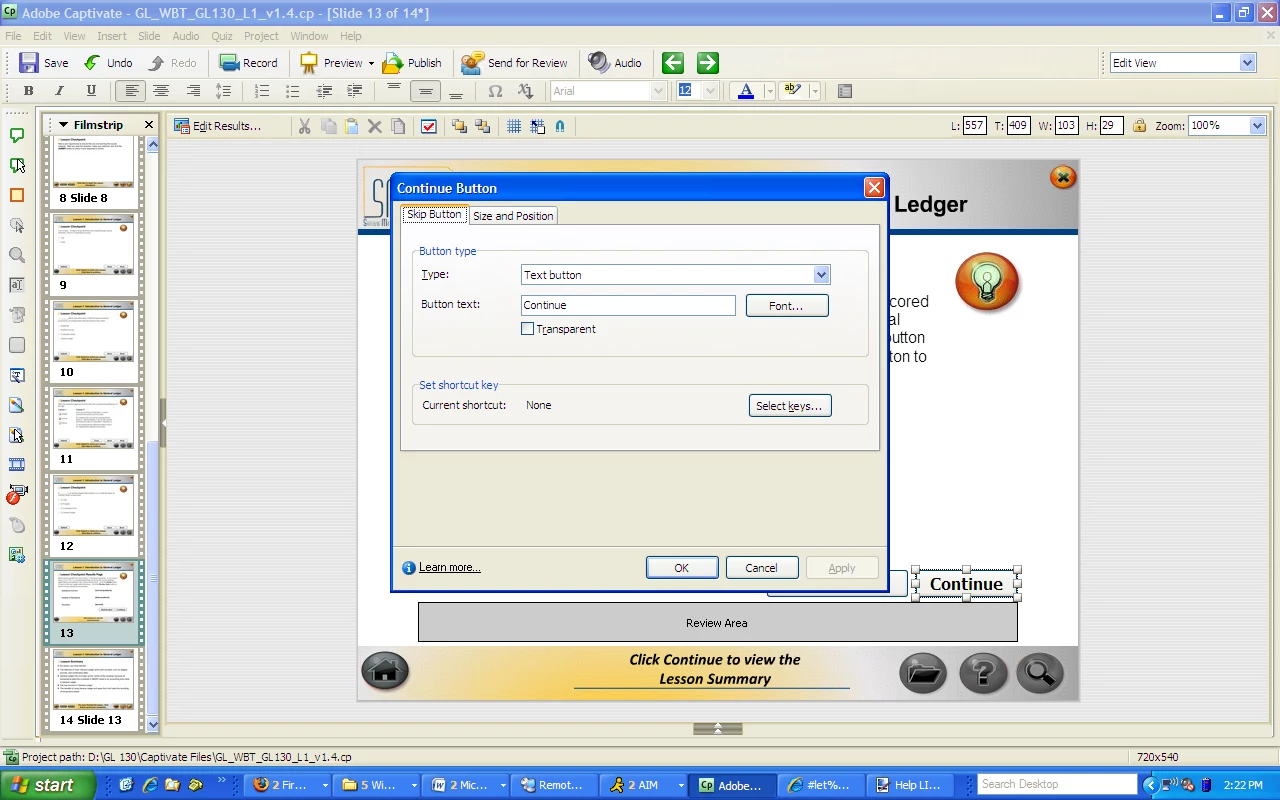
I am using Captivate 4. After a participant completes the quiz, all of the results are displayed and two buttons appear "The Review Quiz" and "Continue" button. When the Continue button is clicked, no action occurs. It seems that I cannot program this button, like I am able to program other buttons. Is there a setting that I am missing? I have attempted to program the quiz settings to "continue, jump to next slide and No action"...none of these things worked. Please advise.
This topic has been closed for replies.

1 reply

Captiv8r
Legend
August 18, 2009

Hi there

And what does the Timeline show for the results slide?

Example:

Sometimes if you adjust the pause point shorter (the example above shows a pause occurring at about 1.5 seconds) things improve.

Cheers... Rick

Helpful and Handy Links

Captivate Wish Form/Bug Reporting Form

Adobe Certified Captivate Training

SorcerStone Blog

Captivate eBooks

August 18, 2009

Hey Rick,

You're my new bff by the way....

I am not utilizing the timeline for these slides...I have every page set to the max time. I just want the user to be able to click the "Continue" button and then proceed to the next page....like the preview results button. You can click that..and it takes you back.

Thanks so much for all your help !!!! 

Captiv8r
Legend
August 18, 2009

Hi again

OOC_Fancydeveloper wrote:

I am not utilizing the timeline for these slides...I have every page set to the max time.

Whether you realize it or not, each slide has a timeline that will affect playback. Just because you are choosing not to see it doesn't mean it has no effect.

OOC_Fancydeveloper wrote:

I have every page set to the max time.

Yikes! I've never seen a need to make a page any longer than maybe, MAYBE 10 seconds or so.

OOC_Fancydeveloper wrote:


I just want the user to be able to click the "Continue" button and then proceed to the next page....like the preview results button. You can click that..and it takes you back.

Thanks so much for all your help !!!! 

The timing is likely totally responsible for what you are seeking help with.

You're welcome for the assistance...

Cheers... Rick

Helpful and Handy Links

Captivate Wish Form/Bug Reporting Form

Adobe Certified Captivate Training

SorcerStone Blog

Captivate eBooks