Question
Copied Text boxes appearing as images?
I'm working on copying projects over for new versions of software training videos, and last month had no problems simply copying and pasting text boxes from one project to another. Suddenly, today, the pasted textboxes are pasting as images instead of editable textboxes. Anyone know why this is happening, or more importantly, how to fix it?
 this is what the original text box looks like
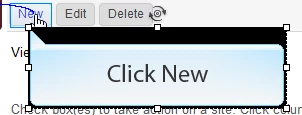 and here's the pasted textbox, as an "image", with new edit image properties in the properties bar. 😕😕
any help would be greatly appreciated!
Version: 6.0.1.240; Win7 Enterprise
 AdChoices