claireb94986418
Participating Frequently
January 11, 2018
Question

Counter-Conditional action not working

  • January 11, 2018
  • 4 replies
  • 288 views

Hello,

I am trying to create an advanced action for error messages that need to happen all on one slide and then repeated on all the remaining slides. I am using Captivate 9 The trigger is the click box.

1. Click correctly: advance to the next slide

Errors:

2. On first incorrect click- a sound will play

3. On second incorrect click- an image with a link to an internet page

4. On third incorrect click- the above image will disappear

5. On fourth incorrect click an new image will appear and the user with a button to start over

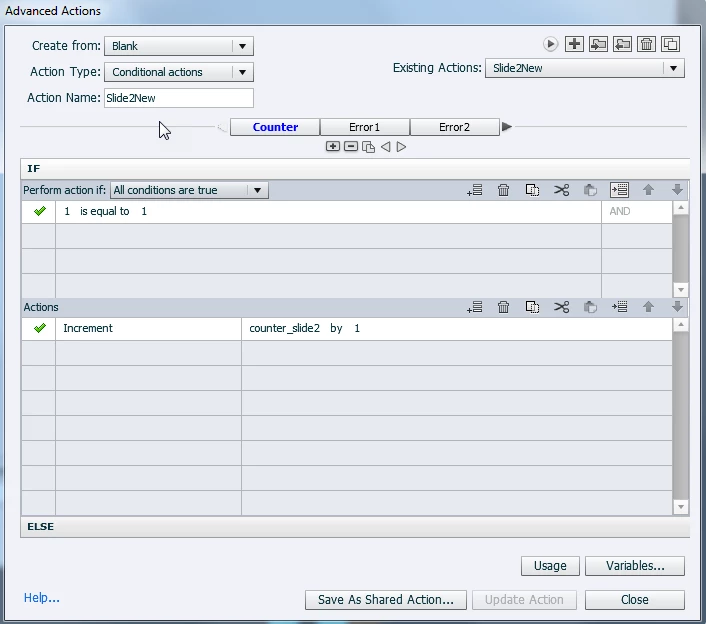
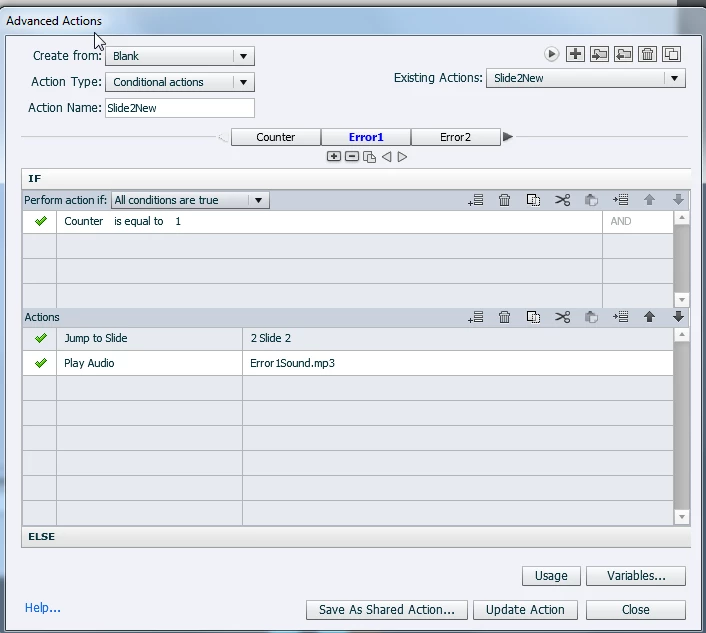
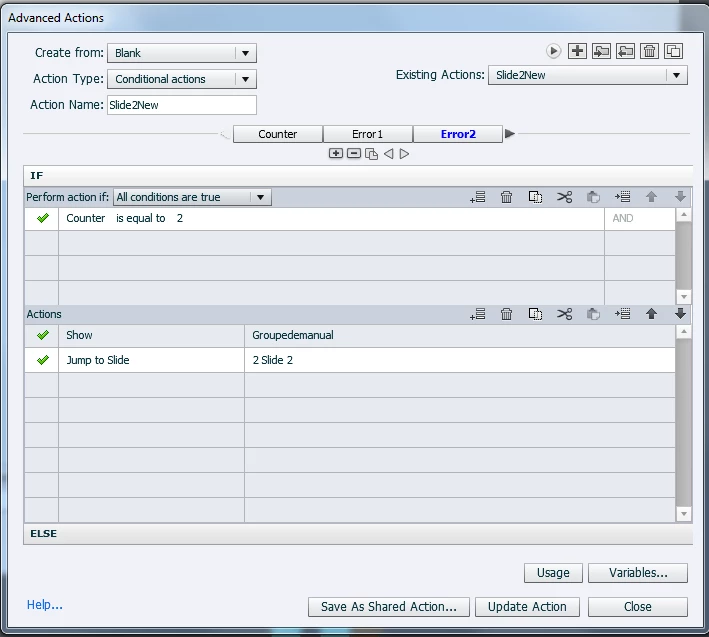
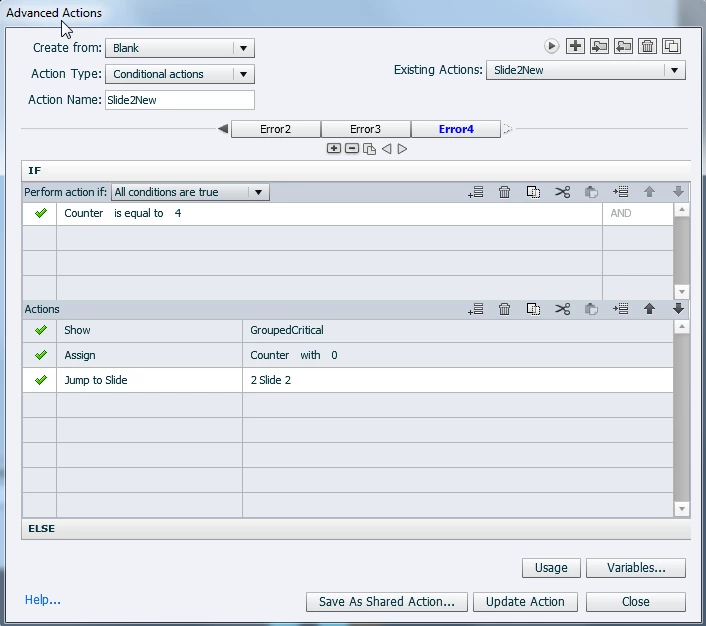
These errors need to happen on all required slides. I can get it working on one slide but when I try to add it to another slide then it stops working. I have also tried creating a shared action and modifying the action for each slide. I have attached images of the steps that I have taken to create the conditional error that I created. Help would be greatly appreciated. Thank you!

Steps taken
    This topic has been closed for replies.

    4 replies

    claireb94986418
    Participating Frequently
    January 11, 2018

    Hello,

    The counter is now resetting to zero on success and exit to cover the two options and they are working. I can't get the advanced actions to work. The counter variable goes to one but then stops. Any suggestions?

    Lilybiri
    Legend
    January 11, 2018

    Which event do you use to reset the counter. You replay the slide with 'Jump to....' which means you are not re-entering the slide, and the counter is not reset on each attempt. Unless you used another event than the On Enter? If the counter remains at 1 that could mean that it is reset after each attempt.

    Jeremy Shimmerman
    Participating Frequently
    January 11, 2018

    Like Lilybiri said you need to reset the counter variable back to zero. Otherwise, it will always trigger error 1 on the next run.  

    If you do not want to reset it 'on enter slide', you could create another advanced action (or use javascript) for 'on success' and reset counter back to 0. 

    claireb94986418
    Participating Frequently
    January 11, 2018

    Lilybiri
    Legend
    January 11, 2018

    Trying to see clear: you are talking about slide 2, is that the slide with the question? The Jump to Slide 2 is to start that slide over again?

    If that is correct the counter is not always reset:

    • when first answer is correct, counter remains at 1
    • when second answer is correct, counter remains at 2
    • when third answer is correct, counter remains at 3
    • ...

    You need to reset it to 0 in all situations. Hence my suggestion to do so On Enter for each slide. Or you can do it with the event for the Correct answer.

    claireb94986418
    Participating Frequently
    January 11, 2018

    Hello and thank you! I have javascript running on enter for most of my slides. I am going to try to add it as a decision. The idea is that the learner needs to stay on the slide (which is a system simulation) and they are given the 2 tries to get it right (first try gets a oh no audio, second gets an image with a link to a support tool) and then on the third try, they are given the failure image with a start over button. I realize that this all can be done in Captivate 2017 with images being able to be added to the hint and failure captions. This is an attempt to do this in Captivate 9. The team didn’t want to use the hint, failure and success captions and wanted these to be done using images. Does this help explain? Thank you

    Claire

    Lilybiri
    Legend
    January 11, 2018

    It would be so much easier if you used the Preview button to show the whole advanced action. The Preview button is the arrow button, first buttonin the top right control bar of the Advanced Actions dialolg box That will show all the deicsions at once.

    You use the same variable on each slide, which is fine. I see that you reset the variable to 0, but only after the last incorrect answer. That means that the variable is NOT reset in all other situations. Instead of resetting it in the last decision, I would have used the On Enter action of each slide to Assig 0 to that counter?

    I would have chosen a shared action, if the audio clip and/or the groups to appear on the following slides are always different. You can keep the literals and the variable, o need to turn them into parameters.