
Participant
March 4, 2024
Question

course being marked as in progress in captivate instead of completed If user passes quiz

  • March 4, 2024
  • 1 reply
  • 585 views

I am having a problem where users who don't pass my quiz SCORM on the first try, they basically get stuck and no matter how many times they take it again and pass it, it is still marked as incomplete unless we go into our LMS back end and manually pass them.  This is a file I inherited from a previous Instructional designer, So I'm not sure if there is just a weird setting I am not finding or something else. My Pass fail percent is set at 84% and my LMS administrator did some trouble shooting on their end and confirmed it wasn't an LMS issue it is an issue with the scorm file.


Here is their exact quote:

"this leads me to believe that there is an internal issue within the SCORM file and how it's sending it's commits along with the type of commits it's sending to the portal during failure of exam attempts that should be reviewed within your course provider program" 


Here are my settings, I was wondering if it was the 100% slide view issue, that I have seen on other posts about this, but it looks like I can't change that when I select the quiz as the pass/fail decider.
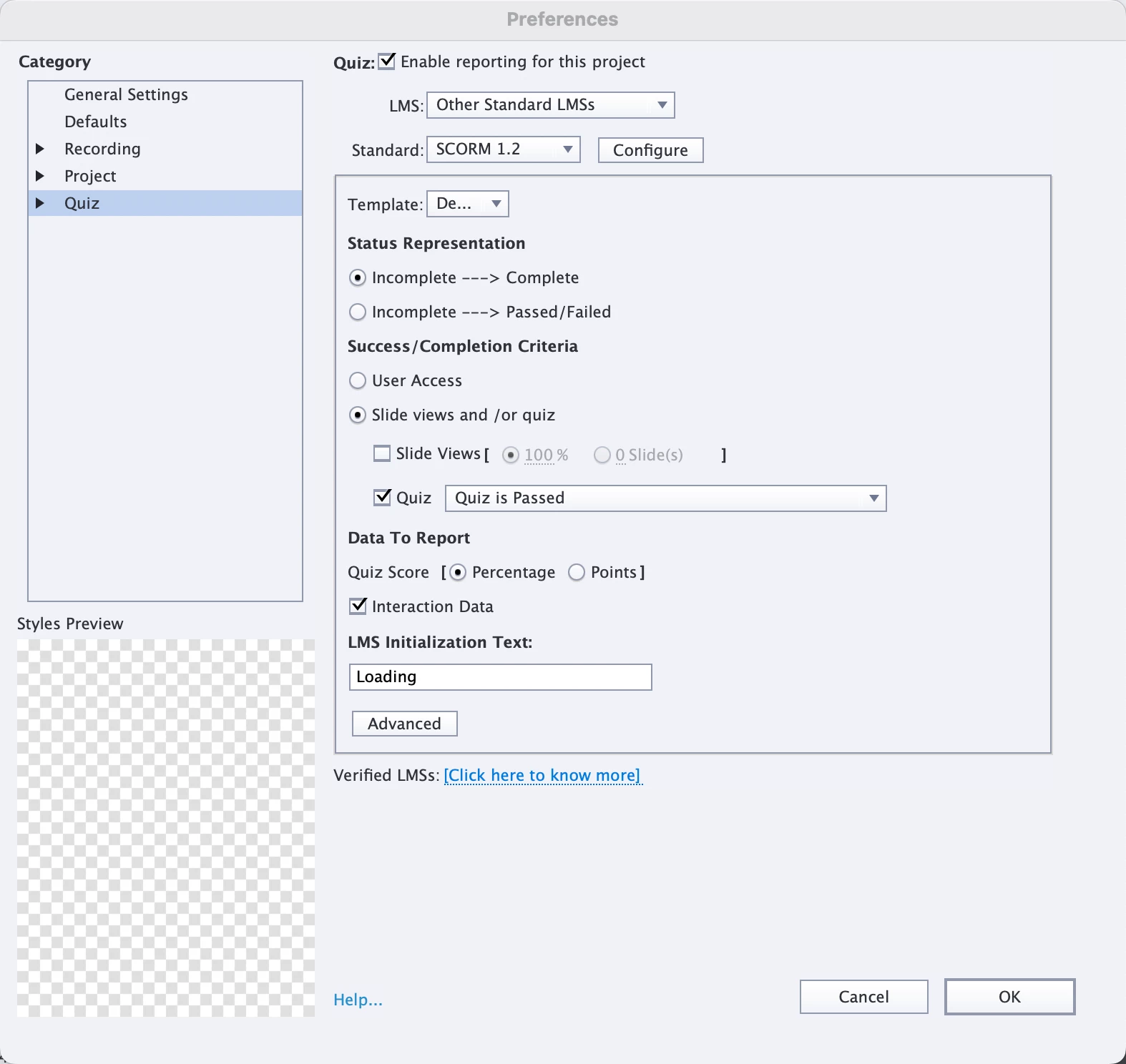
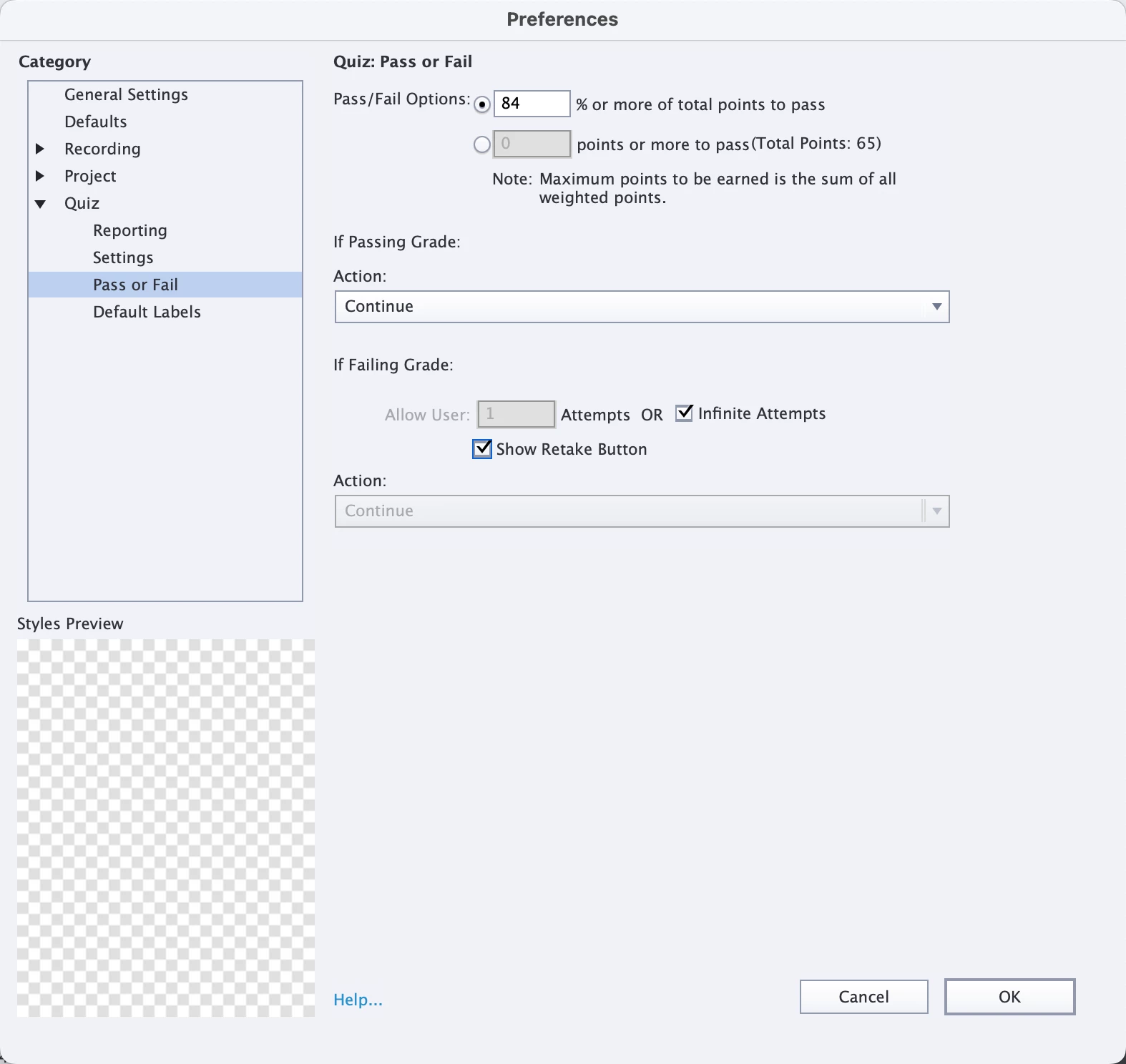
And I have slides that show after the results page for whether a user passes or fails with instructions to exit the course. 
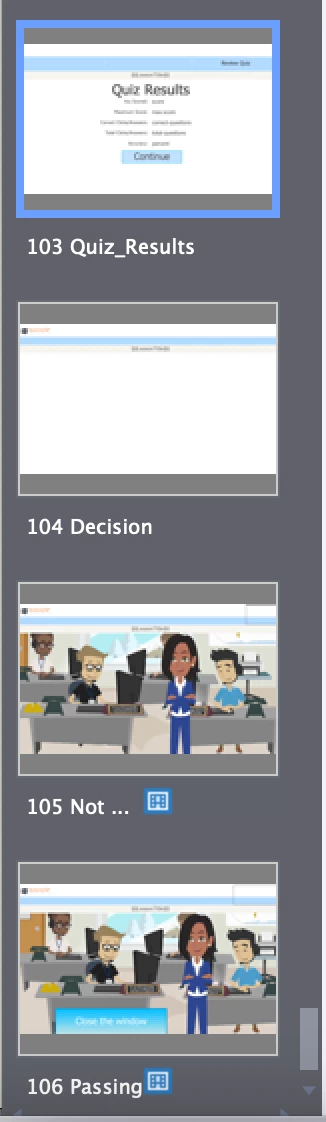
Thank you for any ideas!

This topic has been closed for replies.

1 reply

Lilybiri
Legend
March 4, 2024

I see that you are not using the most recent version 12.2, from the UI of your screenshots. However I would like to know the exact version number. You can find it under Help, About Captivate.

You posted some Quiz Preferences, but not the Settings. Can you insert that screenshot as well? I want to see the field 'Required' and some more settings.

You have slides after the score slide, which is great. Attempts on quiz level is set to Infinite with the Retake button. Do you allow Review? If yes, did you drag the Review button under the Retake button? 

As for being sure the problem is with Captivate, can you try out the output in SCORM Cloud? That is the best way to be sure the LMS is not involved with the problem.

Another possible problem: you use SCORM 1.2. The list of interaction data which can be sent is limited in that version and that could also be the problem. 

Participant
March 4, 2024

Here is the screenshot of my version number

And here are my quiz settings. I do not allow  review. 


I will run through the file in scorm cloud and see what I can find


Participant
March 4, 2024

Actually it looks like maybe I do allow review, but there is no review button on my results slide at all. Would this be causing the problem?