
katiek30747283
Inspiring
April 20, 2018
Question

Course Check Off

  • April 20, 2018
  • 2 replies
  • 177 views

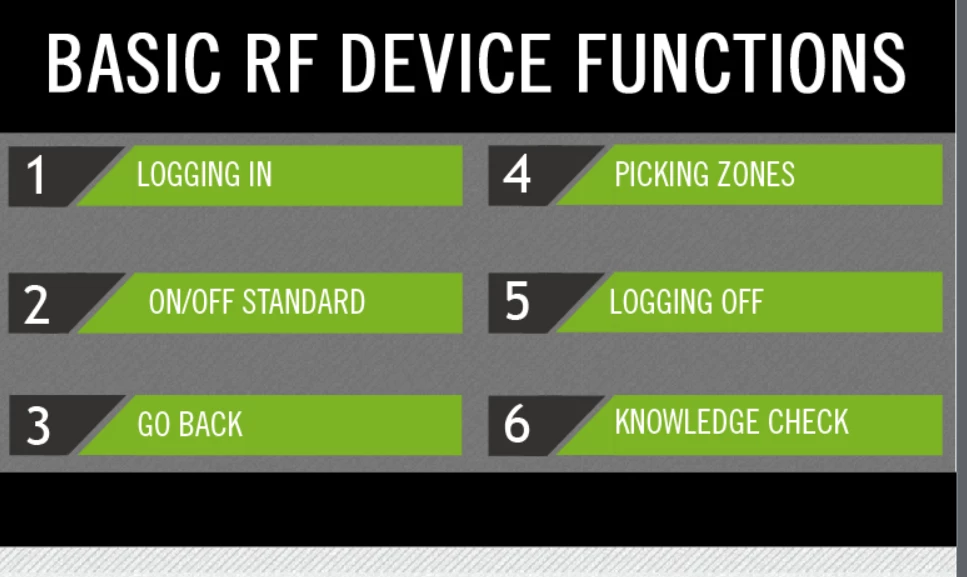
I am creating a course where each of these are clickable and take them to different sections. Is it possible to make them check off, or some form of that, when they are complete? I'm new to Captivate 2017, so simple explanations please! Thanks a ton!
    This topic has been closed for replies.

    2 replies

    Lilybiri
    Legend
    April 20, 2018

    Easiest way is to create a Visited state (is an InBuilt state like Rollover and Down) for the Buttons on that menu slide (I think those are buttons). That state will appear when they click the button but since they are navigates away immediately... Make sure to check the option 'Retain state on Slide revisit' for the buttons.

    More foolproof solution needs variables and advanced/shared actions. If you want to try those, let me know, but that is not Newbie stuff.

    Just see that StagPirme proposes it, but if you never used variables, nor advanced/shared actions, not so easy. I have several examples on my blog.

    Or do you want to give control to the learner to check off a chapter?

    Stagprime2687219
    Legend
    April 20, 2018

    Sure.

    There are probably several ways to do this.

    My approach would be to establish a variable to serve as a flag for when that section is complete.

    Then, if the section 2 portion is completed, the flag is tripped.

    A flag check on this slide would then change state based on the value of the flag.

    The new state could have your check or a different color or what ever you wanted.