Inspiring
April 5, 2013
Answered

CP 6.1 publish error - graphics are missing and appear as a red box after publishing

  • April 5, 2013
  • 2 replies
  • 1638 views

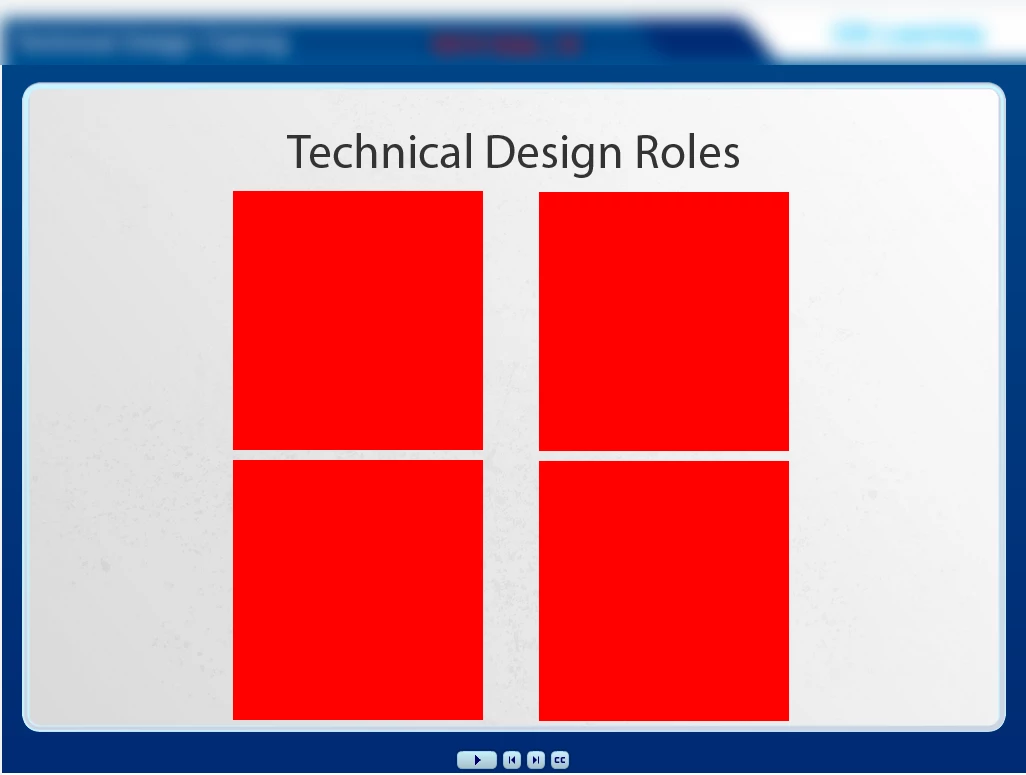
I am using CP 6.1 on Mac OS 10.8.3. When I publish my course and review the published file,  some BUT NOT ALL of my images appear to be missing and are replaced by a red box. This does not happen EVERY time I publish but frequent enough for it to be an issue. When I open the same CP file from a co-worker's computer (also using CP 6.1) and publish, the error does NOT occur and all images appear as expected. What is going on with my version of CP? Has anyone else experienced a similar issue?
This topic has been closed for replies.
Correct answer avary_s

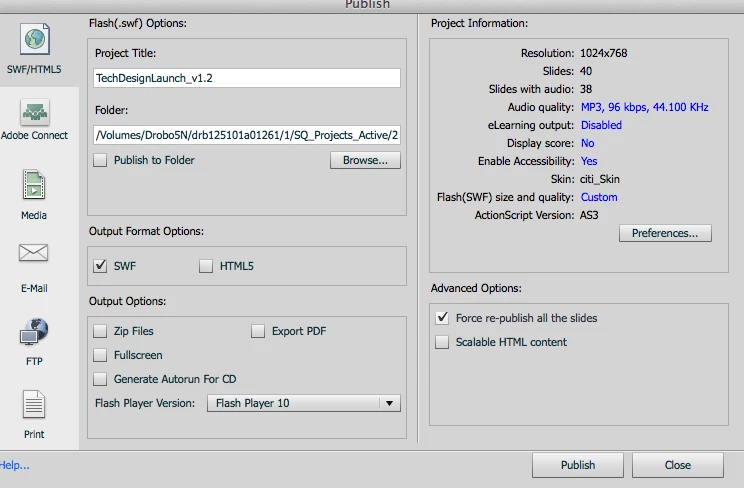
Try checking the 'Force Republish' button in the Publish Setting screen. Sometimes this works for me!

2 replies

Participant
May 16, 2013

I've had the same issues - upgraded to 6.1 from 6.0.  It published and looked fine.  Went back to review and two slides had red boxes where the graphics were.  Had to re-enter the slides.  Re-published and while the original two slides were now fine, 3 more slides had red  boxes in place of the graphics.  Had to change each slide with a new slide and publish them after each change to make it work.  It would not "accept" all the corrections at one time.  Quite frustrating and I'm not confident that the graphics will be there tomorrow.

avary_sAuthorCorrect answer
Inspiring
May 16, 2013

Try checking the 'Force Republish' button in the Publish Setting screen. Sometimes this works for me!

Inspiring
June 20, 2013

Copying the CPTX file to my desktop and doing "Force Republish" fixed it for me!  WOOHOO!

Participating Frequently
April 8, 2013

Hello there,

This issue happens because of memory issues. Can you let me know your project dimension, how many images you are using, are there any high resolution images? Can you modify the system memory to accommodate more space and see if it helps? We used to get this issue when using the high resolution images at multiple instances, reducing the resolution without compromising the quality helped.

Thanks,

Vish

avary_sAuthor
Inspiring
April 8, 2013

Hi thanks for the info, my project is 1024 x 768 and I am using alot of images, 60 or so at least. I will test with smaller images and see if that makes a difference, however each of my images are only between 1-50 KB, 72 dpi and no larger than 1024 x 768.  My machine is a retina mac book pro with 16 GBs of memory. We successfully published the project on a slower machine with 8 GBs of RAM and it worked fine.

Lilybiri
Legend
April 8, 2013

Hello,

Not sure if it is due to memory issues, I have 32GB of RAM (Win 7), decent NVidia with 2GB and see sometimes those red boxes as well. I save, close Captivate, clear the cache and restart. Eventually I restart the system totally, and red boxes disappear. It looks more like sort of cleanup needed to me.

Lilybiri