
Participant
April 22, 2017
Question

CP2017 - Fluid boxes issue

  • April 22, 2017
  • 2 replies
  • 963 views

Hi everyone,

Trying out the new Captivate 2017 and love it so far but i have an issue with the new feature called Fluid boxes.

So im editing my project in preview mode "Desktop" and i have created 3 fluid boxes as seen here on the picture:
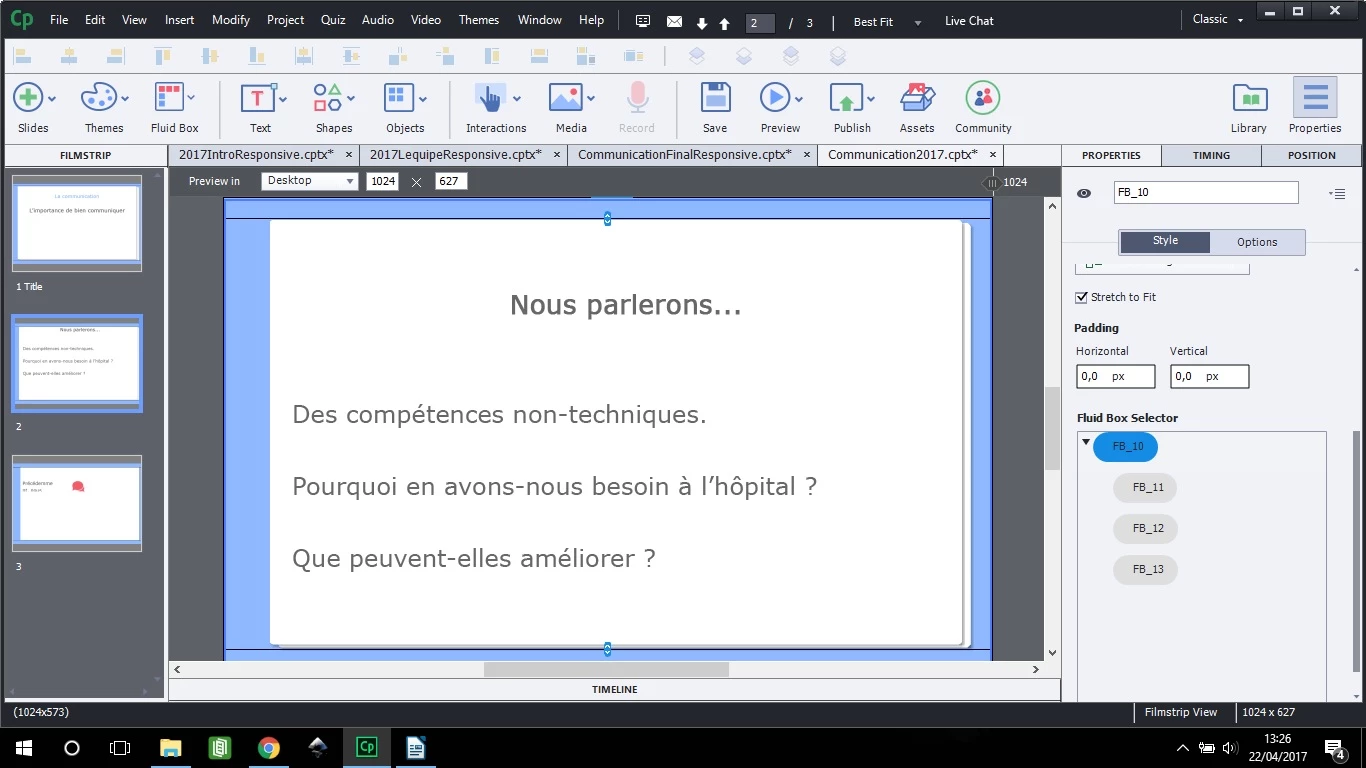
When i change de preview to let say iphone6, i can now see 4 boxes even though the fluid box selector tells me i still have 3 fluid boxes.
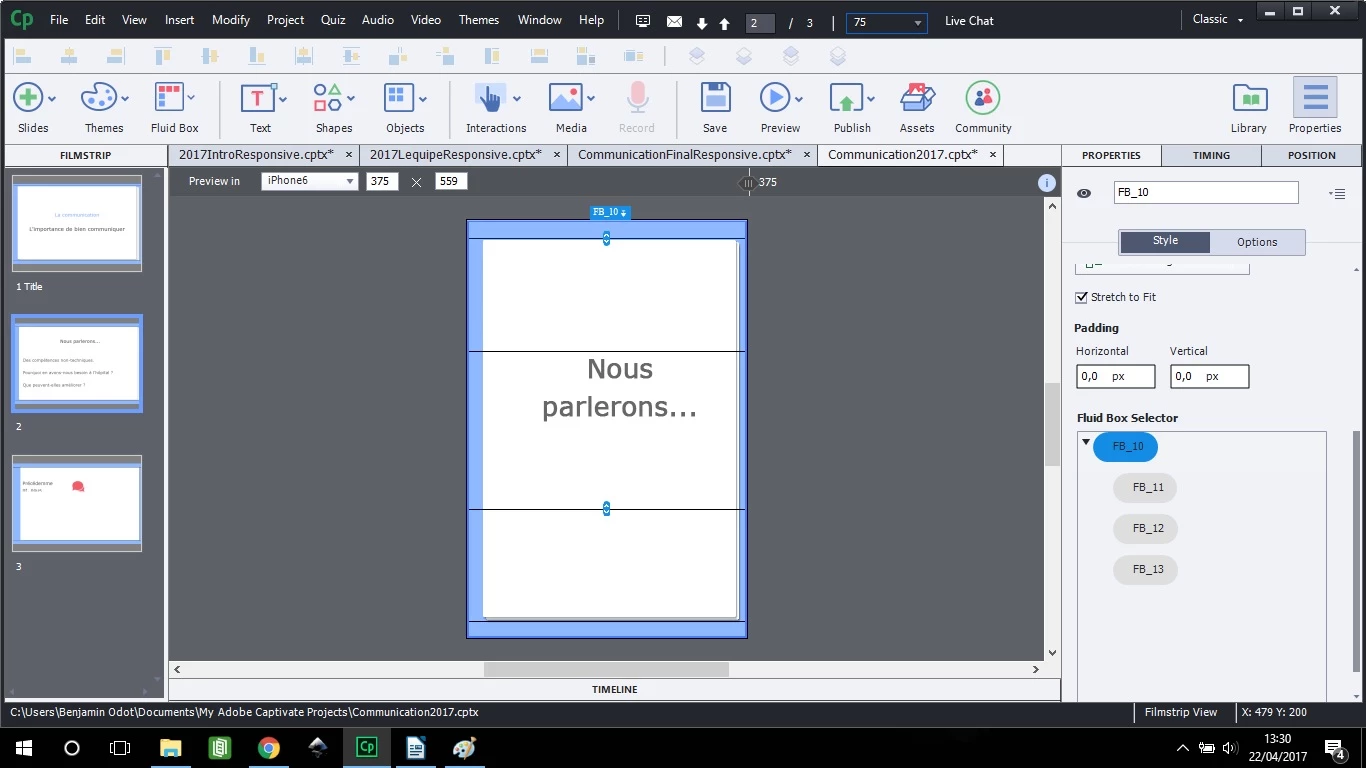
When i publish my project i can actually see that 4 fluid boxes are shaping my project.

Am i actually doing something wrong or is this just a bug ?

Thanks for your help,

Ben

    This topic has been closed for replies.

    2 replies

    zeeshan hussain
    Adobe Employee
    Adobe Employee
    April 24, 2017

    Hi,

    I am pretty sure FB_12 has been marked as Static in this case. Please check.

    There are only child fluid boxes(FB_11,12 and 13) of parent FB_10 .

    Since static fluid boxes maintain aspect ratio, that is why are you are getting the impression that there are 4 fluid boxes. 

    If you want to check this in better way, at 1024 px width, Select FB_11,,12 and 13 and fill them with different solid backgrounds using Options tab in PI. Now move the preview slider to lower width and check the result. your doubt will be clarified.


    Regards,
    Zeeshan

    Lilybiri
    Legend
    April 24, 2017

    @zeeshan  Static Fluid Boxes keep width/height ratio, what about location? In the screenshot it looks like it is keeping a centered status (vertically)?

    zeeshan hussain
    Adobe Employee
    Adobe Employee
    April 24, 2017

    Hi Lilybiri,

    Flow of root fluid box (which is parent FB_10 in this case) is vertical. When user is moving the preview slider to lower width, width of static FB_12 is decreasing and proportionally its height is also decreasing. I am not sure what is the reason to make FB_12 as static in this case, because it does not seem to fulfill any purpose.

    Regards,
    Zeeshan

    Lilybiri
    Legend
    April 22, 2017

    Hi Ben,

    I don't understand your question. For the screenshots I see for both devices 4 fluid boxes: the main fluid box, and three on the first sublevel.  Can you explain where you do see a difference? Maybe post a screenshot of the published file?

    Participant
    April 22, 2017

    Here are more detailed screenshots:

    Desktop view

    I have a text caption linked to the central fluid box (2) which is surrounded by two smaller fluid boxes (1 and 2).

    Iphone 6 view

    Here when i switch to iphone6 view i have my central box (3) with text caption linked and then it become surrounded by a total of 4 fluid boxes (1,2,4 and 5)

    Participant
    April 22, 2017

    Actually to be more precise, on the iphone6 view, 2 and 3 are not fluid boxeq apparently, it is some kind of empty space id like to get rid offso box 3 isin between the two other boxes on top and at the bottom of my slide...