May 5, 2010
Question

Cp4 - Retain more than 1 Flash Video in slide to view independently

  • May 5, 2010
  • 2 replies
  • 834 views

I have 3 rollover slidelets that each have a Flash video in each.  The slidelet that contains the flash video is 'not visable' - (options properties).

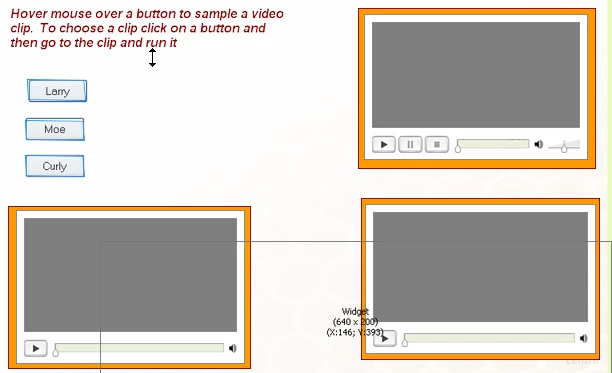
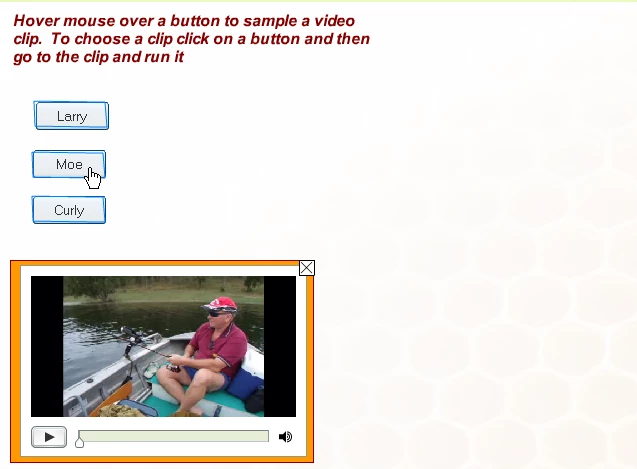
The concept:  The user hovers the mouse over one of three buttons.  When finding the one to play the button is clicked to displayed the slidelet and flash video.   The user then clicks on the video playbar to run the video. I 'loop' the video so that the video stays within the slide. I now want to select another clip, so I pause the open video and then click on another button.  What happens is that this action closes the slide and moves onto the next slide.

I want to allow the user to select any video clip and play them at any time without closing the slide and moving to the next slide.

Slide 1 showing the positioning of the buttons and rollover slidelets containing the flash videos
Slide 2 shows the published slide ready for user activity
Kind regards,

s9500aol

This topic has been closed for replies.

2 replies

CalebRejino
Participating Frequently
May 25, 2010

Slidelet and flash video?  I only have an image import button.  I am curious where you were able to import your Flash video for the "Rollover Slidelet" to work.  Any thoughts?

Picture #1:  Rollover Slidelet Screen Shot

Captiv8r
Legend
May 25, 2010

Hi there

When you insert a Rollover Slidelet you get two objects on the stage. Just click OK on that dialog you posted and you will see. One object is the area your user mouses over. The other area presents what the user sees. The slidelet area has its own Timeline. You click the Slidelet area and it gains focus. You then insert the objects into this area.

Cheers... Rick

Helpful and Handy Links

Captivate Wish Form/Bug Reporting Form

Adobe Certified Captivate Training

SorcerStone Blog

Captivate eBooks

Inspiring
May 13, 2010

Hi

Firstly, place a click box or button on the slide to pause the slide after about 2 seconds.

Secondly set the 'if the user clicks inside the slidelet' option in the slidelet properties to 'stick slidelet'

Thirdly, in the 'advanced' tab of the slidelet change 'on rollover' to 'no action'  as without this, when you move your mouse off your first slidelet the slide continues to play and moves to the next slide.

Try that

Webbo

May 21, 2010

Thank you Webbo....

Yes 'stick' and 'no action' works.......  Now I get independant activity between embedded clips.

Thanks Again for your Help

Regards,

s9500aol