
Inspiring
December 13, 2016
Question

Cp9: display errors in IE11

  • December 13, 2016
  • 2 replies
  • 2676 views

My customer encountered severe display problems which I really do not know to handle: bullets lists and dashs are not shown in IE11. She told me that at first all looked fine, then she had closed the training and started again, minimized and resized the window and all of the sudden the bullets are replaced with these strange symbols:
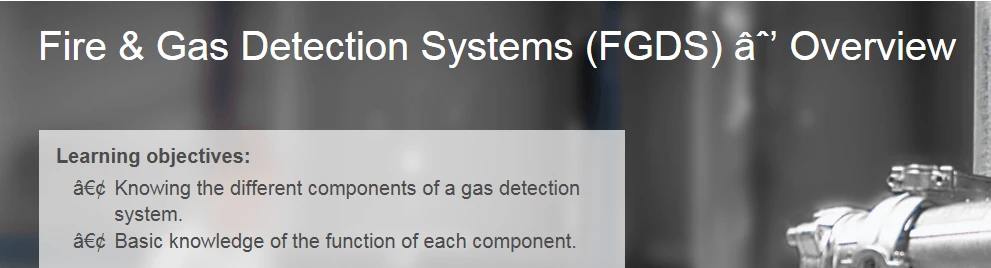
This is a screnshot from the Captivate file:
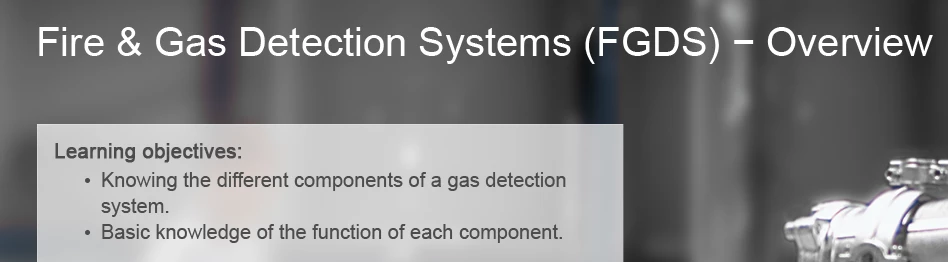
It´s a HTML5 publish (responsive design), uploaded to an LMS (TC Manager) and viewed in IE 11.0.9600.18524 Version 11.0.37

I don´t understand this problem, as bullet lists and m-dashes are HTML standards for decades now. Is there anything I can set in the Captivate file or is this an issue of the LMS or the browser settings?

This topic has been closed for replies.

2 replies

klospieli
Known Participant
March 7, 2017

I'm on a Mac, and using C9. I used to be able to use all the different bullet styles regardless of font. Now, I can use only the standard bullet (dot), but none of the others (triangle, arrow, etc). I work for a corporation who has their own font, so reading comments here helped with that issue for sub bullets (reverting to system font); however, i still can use only the standard dot.

It seems like that issue started with the C9 release.

Lilybiri
Legend
March 7, 2017

Can you confirm that you use the latest version 9.0.2.437?

klospieli
Known Participant
March 7, 2017

I didn't, but i do now! I still have the same issue.

RodWard
Community Expert
Community Expert
December 13, 2016

Were you only using web-safe fonts from the special area at the top of the fonts list in the Captivate properties tab, or is it possible the fonts used here could be something other than web-safe?

Inspiring
December 13, 2016

The font face is always Arial, selected from the websafe list of fonts ...

Jefferbob12055564
Inspiring
December 13, 2016

By chance, did you copy the text from Word or PowerPoint and paste it into Captivate? If so, they might not be actual simple dashes. Try deleting them and manually typing them in.