
Inspiring
May 23, 2017
Answered

CP9 - How can I access external Javascript?

  • May 23, 2017
  • 2 replies
  • 3087 views

CP9

HTML5 output only

Hello,

I have never tried using external Javascript files, but I thought it was about time I at least understand them.

Unfortunately my attempts have failed and I need help please.

I have created a file name my_java.js and stored it in C:\Program Files\Adobe\Adobe Captivate 9 x64\HTML\assets\my_java.js

The my_java.js contains the code:

function my_fun(my_message) {

    alert(my_message);

}

I edited the index.html file at C:\Program Files\Adobe\Adobe Captivate 9 x64\HTML\index.html

I have no idea where to put the reference to the my_java.js so I added it to this line:

var lJSFiles = [  'assets/js/my_java.js','assets/js/jquery-1.11.3.min.js','assets/js/CPM.js','assets/playbar/playbarScript.js' ];

In Captivate I have made a button to Excecute Javascript and put in this text:

my_fun("hello");

I have saved and published the project and the my_java.js appears in the assets, and the index.html has the reference to it.

Unfortunately when I view the project it just shows a spinning circle and progresses no further.

I would really appreciate and help.

Thank you

Peter.
    This topic has been closed for replies.
    Correct answer petern33480613

    I just could not find a guide on how to use an external library of custom JavaScript functions, there must be one somewhere, but it eluded me.

    This is what I eventually came up with, I hope it helps anyone else.

    Step 1

    Make a file of java code called my_java_code.js containing functions.

         function my_alert(my_message)

         {

             alert(my_message);

         }

         function my_print()

         {

              window.print();

         }

    Step 2

    Make a folder called my_library at the root of your website.

    Put my_java_code.js in the library folder.

    C:\xampp\htdocs\my_library\my_java_code.js

    (This path will be different on your own systems)

    Step 3

    Edit the index.html file in the Captivate installation to include a reference to the library.

    Put the reference just above the </head> marker.

    (Make a backup of the index.html before editing)

    C:\Program Files\Adobe\Adobe Captivate 9 x64\HTML\index.html

         </script>

         <script type="text/javascript" src="../../my_library/my_java_code.js"></script>

         </head>

         <body onload="onBodyLoad()">

    Step 4

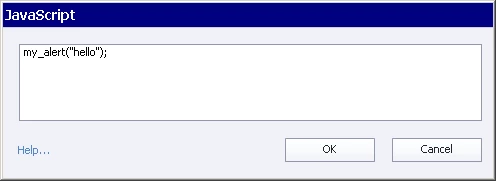
    In a Captivate project make a button and use the Execute Javascript option.

    In the Script Window type the function to use, such as:

         my_alert(“Hello”);

    Step 5

    Publish project an press the button…. The java will run.

    Good luck.

    Peter

    2 replies

    petern33480613AuthorCorrect answer
    Inspiring
    May 24, 2017

    I just could not find a guide on how to use an external library of custom JavaScript functions, there must be one somewhere, but it eluded me.

    This is what I eventually came up with, I hope it helps anyone else.

    Step 1

    Make a file of java code called my_java_code.js containing functions.

         function my_alert(my_message)

         {

             alert(my_message);

         }

         function my_print()

         {

              window.print();

         }

    Step 2

    Make a folder called my_library at the root of your website.

    Put my_java_code.js in the library folder.

    C:\xampp\htdocs\my_library\my_java_code.js

    (This path will be different on your own systems)

    Step 3

    Edit the index.html file in the Captivate installation to include a reference to the library.

    Put the reference just above the </head> marker.

    (Make a backup of the index.html before editing)

    C:\Program Files\Adobe\Adobe Captivate 9 x64\HTML\index.html

         </script>

         <script type="text/javascript" src="../../my_library/my_java_code.js"></script>

         </head>

         <body onload="onBodyLoad()">

    Step 4

    In a Captivate project make a button and use the Execute Javascript option.

    In the Script Window type the function to use, such as:

         my_alert(“Hello”);

    Step 5

    Publish project an press the button…. The java will run.

    Good luck.

    Peter

    federicot15958829
    Participant
    February 22, 2018

    I've followed step by step your procedure, but still it isn't working. How could it be?

    I'm using Captivate 2017 and uploading the SCORM in Moodle.

    I tried with my functions but still nothing happens, with your function but nothing again.

    The only thing that is different from you is the address where I put the file.js because of my website.

    I need your help!!

    Participating Frequently
    March 26, 2018

    Is there a way to send a captivate variable into that JS file and vise versa? If so how should it be initialized in both the JS file and Captivate?

    Inspiring
    May 23, 2017

    Solved.