
CP9: Software Simulation on HD Device - fix makes menus and toolbar text too small to read
Hi,
I had the same issue addressed here:
When I try to record the screen, an error pops up
...BUT the fix, which works, causes another issue for me.
Basically, if you have a HD display (using a Surface Book win10) and try to record a software simulation in CP9, you will get the below message:
"Capture is disallowed since High-Density display was detected. Please Set DpiAwareness =1 in AdobeCaptivate.ini and restart the application"
Navigating to the .ini file and changing the dpi value from 0 to 1 will allow you to record a software simulation, BUT it will re-size all toolbars and menus to tiny tiny text. Hurts to read. See below:
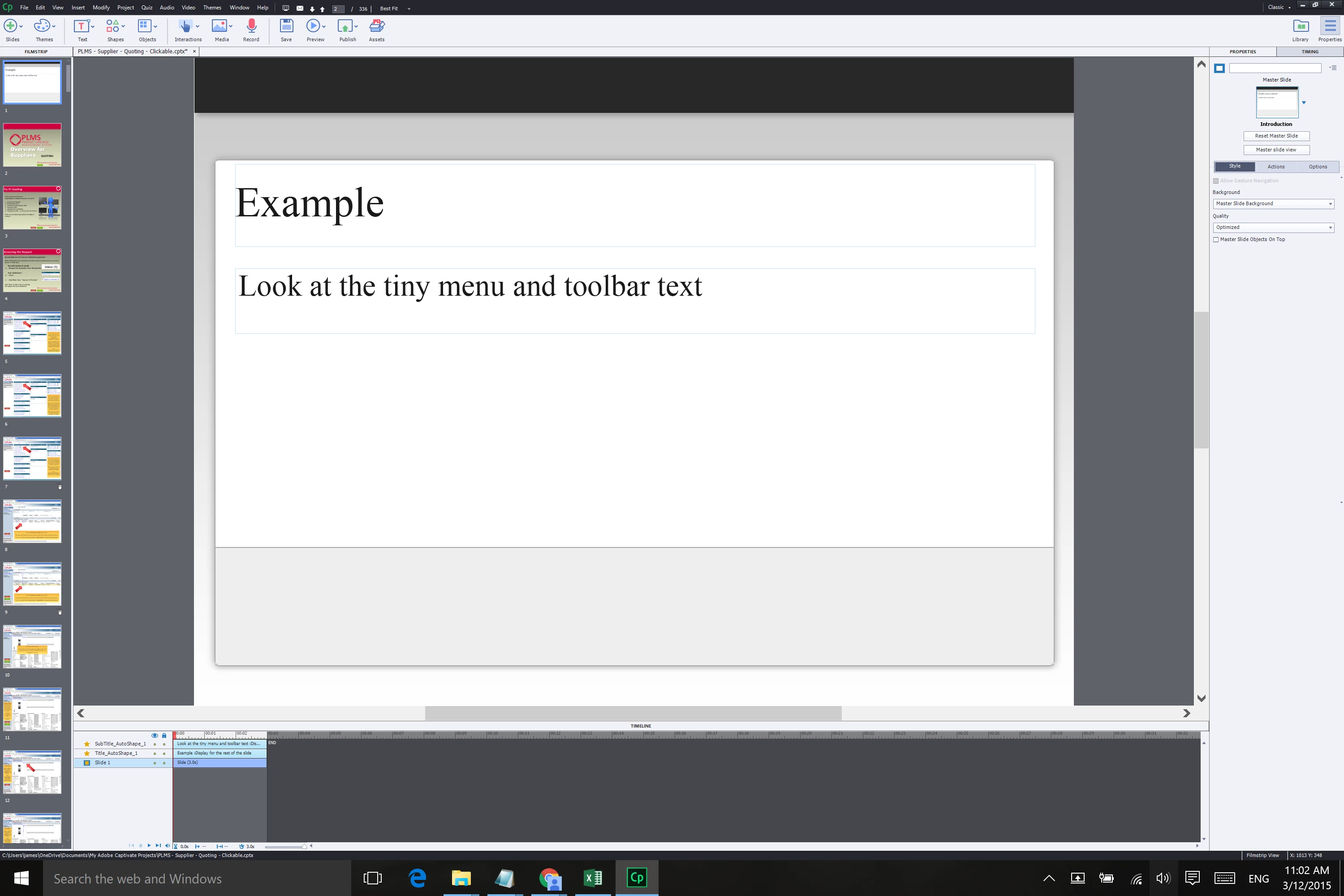
Does anyone have a fix or workaround for this - apart from altering the overall PC display resolution? This option isn't great as it significantly limits the usability of other applications I am using at the same time.
Thanks in advance for your help.
 AdChoices