Known Participant
December 15, 2015
Question

CPT 8: Pause quiz for feedback?

  • December 15, 2015
  • 1 reply
  • 218 views

Hi everyone:

This question was asked on October 6 ("custom quiz slide pause for feedback") but not answered. Here's my quiz screen:
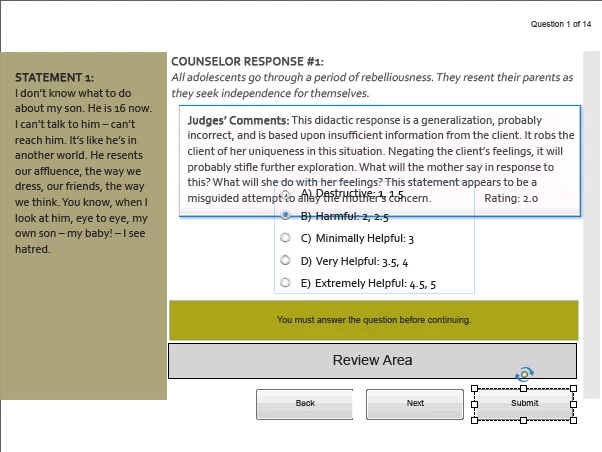
The feedback (Judges' Comments) box is shown here overlapping the rest of the content, but it works in real life. The user selects one of the options (A through E) and clicks Submit to show feedback. I want the slide to pause until the user clicks Next, but I can't figure out how to override the slide duration setting. I could set it to a really long duration, I suppose, but I'm betting that will cause more problems in the end.

Help?

    This topic has been closed for replies.

    1 reply

    Lilybiri
    Legend
    December 15, 2015

    Is this a real custom question slide or a default question slide which was tweaked? I'm asking this because I do see the default embedded buttons appearing. But you refer to a 'custom' quiz slide, which is something totally different in my head. That would be using the radiobuttons interaction, advanced actions and variables.

    Known Participant
    December 15, 2015

    Ah - I have "tweaked" a Cpt quiz slide.

    The original poster, created a custom quiz slide.

    Lilybiri
    Legend
    December 15, 2015