
Create a custom multiple choice image quiz
Hello,
I'm a novice to Adobe Captivate 5.5, intermediate computer skills, minimal programming knowledge. Captivate has great built in quick setup quizzes. However, they don't fit my specific needs.
I have a few students who are special needs, most have auditory processing issues, some are higher functioning than others. I want to create a quiz/training, with the following criteria:
1 - ask a multiple choice question
2 - answer choices can be words/images or both and are shown in random order (so it's not a memorization test)
3 - the test questions can be drawn from a pool so the progression of the test becomes more challenging
4 - optionally removing images or words based on the individual's needs
5 - adding text to talk
6 - choosing the correct answer shows an image like a star or ribbon
7 - the results must be stored
------example question-------
The red ____
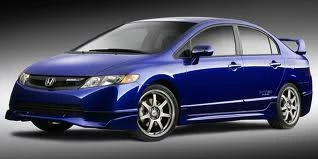
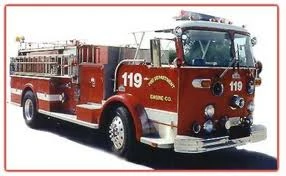
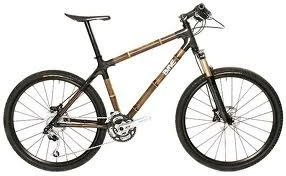
car truck bicycle
-----------------------------------
I understand captivate 5.5 has built in quiz feature, which covers most of the criteria, the main issue I've been having is adding the images to multiple choice answers. When I select multiple choice quiz there is no option to insert pictures or images, or to merge/associate an image to an answer choice.
Does anyone know of a tutorial, or perhaps an easy how to? With my limited programming knowledge I don't know how to program a full flash slide.
Thanks in advance.
 AdChoices