


Participant
August 9, 2023
Question

Create checkmarks for visited slides

  • August 9, 2023
  • 1 reply
  • 176 views

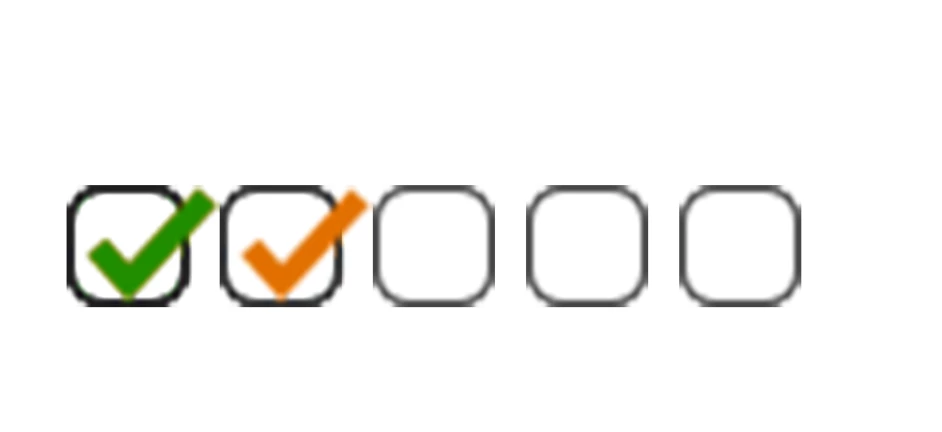
Hey everyone, this is my first post here so please bear with me. I'm looking to create checkmarks for the slides the user visits (this can be seen in the image below). When the user vists a new page, the checkmark will turn orange, when they leave, it turns green. I already have this working by executing an advanced action script on enter. The problem is that i have a different advanced action script for each slide, and tying this functionality into every single one quickly becomes messy, especially when you have different amount of slides for each lesson. Is there a more global way of doing this other then tie it to every individual slide? Maybe through a javascript or something?


Best regards

svardz
    This topic has been closed for replies.

    1 reply

    Lilybiri
    Legend
    August 9, 2023

    Welcome!

    Is it possible to see exactly how you set up the 'advanced action'? I suppose you are using a version of Captivate which is not the most recent one because that would be impossible in version 12. Can you tell the exact version number as you can find under Help, About Captivate?

    Do you want this 'progress' bar to appear throughout the project? I suppose that is the case, do you use multistate objects, and/or do you  time the bar for the rest of the project?

    Of course you may prefer to use JS, but it could be possible to replace the advanced actions by a shared action with probably at least one parameter. Did you try that?

    svardzAuthor
    Participant
    August 9, 2023

    Thanks for the reply, i should probably have been more specific. I'm using captivate 2019 (version 11.8.0.586). The bar is currently appearing across the entire project and is set to be displayed for "Rest of Project". The checkmarks themselves are multistate, having 3 different satates (oranage, green, empty).


    This is what my action looks like:

    I have a variable that keeps track of the number of pages i've visited, while also checking what slide i'm on. I then increase that value by one, while at the same time changing the state of the previous checkmark to "green" and the current one to "Normal(orange)". I have another variable that i use in the beginning of the project to initialise these marks and set them all to their "empty state". This works but isn't very modular to work with while also being messy to implement across various advanced actions.


    When it comes to shared actions i haven't actually looked tried that, might have to look into those.


    Cheers!

    Lilybiri
    Legend
    August 9, 2023

    Please, I want to see the complete advanced action. Best way is to use the Preview button in the Advanced Actions dialog box. It is this button:

    At least I will be able to see the first decision and the ELSE part of the conditional decision. Learn more in my full exploration of the Advanced Actions dialog box:

    https://blog.lilybiri.com/advanced-actions-dialog-box-in-captivate-2017

    You have multiple instances of the multistate object for the checkmark, but in your AA I see reference to 'checked', how do you label them on the other slides? And the variable: I would reuse it on each slide, but what is its start value?