March 11, 2018
Answered

Creating an action after all boxes are selected

  • March 11, 2018
  • 1 reply
  • 228 views

I'm stuck on trying to get an interactive function to work properly in Captivate 9.

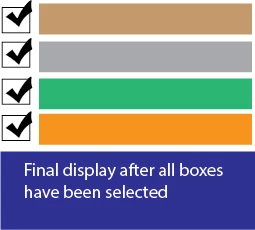
After the user selects ALL the boxes, I would like an image to appear on the screen.

I'm not sure how to get this function to work after selecting all the boxes.

I create a variable for each box and set each value to 1.  I'm not sure how to move on from this point in getting this

function to work.

Thanks for any assistance.
    This topic has been closed for replies.
    Correct answer Lilybiri

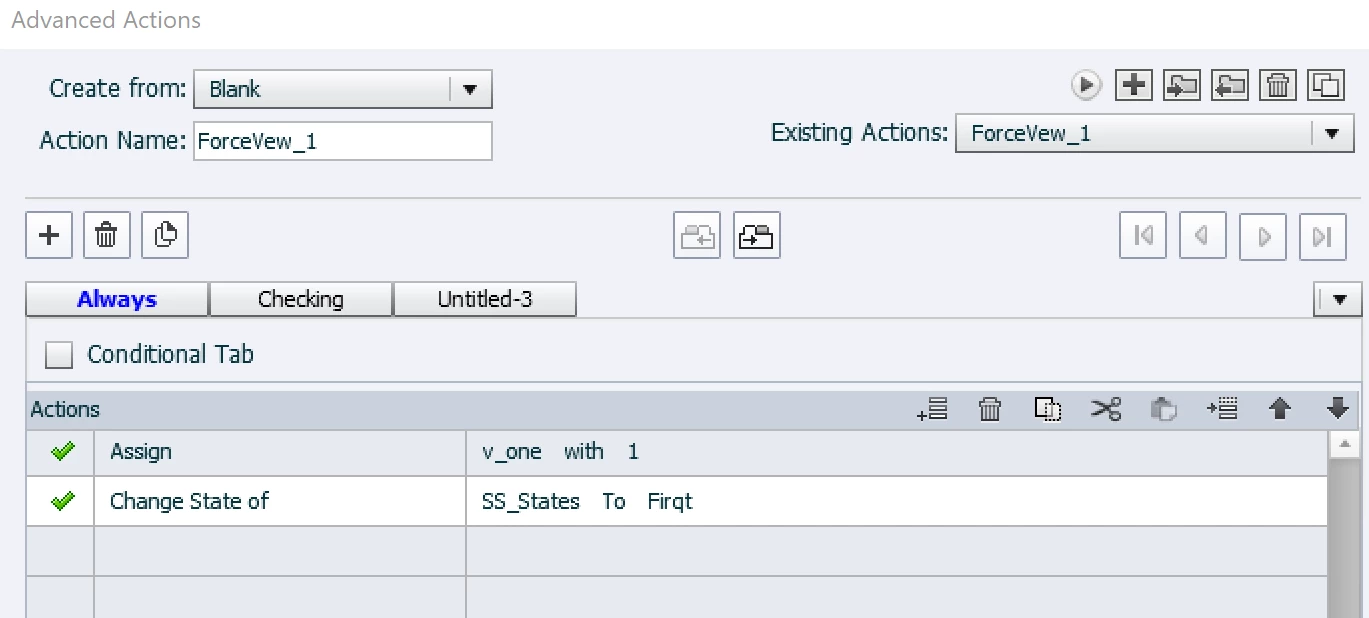
    First decision 'Always'  (I just change a state):

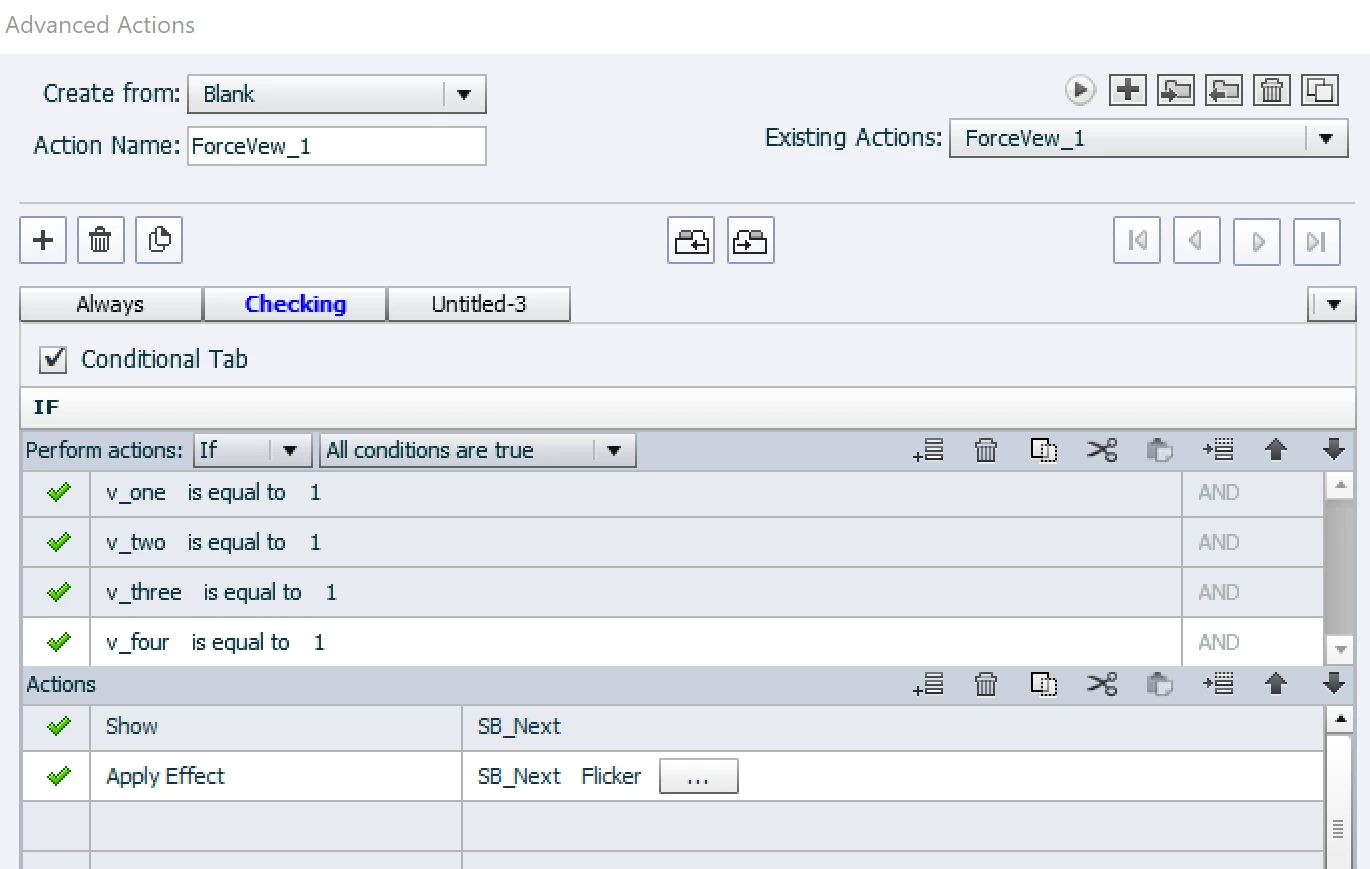
    Second decision, conditional, where I am showing the Next button in this case, you need to show an image.

    1 reply

    Lilybiri
    Legend
    March 11, 2018

    It is one of the examples I will  show in the webinar about Shared actions next Thursday. Look at the invitiation:

    Invitation: Webinar Shared Actions! - Captivate blog

    You didin't tell which version you are using. I will try to explain in words, since screenshots are different for CP2017 and for previous versions due to the change in the Advanced Actions dialgo box.

    For each of the interactive objets you need an action with two decisions:

    • First decision will not be conditional, and will Assign the value of 1 to the associated variables as you already did + eventually other things to happen when clicking the button.
    • Second decision has to be conditional: checks if all variables are equal to 1, and shows the image when that is true.
    March 11, 2018

    I'm using CP2017.  Thanks, its that second decision for which I'm confused on how to do in captivate.

    Lilybiri
    LilybiriCorrect answer
    Legend
    March 11, 2018

    First decision 'Always'  (I just change a state):

    Second decision, conditional, where I am showing the Next button in this case, you need to show an image.