
Custom Captions CP7 half work, half don't. confused.
Hi,
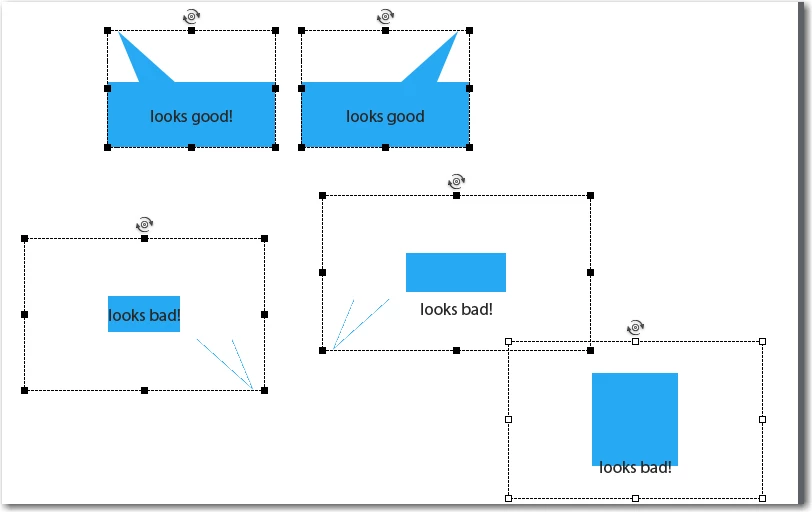
I am trying to create some custom captions to work with my project. I really need them to be custom captions instead of smart shapes so I can just replace the ones that CP creates in a recording with my set. I have created the 5 different images and saved as bmp files. Actually, I created 1, then flipped and rotated to get the other 3 with the pointers/tails on them in the right direction. I have my fcm files that I used from when I did this a loooonnnngggg time ago. Here's the weird thing, the up right and up left work great! The other 3 don't display correctly. They are not totally filled in with my color leaving a large trasnparent margin around the edges and you can't even see the tails. I'm so confused! Any help would be greatly appreciated!
Thx,
Lori
 AdChoices