


Participant
November 8, 2023
Question

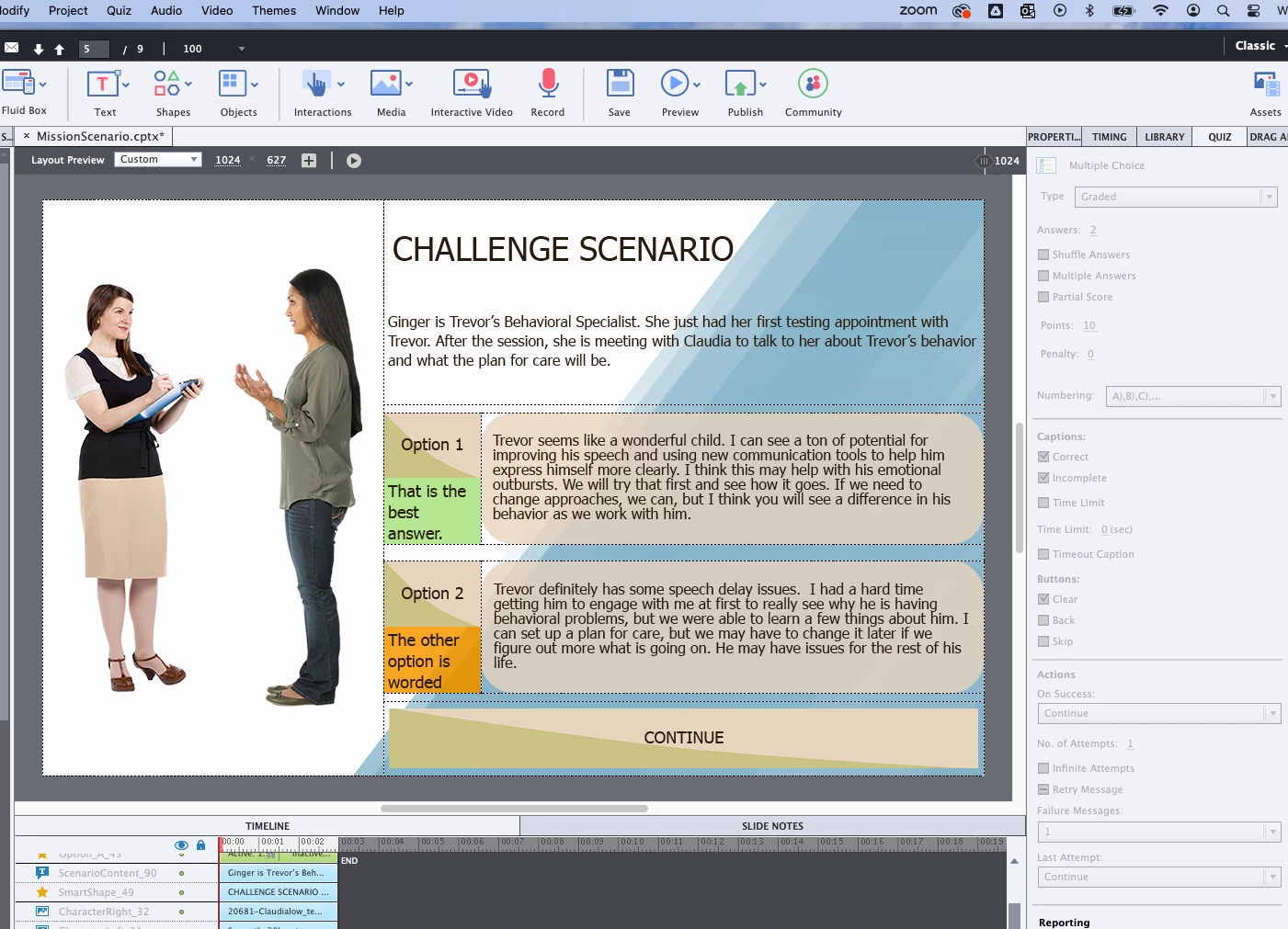
Custom Captivate Quiz Slide Cannot Add Options Needed

  • November 8, 2023
  • 1 reply
  • 142 views

I feel like I run into this often and I can never find the answer.

I create a slide with all of the objects I want on the screen (responsive project with fluid boxes).

I create buttons for options of testing the knowledge I want from the user.

Then I get to the part where I want to set it up as a quiz question and my options are limited and the Quiz menus are greyed out.

I can "include in quiz", but i can automatically show the success or failure options and have the project pause without using advanced actions. It would be much simpler to just have the options available on a regular quiz slide to ensure it functions properly without me needing to create more advanced action problems (potentially) as I go.
What am I missing here? Using most recent version of captivate. Using objects as buttons....what other questions?
    This topic has been closed for replies.

    1 reply

    Lilybiri
    Legend
    November 8, 2023

    Most recent version is 12, but you clearly are on an older version. Can you please find the full version number under Help, About Captivate.

    In a custom question you need to attach a score to interactive objects, and that score can indeed be included in the Quiz total using the Reporting section in the Properties panel of those interactive objects. Default quiz slides have lot of embedded objects which have the functionality built in.  I am not sure what you expect as answer. I have introduced the word 'custom question' over a decade ago on my blog, which has a lot of examples of custom questions.  I mostly prefer Shared actions whenever possible

    Participant
    November 9, 2023

    Ok, so step one, I am going to try and update my Captivate. 

    I did add these options to the interactive objects of including them in an interaction. 

    I appreciate using Shared Actions, but if possible, I would like to use the built in Captivate options of showing the success caption, pausing and then moving forward because it functions better in output.

    Lilybiri
    Legend
    November 9, 2023

    Do NOT update to 12 please, because the new version has no advanced nor shared actions anymore. Any customisation has become a lot tougher. You need to forget almost everything you know about Captivate and start like it is a complete new application. My question was which version you are using now. What did you try to show with the last screenshot?