Known Participant
June 16, 2020
Answered

Custom quiz buttons

  • June 16, 2020
  • 1 reply
  • 1956 views

Hi,


I am a Captivate newbie working with Adobe Captivate 2019 release. I have created a custom quiz in Captivate on a blank slide. There is a question with three options, one of which is correct. The three options are shapes being used as buttons. When the user clicks the correct option, they are taken to a slide which says -- correct. Similarly, when the user clicks the incorrect option, they are taken to a slide which says -- incorrect. Both the correct and incorrect slides have a next button which will take them to the scorecard. As I mentioned, all three options are shapes which I am using as buttons. The next button on the correct/incorrect slides is also a shape. I want to ensure that the buttons are capturing the score and reporting it to the LMS. For now I have selected each button, and under Properties>Reporting, checked the following boxes: Include in Quiz, Add to Total and Report Answers. Will this do it? 


Thanks

    This topic has been closed for replies.
    Correct answer Lilybiri

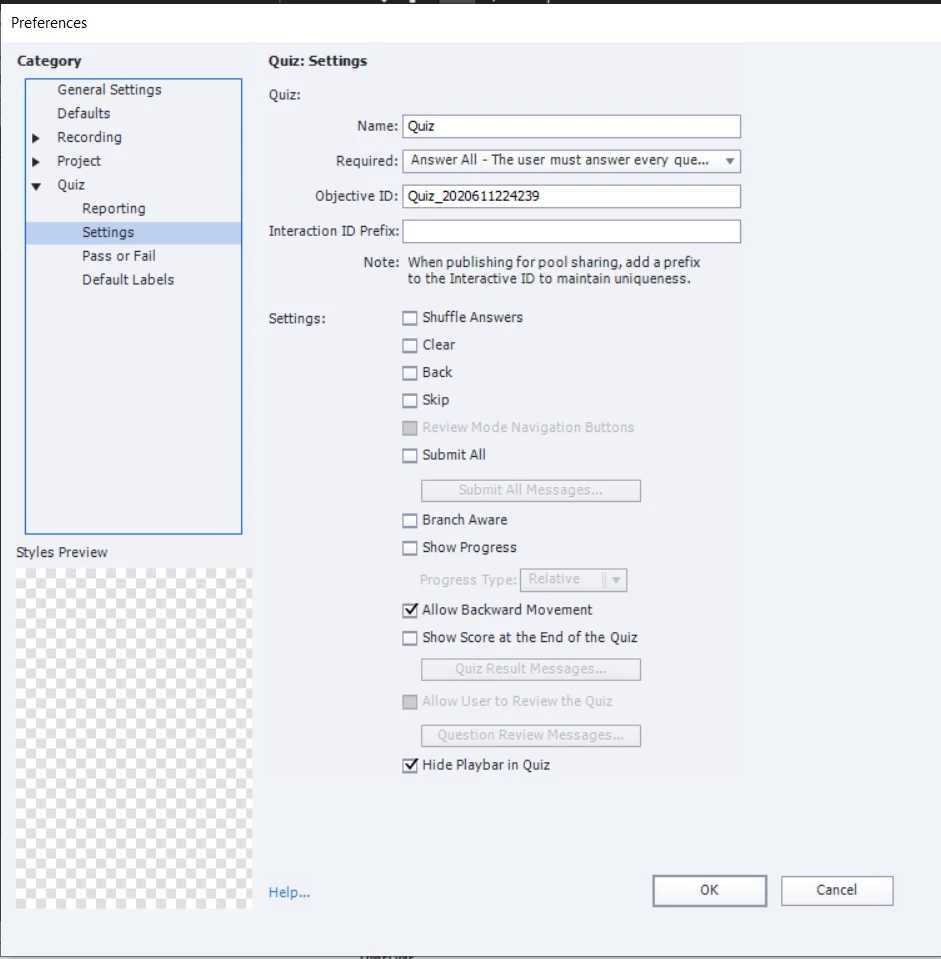
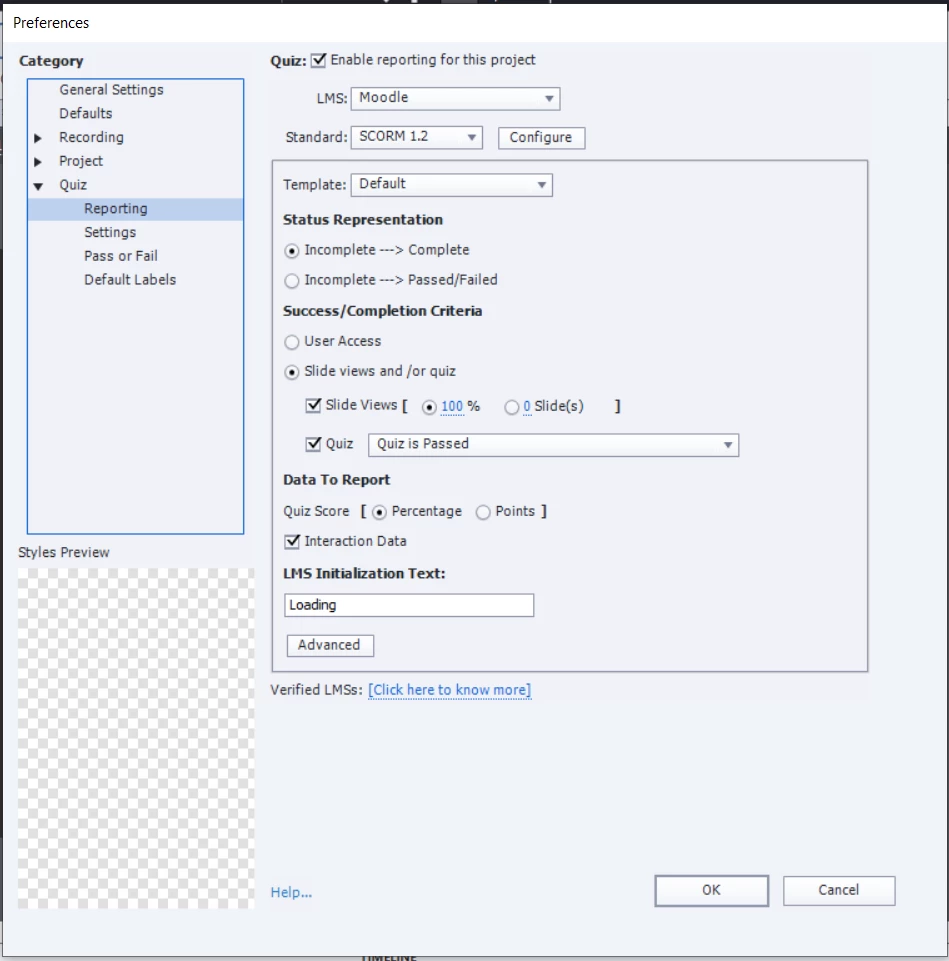
    Attaching two more screenshots of Quiz settings.

    Thanks..


    Agree that this is way to complicated for something which could be achieved easily with aa normal MCQ question.

    Did you attach a score to ALL the buttons? You cannot attach a variable to a button, that may be wrong terminology but which makes no sense.  You have three buttons: only the correct one should have a score, not the two incorrect ones because you don't want a score when those are clicked.  Why would you need three variables, makes no sense neither?  It is a misunderstanding of scorable objects. If you look at the Advanced Interaction panel you should see a score only for the correct button. Your variables as far as I can judge are never changed, they keep the value you gave them when defining them. 

    Just posted an overview of the Advanced Interaction panel on my blog. 

    Another problem is perhaps the too strict setting of the Required field.  If my suspicion  is correct, which is that you have attached a score to ALL buttons, correct and incorrect, the learner is never able to click all those buttons since he needs to choose one of them. Restricting the Backwards movement is OK, if you never allow the learner to go back to the button slide from the feedback slide. 


    1 reply

    RodWard
    Community Expert
    Community Expert
    June 16, 2020

    It might.  But the thing you need to remember is that ONLY the buttons that represent the correct answer should be reporting a score to the quiz. 


    If you set all buttons to report a score, even the wrong ones, then that isn't really going to give you the correct result you are likely to be expecting because then incorrect answers would also be scored as correct.

    singruAuthor
    Known Participant
    June 16, 2020

    Thanks. Any advice on how to ensure that only the buttons that represent the correct answer should be reporting a score to the quiz? Should I uncheck any of the Reporting options under Properties? Or should I disable Reporting for the incorrect anwers altogther? In that case, should I atleast check the Include in Quiz option? Sorry if this is a simplistic question. 

    RodWard
    Community Expert
    Community Expert
    June 16, 2020

    It is a simple question, but that's what we learn to expect from a newbie developer.

    You just deselect all reporting options for incorrect questions.  If they are not reporting a score to the LMS, they don't need to be set to report at all.