

Custom reset button in drag & drop
I'm working on a slide that has 8 drag & drop boxes in two groups of four. It looks like this:
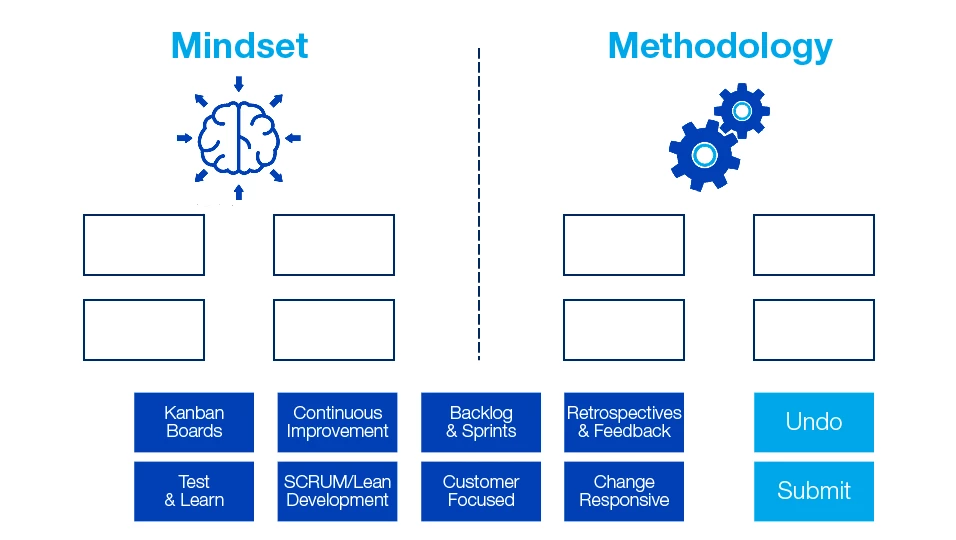
The Undo and Submit buttons are the ones built in to the drag & drop.
Once I click Submit, I want one of two hidden groups to appear depending on whether the answer was correct. The groups will appear at the bottom above where the drag boxes are.
The "correct" group is made a shape the width of the slide, and on it an image, some text, and a button to continue to the next slide. This works correctly..

The problem is with the "incorrect" group. This group again has a shape, an image, text, and two buttons: A Continue button to go to the next slide, and a Reset button. What I want the Reset button to do is to reset the dragged items and hide the group panel, basically reverting the slide to the beginning. This Reset button is not the one built into the drag & drop, but is instead a shape button. I did this because I couldn't find a way to hide or show the built-in reset button.
The Continue button is an option because this is only informational. This is not being scored.
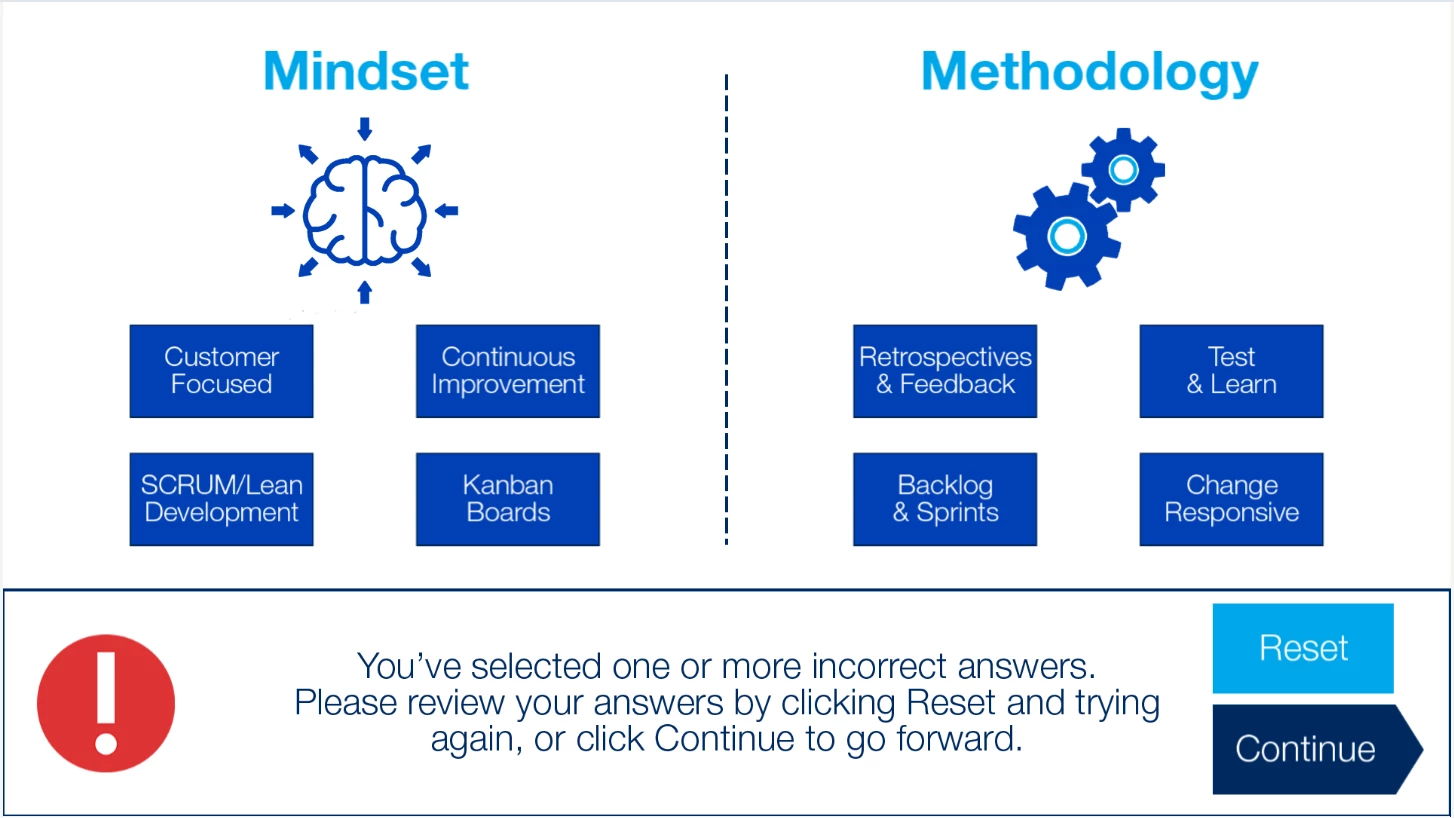
The Continue button works fine. However the Reset button does not work as planned.
I had read previous posts, and created two variables. One is v_enter which was assigned with cpInfoCurrentFrame. The other is v_counter assigned with 0. These were assigned with an action called in the slide's On Enter event.
I then created a reload action, which has two actions. One is an expression cpCmndGotoFrameAndResume = v_enter - 2, the other hides the "Incorrect" group. The reload action is called when I click Reset. What happens, however, is that first the "Incorrect" group is hidden (so far so good). Then the dragged items appear again at the bottom where they originally were. BUT they also still show where I dropped them in the target boxes. The project then goes forward to the next slide anyway.
What am I doing wrong here? Thanks in advance.


 AdChoices