
Custom results slides not functioning or scoring properly
Here’s is the setup of the slides in our Captivate file:
- We have a question pool
- We do NOT want to include a Results slide, and would instead like to use:
- When failing, a slide which includes a less positive image and constructive feedback text
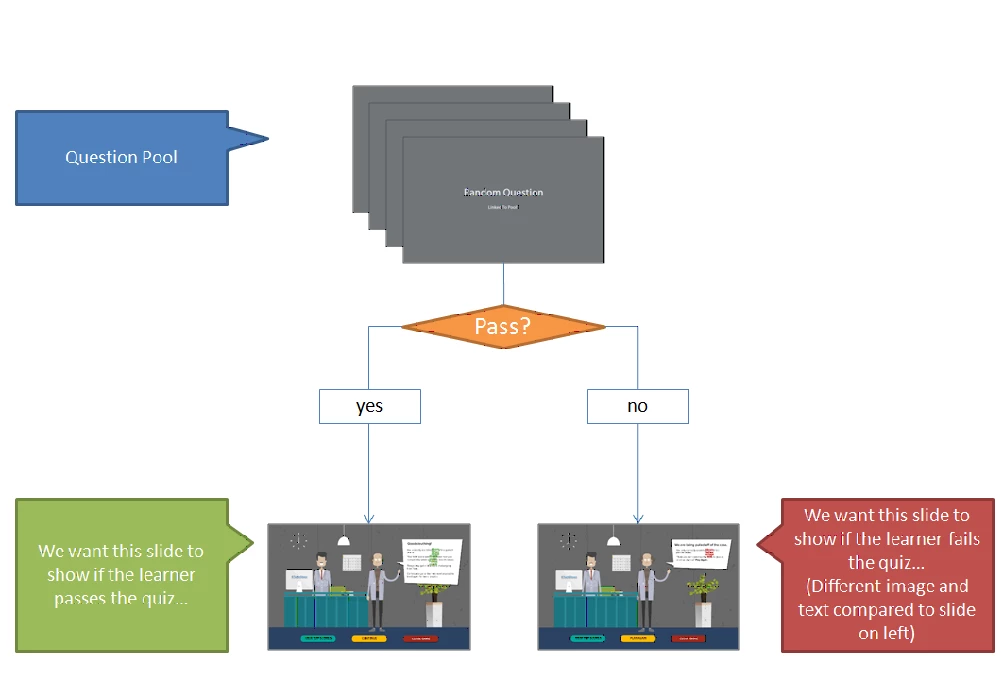
In our file, the slide we want to display when a learner passes is slide #26 and the slide that we want to display when a learner fails is slide #27.
When we hide the Results slide, we only see slide #26 regardless of whether the learner passes or fails. (Since this is the first of the two slides). The file seems to just continue instead of evaluating the Quiz: Pass or Fail project settings
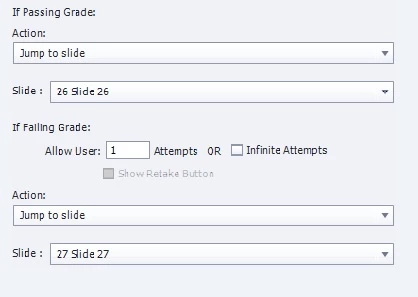
When we show the Results slide (slide #25), the Quiz: Pass or Fail settings are correctly evaluated and once the learner clicks on the continue button for the Results slide they go to slide #26 if they pass (or slide #27 if they fail).
Is there an easy way to do this with Captivate Settings? Or do we need to create our own Advanced Action/JavaScript to make this happen when there is no Results slide?
Thanks in advance for any suggestions.


 AdChoices