
Custom text caption bitmaps do not display correctly
Hi all,
I searched the forum and saw similarly titled posts, but none that described my issue.
I'll start by saying I'm a new user, so please bear with me.
I'm playing with custom captions because I want to use corporate colours in my presentations. To quickly test this functionality I made copies of all five "Adobe Blue" themed captions bitmaps and the associated FCM files. I renamed the bmps to "NewName1" through 5 and renamed the FCM files accordingly. I edited the colour of the copied bmps in a photo editing app, and then saved them. I copied all edited BMP and FCM files to the Gallery\Captions folder, then closed and reopened Captivate.
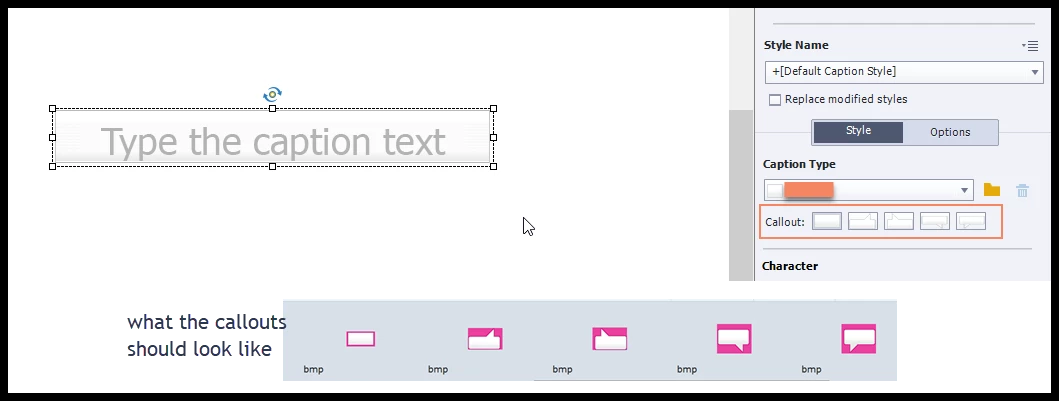
The problem? When I create a text caption and set the Caption Type to my new collection the images I saved do not appear. It looks like a default of some sort is applied instead. The images in the Callout preview below the Caption Type do not look like the images I saved either. All other Caption Types that came with the program apply correctly.
Any idea what I might be doing wrong?


 AdChoices