Participating Frequently
February 4, 2011
Question

customising buttons and captions in 'quizzing' setting

  • February 4, 2011
  • 1 reply
  • 552 views

hi there

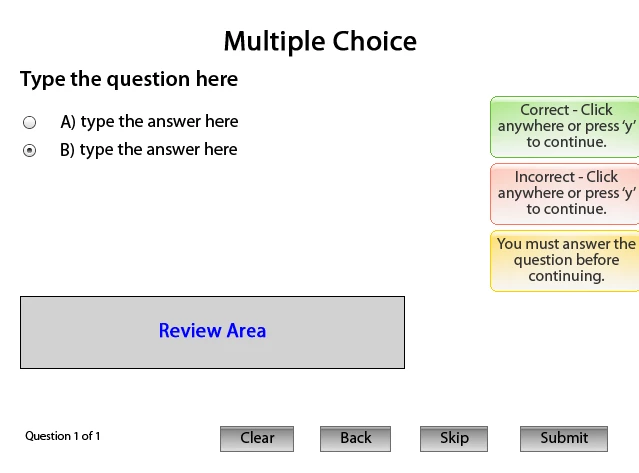
I am creating a quiz in captivate 'quizzing' template in the 'Multiple Choice" bit.

I need to customise the small grey buttons that you click on, is this possible?

Ideally I'd like to replace them with an animated button I created in flash cs5.

I'd also like to replace the colourfull captions that pop up with animations I have created in flash cs5.

I would try and design this in 'classics' section but I need the 'quiz results' page at the end with all the tracking data on it.

any help would be much appreciated!

thanks in advance.

matt
This topic has been closed for replies.

1 reply

Lilybiri
Legend
February 5, 2011

Hello,

Please, which version of Captivate are you using? If it is Captivate 5; go into the Object Style Manager, where you'll find all Quizzing objects, included the different buttons and replace the Default style by whatever you want to use.

If you want to replace the Text Captions (Failure, Success, Hint), you will have to configure the Success and Failure actions that are by default set to Continue. Insert the animations that you want to use (which is possible even on a Question slide), set them to invisible and attach an action to show the animation.

Lilybiri

Participating Frequently
February 5, 2011

hi there

I'm using captivate 5, I have inserted an animation and made it invisible. I have also added an advanced action for the animation to 'show'

I have then selected the 'failure caption'

I then selected the action panel on the left in 'quiz properties' but when I try to 'execute advanced action' to show the animation it doesn't work?

thanks

matt

p.s I attached a screen shot to show you what it looks like.

Date: Sat, 5 Feb 2011 01:53:52 -0700

From: forums@adobe.com

To: matchu20@hotmail.com

Subject: customising buttons and captions in 'quizzing' setting

Hello,

Please, which version of Captivate are you using? If it is Captivate 5; go into the Object Style Manager, where you'll find all Quizzing objects, included the different buttons and replace the Default style by whatever you want to use.

If you want to replace the Text Captions (Failure, Success, Hint), you will have to configure the Success and Failure actions that are by default set to Continue. Insert the animations that you want to use (which is possible even on a Question slide), set them to invisible and attach an action to show the animation.

Lilybiri

>

Lilybiri
Legend
February 6, 2011

Hello,

It is not possible to attach files, could you insert the screenshot as an image using the small still camera icon?

Lilybiri