

Question
Customize many to one snap (drag and drop)
Hi all,
I have the following drag and drop exercise in Captivate 9:
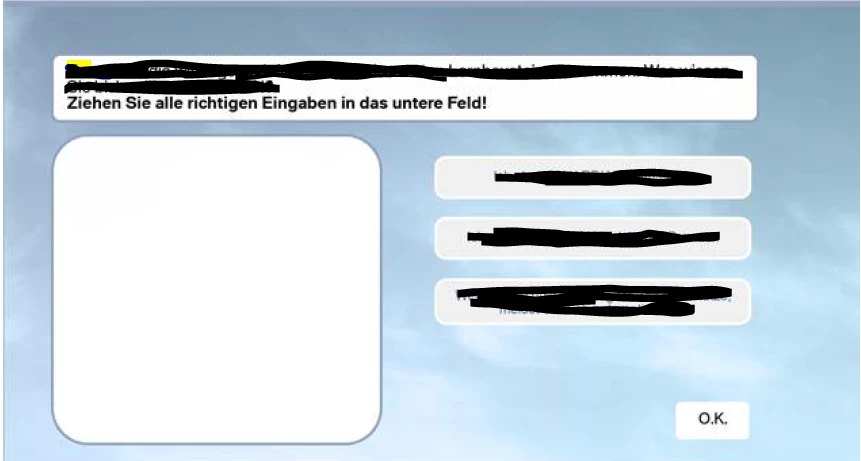
The user has to drag one or more of the three possible choices on the right into the drop target on the left.
Here's the challenge:
I would like to make it so that upon dropping a choice into the target, Captivate realigns (snaps) the choice so that it looks like this:
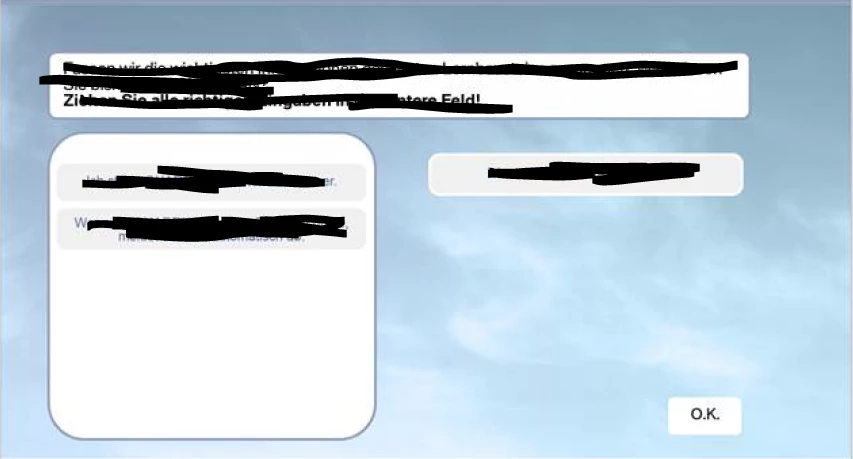
However, I'm unable to do this, since I can't tell from the UI options if customizing exactly where drop sources are snapped to within the target area is possible.
So far, all attempts snap the choices within the target in a way that doesn't look "clean", e.g. edges overlap, etc.
Any help would be appreciated.
 AdChoices