
Customizing Process Circle Widget
We've added the Process Circle widget to our courseware, but are unhappy about the way it's functioning.
At the moment, we've got five buttons on the circle--that's fine. However, if you click on a button that is not directly to the left of the currently active button, the widget spins too fast--this is confusing for learners. Also, the position of the active button is not ideal.
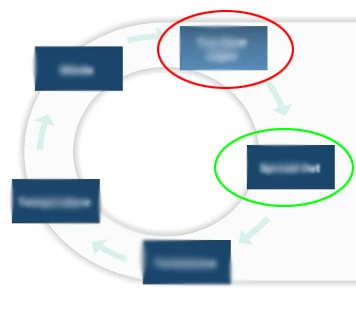
The red circle is the current location of the active button, but we'd like it to go in the location of the green circle.
So, to be clear, I'm not a Captivate Developer. I've never even used it. However, I've been tasked with finding some solutions to the above complaints. I am however pretty good in Flash, and that may be the route to take to solve these issues.
In a nutshell, can any of the following be done directly in captivate:
- Modify the spin speed of the circle (it would be even better if this could be modified to change speed based on the 'distance' of the clicked button from the active button)
- Only allow the option directly to the left of the active button to be clicked
- Move the position of the active button
If not, is there a way to manually modify the widget's source files (essentially creating a new, custom widget from the original), and if so, how would this be done?
If that is also not possible, what is the best way to develop a custom widget from scratch? Can this be easily done in Flash?
We're using Captivate 8 and Flash CS 5.5
 AdChoices