rolfp83548681
Participating Frequently
September 2, 2015
Answered

Darg and drop Frage

  • September 2, 2015
  • 1 reply
  • 438 views

Hallo zusammen,

Ich arbeite mit Captvate 8 und möchte eine spezielle D'n'D Frage bauen:

Es soll mehrere Drop-Ziele geben (z.b 5) und davon sind dann 3 Falsch und 2 Richtig.

Ich brauche also eigentlich nur 2 Drag-Quellen = "richtig" und "falsch".

"richtig" und "falsch" sollten dann aber mehrfach verwendbar/ziehbar sein und es soll natürlich egal sein, ob das erste "richtig" auf das erste, zweite oder dritte "richtig-Zielfeld" gezogen wird.

Es muss möglich sein in meinem Beispiel, dass "richtig" und "falsch" bis zu 5 mal gezogen werden können. (auf alle vorhandenen Zielfelder)

Kann man das lösen, oder muss ich mir eine andere Lösung für mein Problem ausdenken?

Danke schon jetzt für jeden guten Tipp.

Rolf
This topic has been closed for replies.
Correct answer Lilybiri

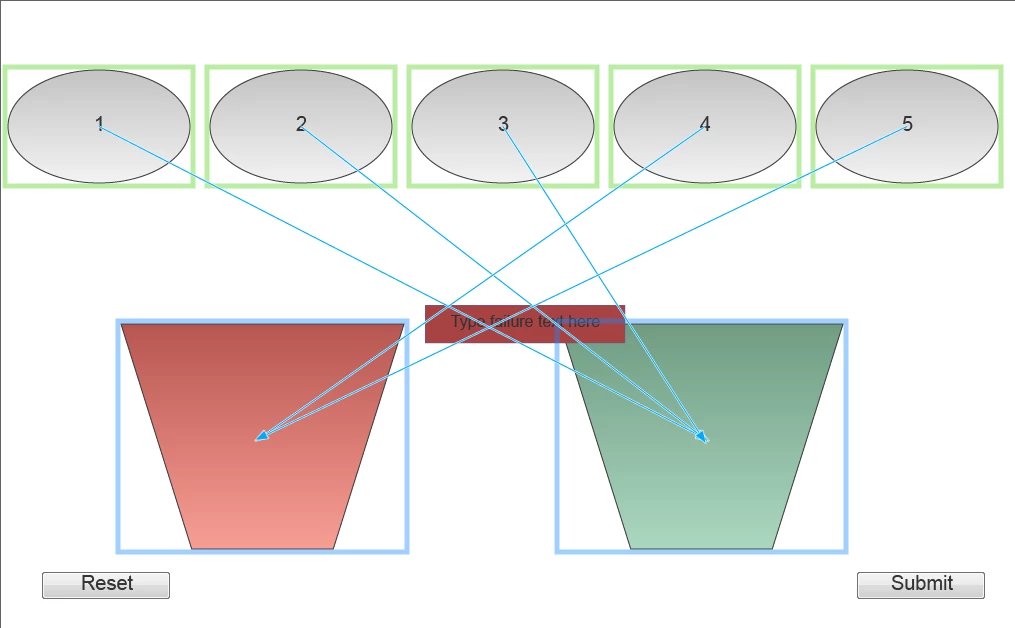
Picture better than words? Quickly created an example. These are the links:

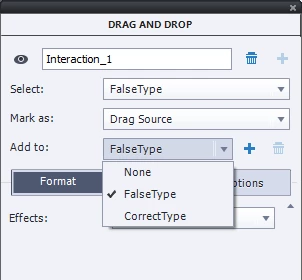
First 3 ellipses have been defined as FalseType, last two as the CorrectType, you have to drag a link only from one of each type to the drop target:

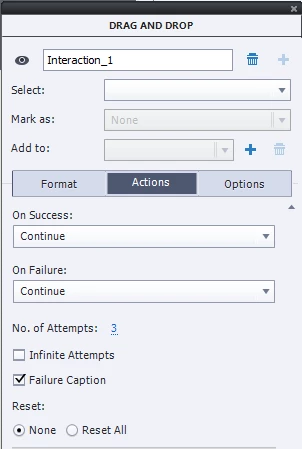
I set the attempts to 3 and added a reset button to make it easier. At this moment I left both actions 'Success' and Failure (that one will only be done after the 2 attempts to Continue.

If you want a Success caption (no by default possible in CP9) have a look at my blog post:

Drag&Drop tips - Captivate blog

1 reply

Lilybiri
Legend
September 2, 2015

You want to report this D&D question to a LMS? You want to offer 5 attempts? It looks pretty easy, create two 'type' of dragging sources, the 'False' and the 'Correct' type. You will only have to create one link between one drag source and the drop target for each drop target. The others will automatically be connected. Be careful: Captivate has no default Success caption/shape, only a Failure.

rolfp83548681
Participating Frequently
September 2, 2015

Hi Lilybiri

That sounds really easy BUT when I have 5 Dragtargets, how do I create the link between the 3 correct ones and the 2 false ones?

And there is no need to report to an LMS.

And just to make it shure: the user will have 3 Attemps, in each attempt he has to drag/drop 5 Items (correct/false) to 5 Drag-Targets (2 of them representing a wrong statement and three of them representing a correct statement).

Will it be possible to use the "correct" and the "false" dragging sources 5 times or do I have to create a kind of a stack of 5 single "Correct" and 5 single "False" sources?

Thanks

Rolf

Lilybiri
LilybiriCorrect answer
Legend
September 2, 2015

Picture better than words? Quickly created an example. These are the links:

First 3 ellipses have been defined as FalseType, last two as the CorrectType, you have to drag a link only from one of each type to the drop target:

I set the attempts to 3 and added a reset button to make it easier. At this moment I left both actions 'Success' and Failure (that one will only be done after the 2 attempts to Continue.

If you want a Success caption (no by default possible in CP9) have a look at my blog post:

Drag&Drop tips - Captivate blog