


Defaulting Slide Delay on slides 'inserted' from PowerPoint
We are using Adobe Captivate 7 to create training 'movies' for customers. I create a template with a couple of native Captivate slides. Product managers insert PowerPoint slides - which represents most of the content of the project - into the template. The PowerPoint slides are imported using the following settings:
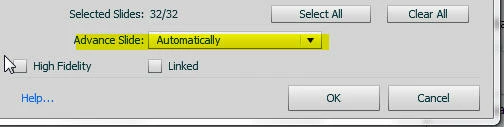
So the slides will automatically progress in the published 'movie'.
In the template (and edit preferences for the project) I have the slide default set as follows:
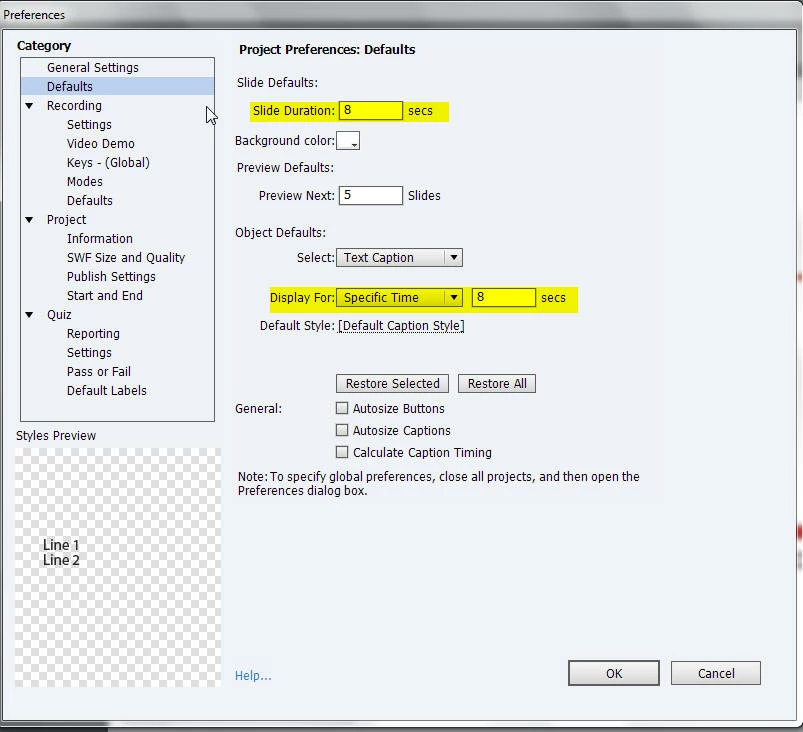
but no matter what I do, the inserted ppt slides default to slide delay 3 seconds (even though there is no longer a default set to that number).
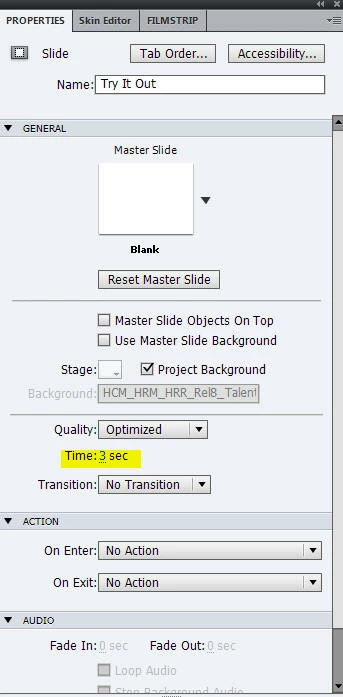
I know changing it isn't particularly difficult - just select all the slides and change from 3 to 8 seconds - but I don't understand why it is not picking up the default (from the template or the project) and where it is picking up the 3 seconds from (apart from the fact that Adobe ships it with this default).
Any thoughts welcome. Thanks.
 AdChoices