Participating Frequently
November 7, 2023
Question

Delay Next Button using Advanced Actions is not Working

  • November 7, 2023
  • 2 replies
  • 1087 views


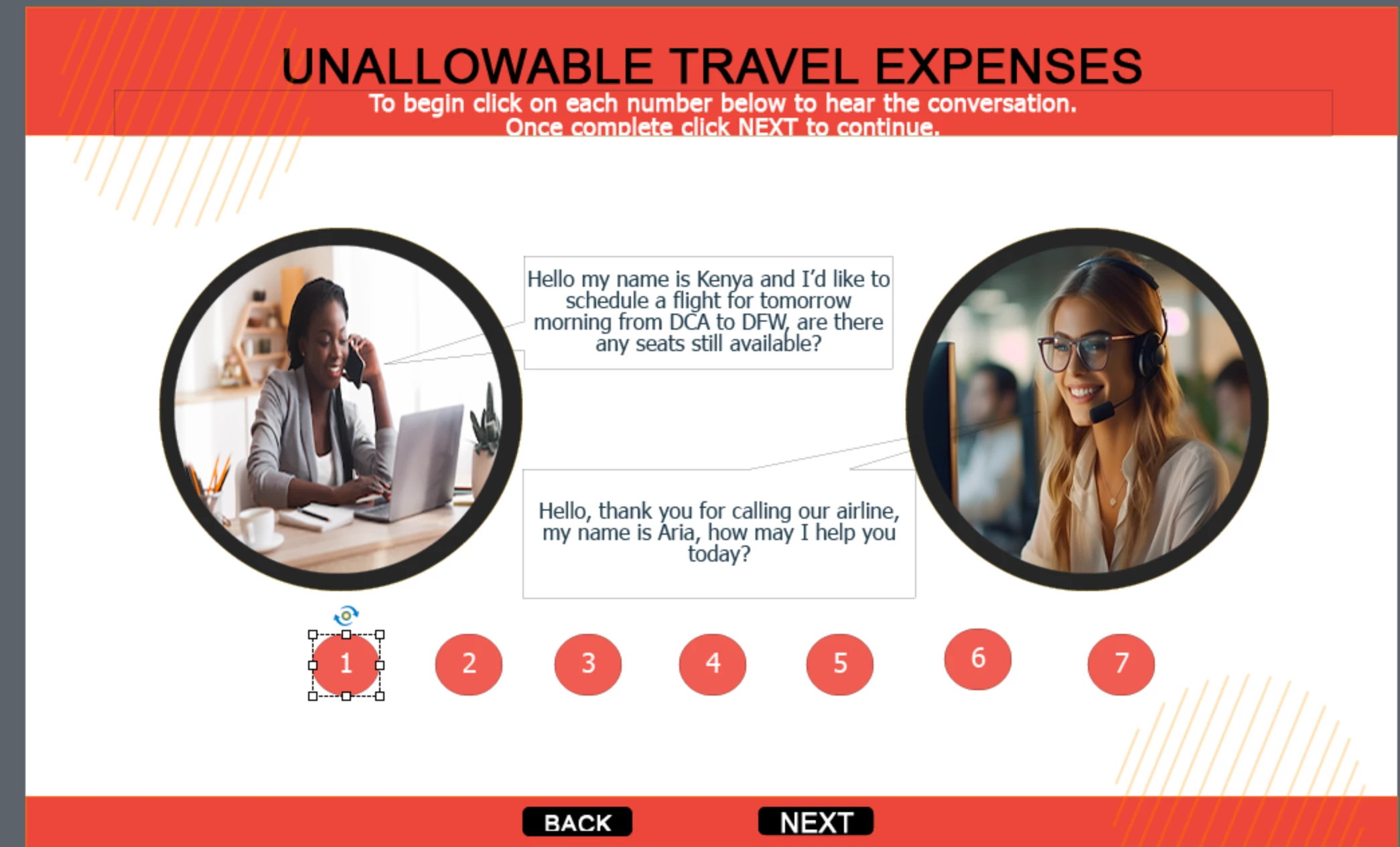
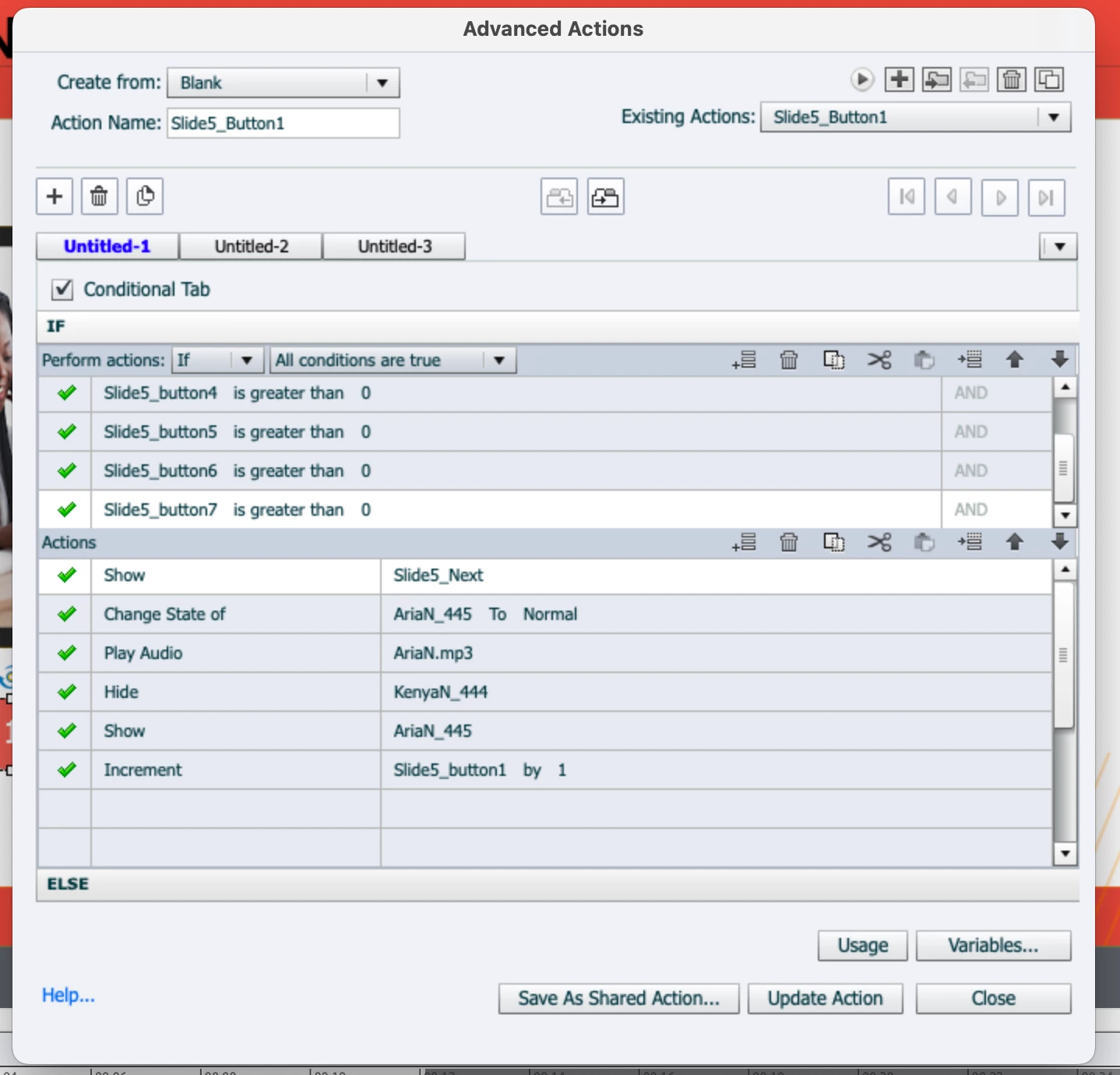
I have created this slide and I have created advanced actions to delay the next button until all actions have taken place using the if-then-else conditions however even when all actions have happened the next button does not show. Can someone please tell me where I have gone wrong?


This topic has been closed for replies.

2 replies

Lilybiri
Legend
November 8, 2023

My first question would indeed also be 'Are you triggering this advanced action by the On Enter event of the slide', same as Rod. That action will only be executed once, when entering the slide. You are using variables to track if a button has been clicked, I hope that you don't use the same name for the button. 

If 'our' suspicion' is correct, you need to add your advanced action as extra decision to each of the button actions, so that the status of the variables is checked whenever a button is clicked. I would use a shared action in this case, the same one I use for all Forced view situations, whether they are Flip cards or buttons or....  Especially since you have so many buttons with associated variables. I suspect that at this moment the buttons have a simple action to increment the associated variable. The shared action I am talking about has been explained during an online conference, and I put a summary in this blog post:

https://blog.lilybiri.com/tips-and-tricks-advanced-to-shared-action-intermediate

An alternative to your Show/hide approach is explained here:

https://blog.lilybiri.com/force-first-slide-view-micro-navigation

BTW: a screenshot of the Preview window of an advanced action which is conditional or has multiple decisions is much better. You find the Preview window clicking this button


Participating Frequently
November 8, 2023

Hello Lilybiri, I wrote a very detailed response, but I do not know where it is or I may not have actually posted. Forgive me here it is:

The advanced action is triggered when the learner clicks button 1.

Buttons and variables have different names.

I do not know what "extra decision" means.

I reviewed both of your links and I am not understanding how to use shared action in this case. My buttons are set to change multistate objects and play audio, while hiding the next button until all 7 buttons have been clicked....I do have them incremented by 1 upon clicking and all works except the next button being revealed.  I would love it if you could tell me what to do, this is day 3 of being stuck on slide 5 of 24, with all other slides working beautifully.


Participating Frequently
November 8, 2023

Here are all of the Advanced Actions for this screen.

Button 1

Button 2

Button 3

Button 4

Button 5

Button 6

Button 7


RodWard
Community Expert
Community Expert
November 8, 2023

What event are you using to trigger this action?  

Is it the On Slide Enter event or something the user has to click?

Participating Frequently
November 8, 2023

The user has to click button 1 to trigger the actions .

Lilybiri
Legend
November 8, 2023

Did you read what I wrote? Learner probably will think the buttons need to be clicked in sequence. If only button 1's success event is triggering that unique Advanced action, how can the variables all have been incremented if that is the first button?