Disable or Create Insertion Point (Cursor) while Creating a Simulation
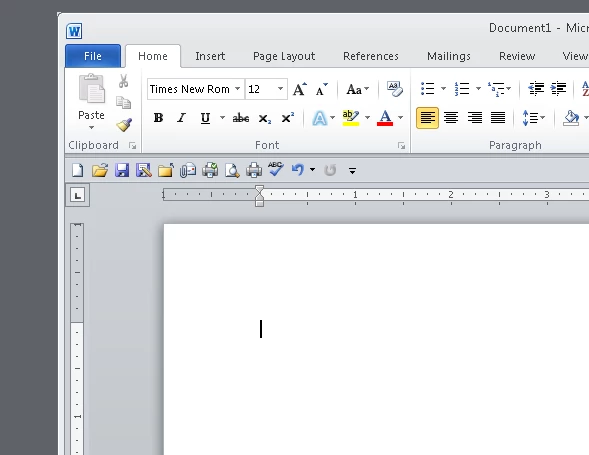
I am creating training simulations whereby a user is presented with a blank Word document (@ 100%) and needs to go through a variety of steps. Captivate 2017 (and, at least Captivate 9) captures the below insertion point. I want to configure my simulation to show that insertion point blinking instead of static to more closely resemble live content. I've tried the solution of using a Text Box but I've not found a way to configure the Text Box blinking insertion point. In other words, I've changed the font size and attributes of the Text Box and while I can make the insertion point tall enough, I cannot make it wide enough. Is this possible? Is there an easier way? If the answers to those questions are no, is there a way to disable the capturing of the insertion point while recording a simulation?
Thanks! ~christel
 AdChoices