

subassapkota
Known Participant
April 17, 2020
Answered

Disable the button and enable them after slide visited and assign them advance action

  • April 17, 2020
  • 2 replies
  • 1473 views

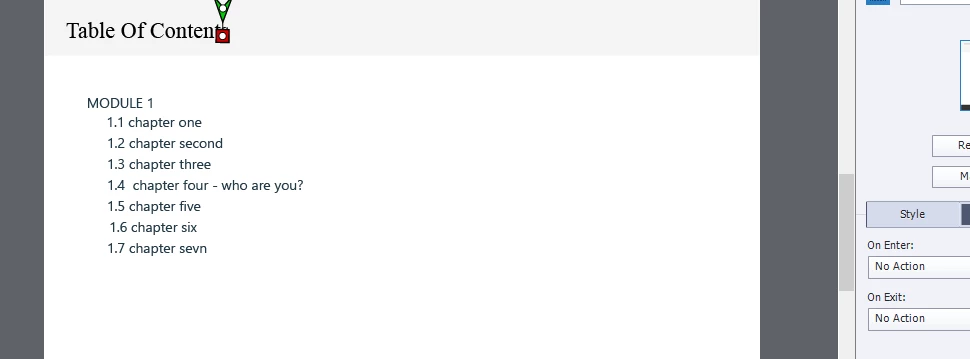
I am trying to build the custom table of content.  In the table of the content slide, I have seven buttons, by clicking each of them it jumps to the first slide of its chapter.  which means seven buttons for seven different chapters and each chapter has several slides. 


Screenshot here:


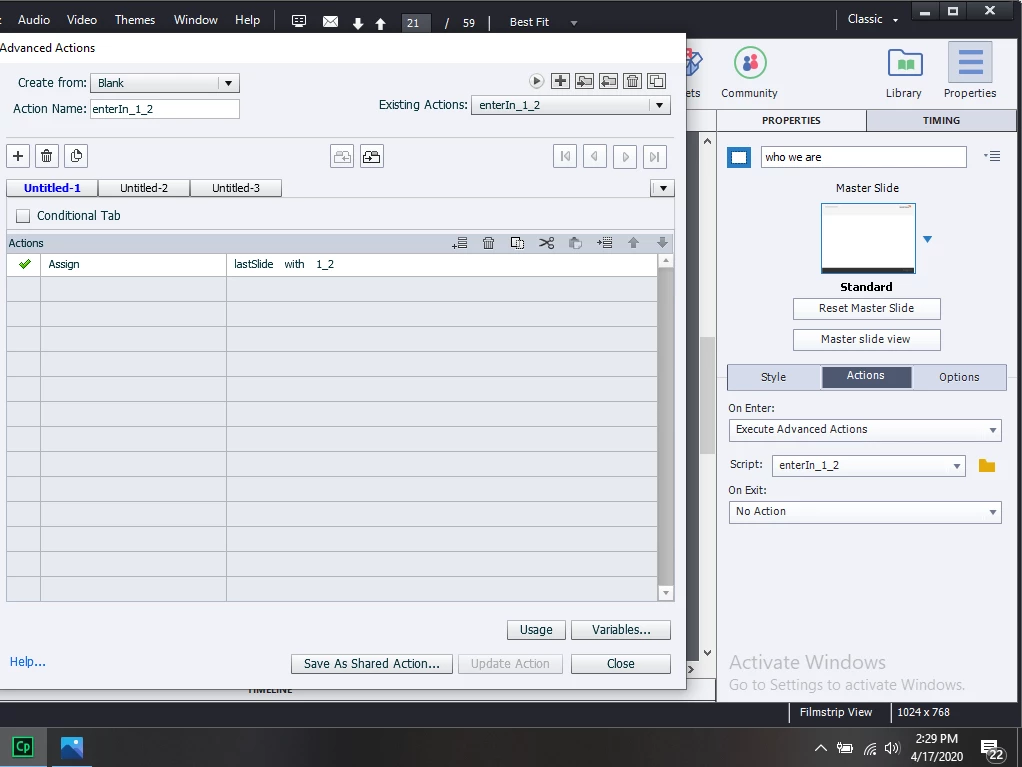
I have a variable var_lastSlide to track the slide. e.g after entering the second chapter, I have assigned value 1_2 to the var_lastSlide variable.


Here is the screenshot: 


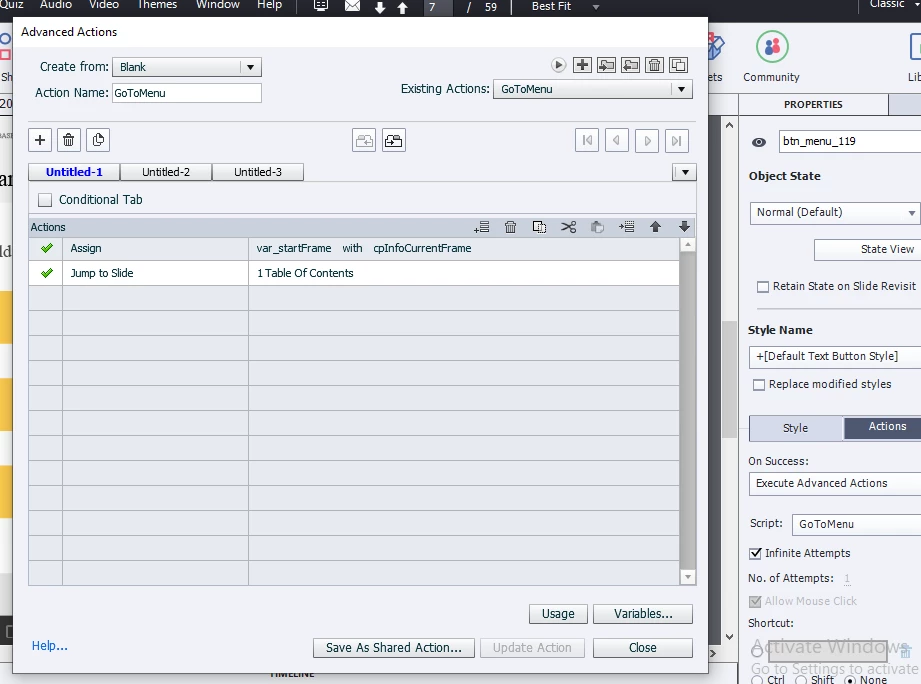
Each slide has a button for jumping to the table of content slide. Here also, I have assigned an advance action GoToMenuSlide. In this action, I store the value of cpInfoCurrentFrame in var_startFrame variable.

Here is the screenshot of the advance action:


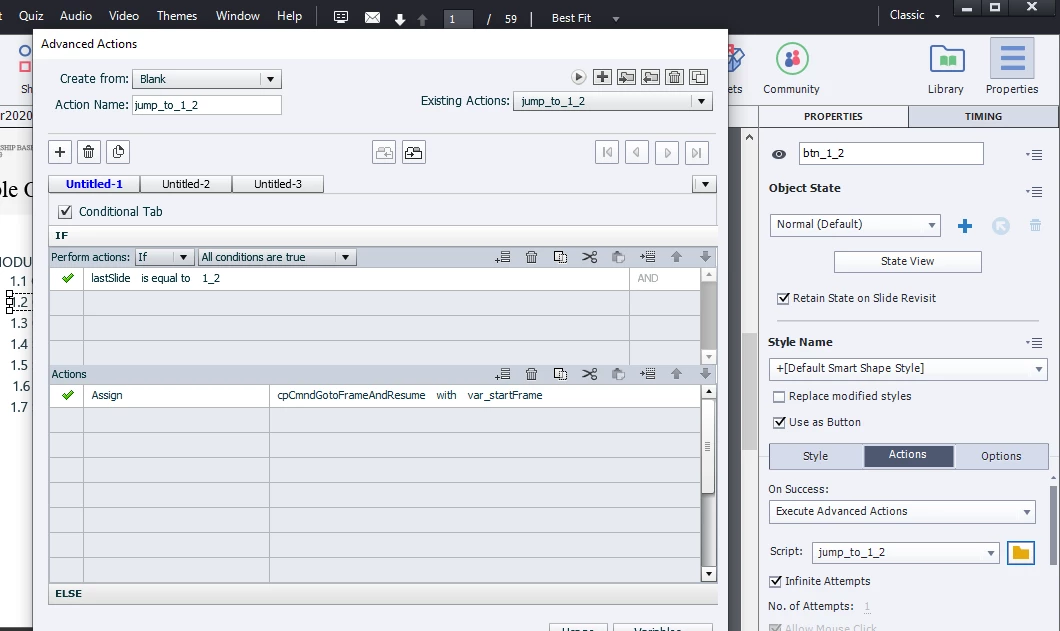
Each button in the table of content has assigned advance action for e.g for the second chapter button, it would be jump_to_1_2.  Here what I have checked is if the lastSlide has the value of 1_2,  I assign cpCmndGotoFrameAndResume with var_startFrame, to resume where it was left off (in case if I am in chapter two and I go to the table of content and again I click chapter second button,  I need to resume from where it was left), that is why I stored cpInfoCurrentFrame value in var_startFrame in GoToMenuSlide action. 


Screenshot -: (if I came to table content after visiting chapter-two: 1_2)


If lastSlide is not 1_2 then the slide will jump to the first slide in chapter two, starting initially. 


Screenshot:
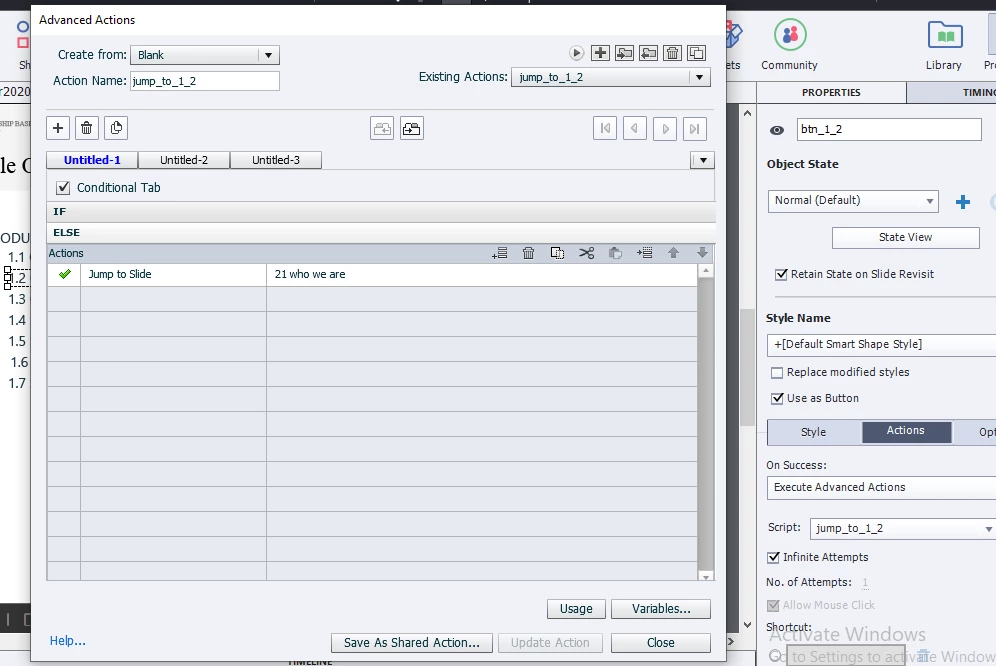


And this is working properly.


What I am trying to achieve is, initially disable all the buttons except first. I want to not let the users go to another chapter without completing the preceding chapter. for e.g I want the button for the second chapter to enable only when in the last slide of the first chapter is completed (it maybe includes some interaction e.g enable that second button only when all the buttons are clicked in this slide or after just visiting this slide).


I can disable the second button initially, enable the second button when all of the buttons clicked in the last slide of the first chapter (with advance action)  but can not assign the advance action jump_to_1_2,  without which, the second button will not be functional. 


Is it possible to enable a button and assign it an advanced action from other advanced actions?


has anybody had a similar issue?


Thank you.


This topic has been closed for replies.
Correct answer RodWard

Actually I think your interaction would be a lot simpler to create and a lot easier to maintain if you just had a separate User Variable to track completion of each of the seven sections.  Then you would be able to start with all buttons disabled except the one that goes to the first chapter.  Have a Conditional Action executed ON SLIDE ENTER of the Menu Slide that checkss the values of the seven tracking variables.  The Conditional Action decision blocks will enable each successive button ONLY if the variables for any previous sections have been set to indicate completion.

2 replies

RodWard
Community Expert
RodWardCommunity ExpertCorrect answer
Community Expert
April 17, 2020

Actually I think your interaction would be a lot simpler to create and a lot easier to maintain if you just had a separate User Variable to track completion of each of the seven sections.  Then you would be able to start with all buttons disabled except the one that goes to the first chapter.  Have a Conditional Action executed ON SLIDE ENTER of the Menu Slide that checkss the values of the seven tracking variables.  The Conditional Action decision blocks will enable each successive button ONLY if the variables for any previous sections have been set to indicate completion.

subassapkota
Known Participant
April 17, 2020

Hi! Rod, So I disabled all other buttons except the first. Then I defined some variables e.g  chapter_2_completed assigning false value. Okay ! when the first chapter is completed I assigned chapter_2_completed value of true. In the Menu slide on entering, I execute an advance action named - EnableButton.


Here is the screenshot: 


As you can see I am enabling the second button here on condition. but just enabling that button is not what I want.  I want to assign Execute Advance Action: On Success of the button. The name of the advance action script is jump_to_1_2

sabre123
Participating Frequently
April 17, 2020

You've only done part of what Rod suggested. What you've said in the last paragraph about assigning an Advanced Action inside an Advanced Action cannot be done and isn't what you need to do anyhow.


EnableButton should be triggered ON SLIDE ENTER on the Menu slide, like Rod said. In your screenshot, I can see that you have SmartShape_1253 selected. On your menu slide, deselect everything and select Actions>Execute Advance Actions, then choose EnableButton from the Script drop down box. 


The EnableButton Advanced Action should have a series of conditionals to check the state of each chapter_?_?_completed variable. If the condition evaluates to true, enable the associated section button. You have one of these done right now.


The btn_?_? buttons should just have a Jump to Slide action set to go to the respective slide. You don't need an Advanced Action unless you're doing more than one thing with the button click.


I don't know what SmartShape_1253 button 'should' be doing, but make sure you fix that so it's not calling the EnableButton script.

Lilybiri
Legend
April 17, 2020

Can you please post Previews of tha advanced actions. Pure text explanation is too hard to understand. 

subassapkota
Known Participant
April 17, 2020

Hi, Lilybiri! I have updated my question with some screenshots. 

Lilybiri
Legend
April 17, 2020

Rod has taken over, will leave you to him.

Just one comment please use the Preview window (first button in the top right control panel), makes reading actions so much easier. Have a look at:

http://blog.lilybiri.com/advanced-actions-dialog-box-in-captivate-2017