ianh51014842
Participating Frequently
September 18, 2017
Question

Drag and Drop Captivate 2017 - not allowing users to drag more than one item before continuing.

  • September 18, 2017
  • 1 reply
  • 624 views

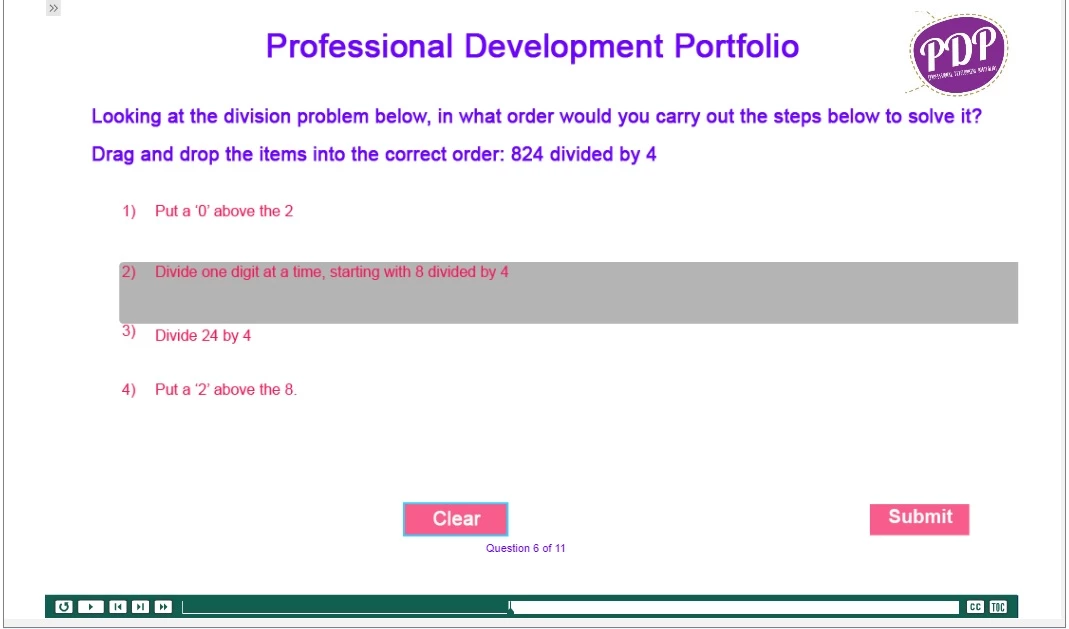
In Drag and Drop (Captivate 2017) I have successfully created and previewd a project containing drag and drop question pages. However, when I publish this in SCORM (1.2 and 2004) and embed onto Moodle (version 2.3.1), the drag and drop question pages are not allowing users to drag more than one item before continuing to the next slide.
I have not changed anything in the properties inspector from the standard template and settings; although I did try changing the actions to On Success: Go to the next slide from "Continue" - but with either option I get the same result.

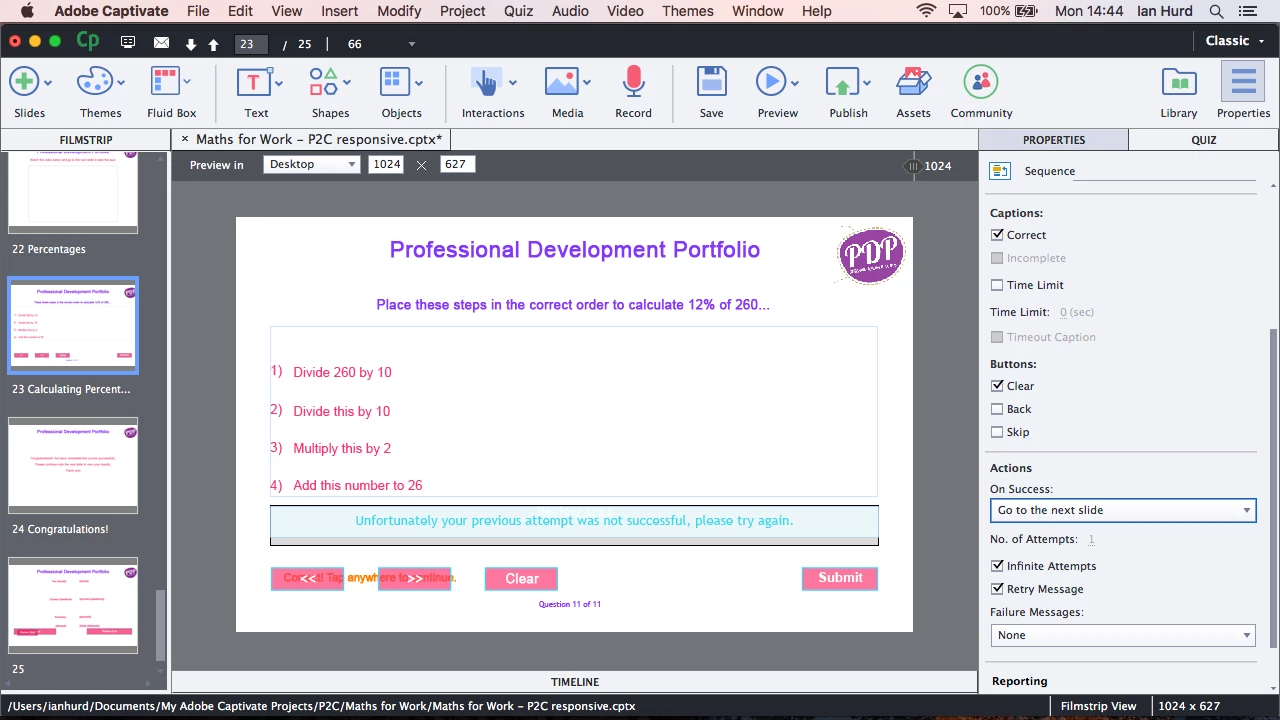
I have attached two images. The first shows one question page - as I said, I select and hold down with the mouse, the slide moves on before I can drag all the items into the correct order.

The second image shows the Actions setting for another question page (same settings on both) though.

Any help with this would be very much appreciated.

Many thanks,

Ian
This topic has been closed for replies.

1 reply

Lilybiri
Legend
September 18, 2017

Can you test if this also happens on SCORM Cloud? That would clarify if the problem is due to the LMS or to Captivate.

ianh51014842
Participating Frequently
September 18, 2017

Hi Lilybiri,

Thanks for the advice, I have tested this and have the same problem in SCORM Cloud. Do you know which settings I might need to adjust in Captivate to test this?

Many thanks in advance,

Ian

Lilybiri
Legend
September 18, 2017

That confirms that something is wrong with the setup in Captivate.

It is a bit confusing, will have to ask several questions:

  • You talk about a Drag&Drop interaction, but when I look at the screenshots I see a question slide of the type 'Sequence'. Can you confirm it is a question slide?
  • It is a responsive project with Fluid boxes. Correct? I wrote an article about the setup of the master slides for quizzes: Tips for 'Fluid' Quiz Slides - Captivate blog 
  • Which theme are you using? If it is not a theme created in CP2017, can you check the Fluid boxes on the master slide?
  • Quiz slides have a lot of embedded objects, objects without an individual timeline. Did you perhaps delete some of those objects? You can uncheck objects if that possibility exists (like for the Back or Skip button) but you should never delete those objects on the slide.
  • I cannot see the Timeline, it is collapsed. Where is the pausing point?