

Participating Frequently
December 8, 2020
Question

Drag and drop continues automatically

  • December 8, 2020
  • 1 reply
  • 324 views

This option does not exist in CP7, does anybody know how to stop it moving forward in the timeline as soon as i've dragged the first box in a drag and drop quiz for CP7?



    This topic has been closed for replies.

    1 reply

    Lilybiri
    Legend
    December 8, 2020

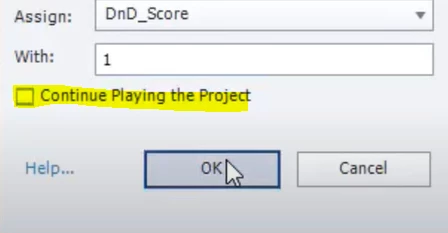
    Are you showing an Object Action? If yes, and that option 'Continue...' is not checked, the play head will remain paused at 1.5secs, which is the automatic pausing point inserted in each D&D slide, but saddeningly, not visible in the Timeline.

    Participating Frequently
    December 8, 2020

    Here is my advanced interaction.


    I have 12 drag objects and 12 drop targets where the correct order will excute an advanced action, partial correct another advanced action and total correct, another. The advanced actions are popup boxes and a submit button but when i test ir, i move one box and it just contimues to the end

    Lilybiri
    Legend
    December 8, 2020

    You didn't answer my question... I cannot do anything with the Advanced Interaction panel. The Object actions are not visible in that panel as I wrote:

    http://blog.lilybiri.com/advanced-interaction-panel-q-and-a

    You cannot take out the generic Submit button, because - similar to Quiz slides - it has lot of embedded functionality. You can activate Auto Submit and drag Submit in the scratch area.

    Can I please see the Object actions AND the Success or Last Attempt (wrongly labeled as Failure) actions?