Drag and Drop Questions (cp9)
Hello, I am not sure how the "drag and drop" interaction works.
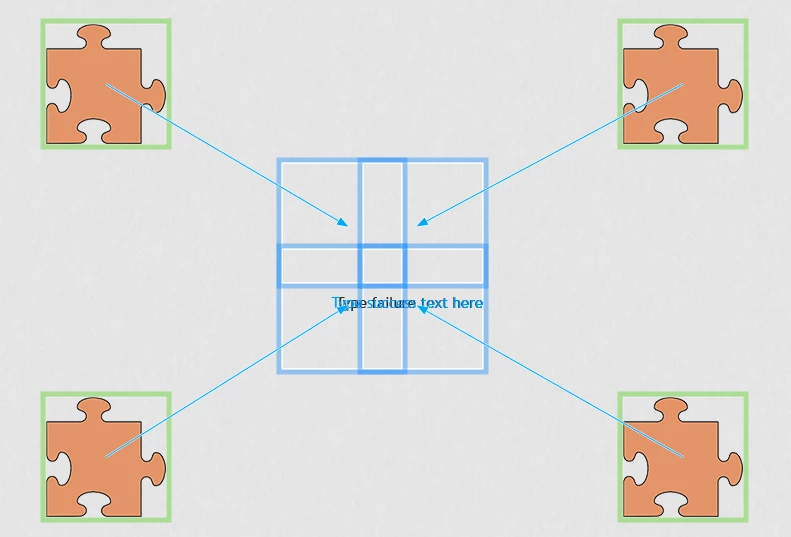
To be safe, I made a non-responsive project and used the wizard to set up "Drag and Drop". It should be: TopLeftPuzzle->TopLeftSquare, TopRightPuzzle->TopRightSquare... etc.
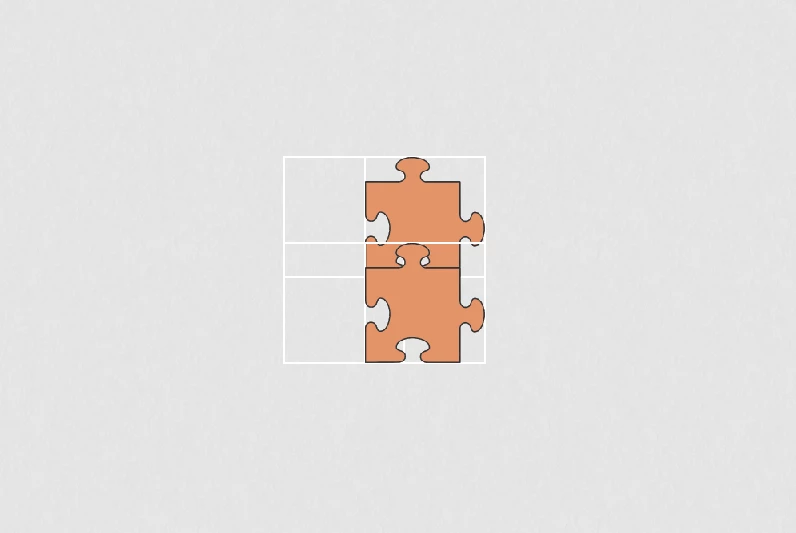
In previews, I've noticed that the dragged puzzle snaps to a square (usually) slightly down-right, so to snap a puzzle to the bottom right square, I need to drop it in the top left square. and to snap a puzzle to the top left square, I need to drop it up-left of the top left square (outside of the square)
Also, the squares are overlapping because I want the puzzle pieces to "connect".
Question 1: How would I fix the above issue, making it so that the puzzle always snaps to the square my mouse is over?
Question 2: Is it possible to snap a puzzle to the wrong square then snap it to the correct one (without using the reset button)? (Note: I can move them around after snapping to the wrong square, but it won't go to the next slide even when I get the correct answer)
Question 3: If possible, (assume there are 4 green puzzles on the screen as well) how would I make it that the orange puzzles could be snapped into any of the four squares (cannot snap to a square which already has a puzzle piece snapped to it), then either with advanced actions or javascript, check if 4 orange puzzles (no green puzzles) were snapped into the 4 squares?
Thank you in advance.
In the example below, 2 snapped to the TopRightSquare, and 2 snapped to the BottomLeftSquare.
 AdChoices