
Participating Frequently
October 24, 2017
Answered

Drag and Drop sensitivity

  • October 24, 2017
  • 1 reply
  • 500 views

Hello,

I am using Captivate 9.2. I have gotten negative feedback from my learners that drop sources are snapping into the drop targets next the ones they're trying to drop into if they're not extremely deliberate about dropping. I've tried to put as much space between my targets as possible, but this same thing happens even to me. It's like a magnet is pulling the drop source to the target next to the one I'm trying to drop onto unless I'm very careful. Is this something that adjusting the hit area padding can help with? (I'm not sure what hit area padding does exactly.) Any other ideas on how I can reduce sensitivity?
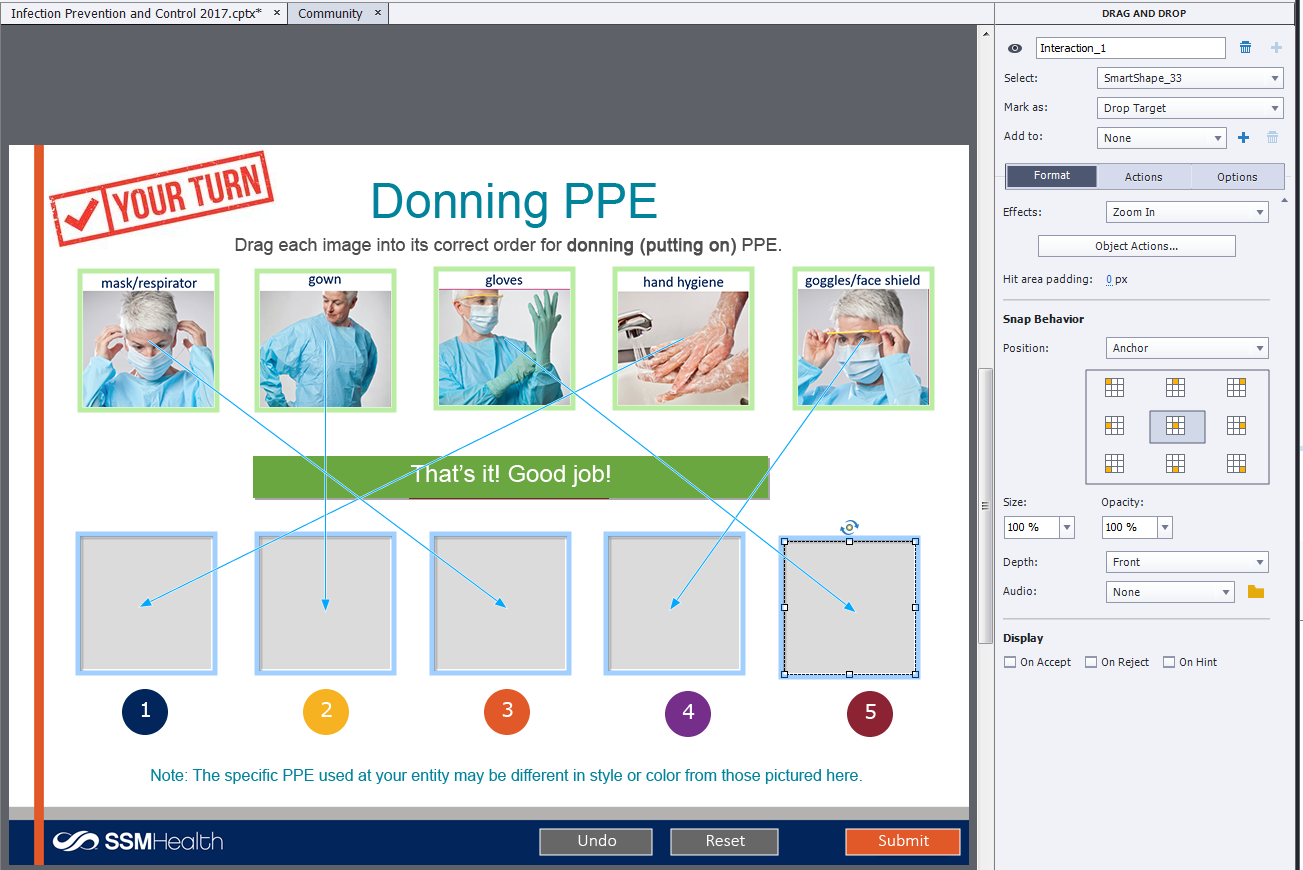
infection_drag_drop

This topic has been closed for replies.
Correct answer Lilybiri

Try taking out the Zoom in effect and change the snap options: like snap to a left ref point for the left targets, right for right target...have variations.

1 reply

Lilybiri
LilybiriCorrect answer
Legend
October 24, 2017

Try taking out the Zoom in effect and change the snap options: like snap to a left ref point for the left targets, right for right target...have variations.

Participating Frequently
October 24, 2017

Thanks for the quick response!  I have tried changing the snap behavior, but that doesn't seem to have any effect. I do think that removing the zoom has made it somewhat better, so thanks for the suggestion! [As a side note, do you happen to know what the "hit area padding" controls? I tried to look it up but can't find a clear answer.]

Lilybiri
Legend
October 24, 2017

Padding extends the hit area beyond the object boundaries. I couldn't

double check if a negative padding is possible, suspect it is not.

On Oct 24, 2017 10:30 AM, "christinep51267488" <forums_noreply@adobe.com>