Known Participant
January 10, 2020
Answered

Drag and Drop targets misaligned

  • January 10, 2020
  • 2 replies
  • 1536 views

I have created a drag-and-drop interaction on a slide, and when I preview it in html5, the targets are misaligned. If I drop a shape directly on its intended target, it snaps back to its original position. In order to get the shape to land on its target, I have to drop it just to the left of the target. If I drop it to the left, it snaps onto the center of the target, right where I initially tried to drop it! Obviously, this would be aggrivating for users and look unprofessional, but worse, my targets are lined up in a row, so having to drop an object to the left of its intended target means having to drop it on the adjacent incorrect target in order to get it to land on the correct one. 


Any idea why it's doing this or how to correct it?


Many thanks!

-BSR-
This topic has been closed for replies.
Correct answer Lilybiri

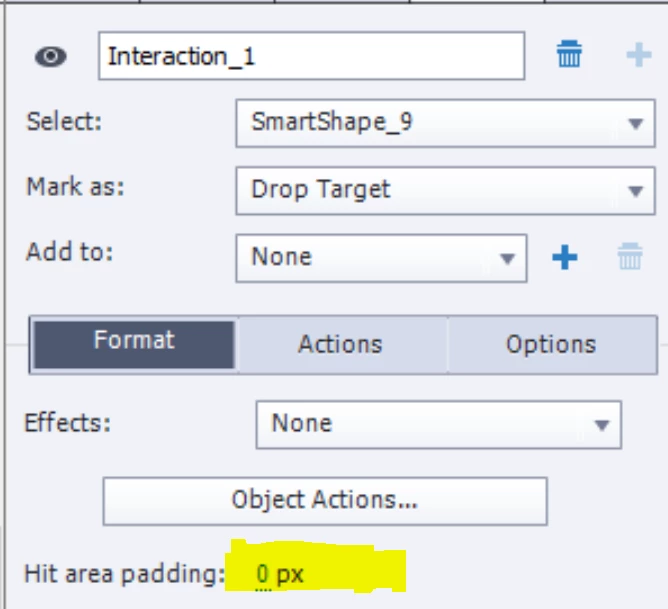
Sure thing ... screen shot below. Where do I look to see what padding has been set? It isn't showing up under style or options for the object properties. (Sorry for not having ready answers to what should be easy questions - an instructional designer originally created this file for me, and then moved on from that position; now I'm 4 IDs and 3 versions of Captivate later, and it's quite a breadcrumb trail!)


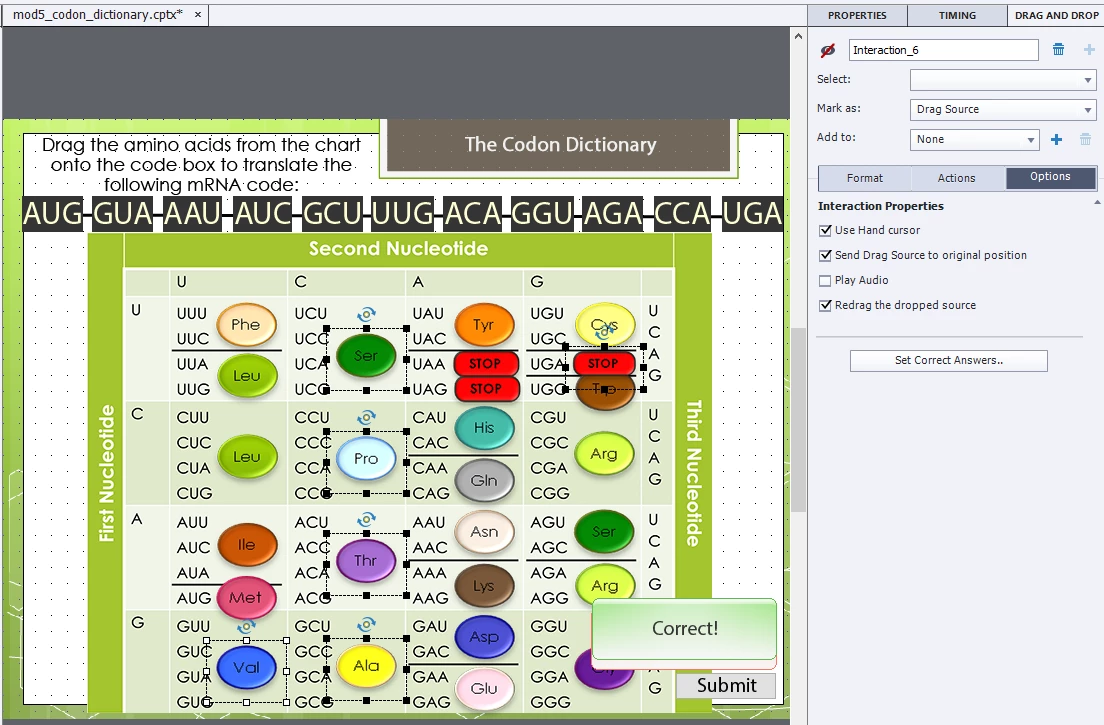
These objects seem to be images? Those images have been created with a size whichis bigger than the ellipse, hence that big bounding box which is the real cause of your issues. I wrongly supposed those were shapes, in that case the bounding box would have touched the ellips.  You could try to crop the images so that this is the case.

As for the hit area padding, select a drop target;


2 replies

Lilybiri
Legend
January 11, 2020

Are you talking about a responsive or a non-responsive project? Can you post a screenshot of the Snap Properties of the drop targets?

Default setup is: centerpoint bounding box of the drag source snaps to the centerpoint of the bounding box of the drop target. 

Exact version number (maybe you are on a not-patched version) and OS, please? You find the full version number under Help, About Captivate.

Known Participant
January 13, 2020

I'm using 10.0.0.192 (2017).

I made the drag-and-drop with the interaction tool. I did see that the destination mapping arrow snapped to the center of each target (as expected). Now I don't know how to get back to the view with the arrows, though, to show you that they really did point to the centers of the targets. Below is the screen cap of the slide. The ovals on the codon dictionary table are the dragable elements, and the row of boxes across the top are the targets.


Known Participant
January 13, 2020

Ah, and here is the snap property screen with one of the targets highlighted...

alfredmack
Inspiring
January 11, 2020

May I know which version of captivate are you using?