
Participant
March 8, 2016
Answered

Drag and Drop text on target

  • March 8, 2016
  • 3 replies
  • 431 views

I am modifying a drag and drop learning interaction in Captivate 9 included in a Course Starter downloaded from the e learning brothers. I have renamed the source text but when it reaches the correct destination it reverts to the original text "Response 1". Where can I change the text for the button when it is accepted correctly at the destination.
This topic has been closed for replies.
Correct answer DevrajGP

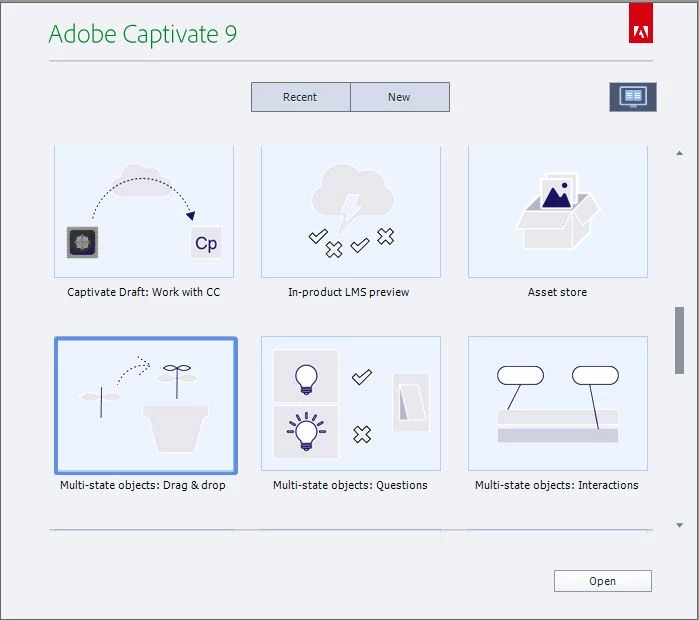
Please check the tutorial icons present in the Welcome screen of Captivate.

Attached Image For Reference.

Click on the Computer Icon and you can find sample projects and tutorials of every new feature implemented.

Thanks

Devraj

3 replies

janet14Author
Participant
March 9, 2016

Thank you for the advice. Devraj, I tried several options in the State View but without success. I emailed ELearning Brothers and their support was excellent. They provided me with Drop Box login to upload the file and it was returned in working order within 24 hours. I am inquiring further to find out what the problem was.

Are there any tutorials in Captivate Help showing how to create drag and drop interactions in the most recent version of Captivate? I could only find this tutorial and the instructions do not match up with my version. Create drag-and-drop interactions in Adobe Captivate

Many Thanks

DevrajGPCorrect answer
Adobe Employee
March 10, 2016

Please check the tutorial icons present in the Welcome screen of Captivate.

Attached Image For Reference.

Click on the Computer Icon and you can find sample projects and tutorials of every new feature implemented.

Thanks

Devraj

Lilybiri
Legend
March 10, 2016

I blogged about the states in D&D for CP9. Look at http://blog.lilybiri.com

Adobe Employee
March 8, 2016

Hi Janet,

The text seems overridden in its custom inbuilt state. Please select the Object and in Properties Inspector visit state view and change the Text for drag over state.

Let me know if this works.


Thanks

Devraj

Adobe Captivate Engineering Team

Lilybiri
Legend
March 8, 2016

Could you ask this question at the site of the eLearning brothers? Very few Captivate users try to help with real Captivate questions, but you cannot expect us also to know everything about the supplementary assets like the one you are using? Any reason why you don't use the built in D&D?

I just see Devraj's answer. If this is the origin of your problems, maybe you could get some more information from my blog post about InBuilt states for D&D objects:

Drag&Drop in 2016 with Captivate 9 - Captivate blog