
Participant
March 31, 2017
Answered

Drag, drop then hide drag object

  • March 31, 2017
  • 1 reply
  • 1111 views

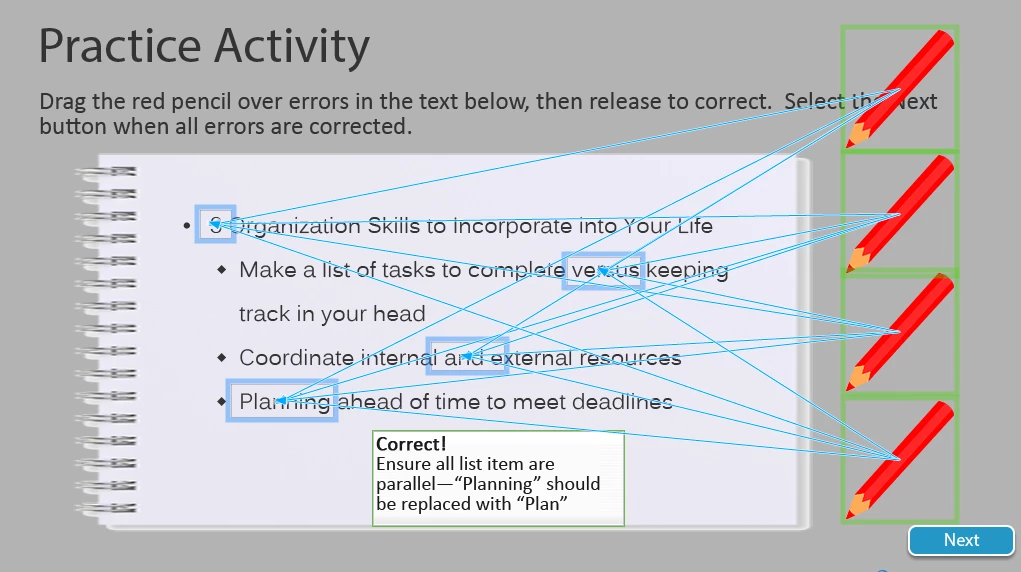
I am working with Captivate 8 and have set up a drag and drop interaction, where any drag object is acceptable with any of the drop targets.  I would like to have a unique advanced action set up for each of the drop targets, however and would like drag object to hide after it has been dragged.

Since I have grouped the targets as one source I can't seem to make the advanced action unique to each target.  I also tried to make multiple correct answers without grouping, but still have trouble making only the pencil that was dragged (to any target) hide on success.
This topic has been closed for replies.
Correct answer Lilybiri

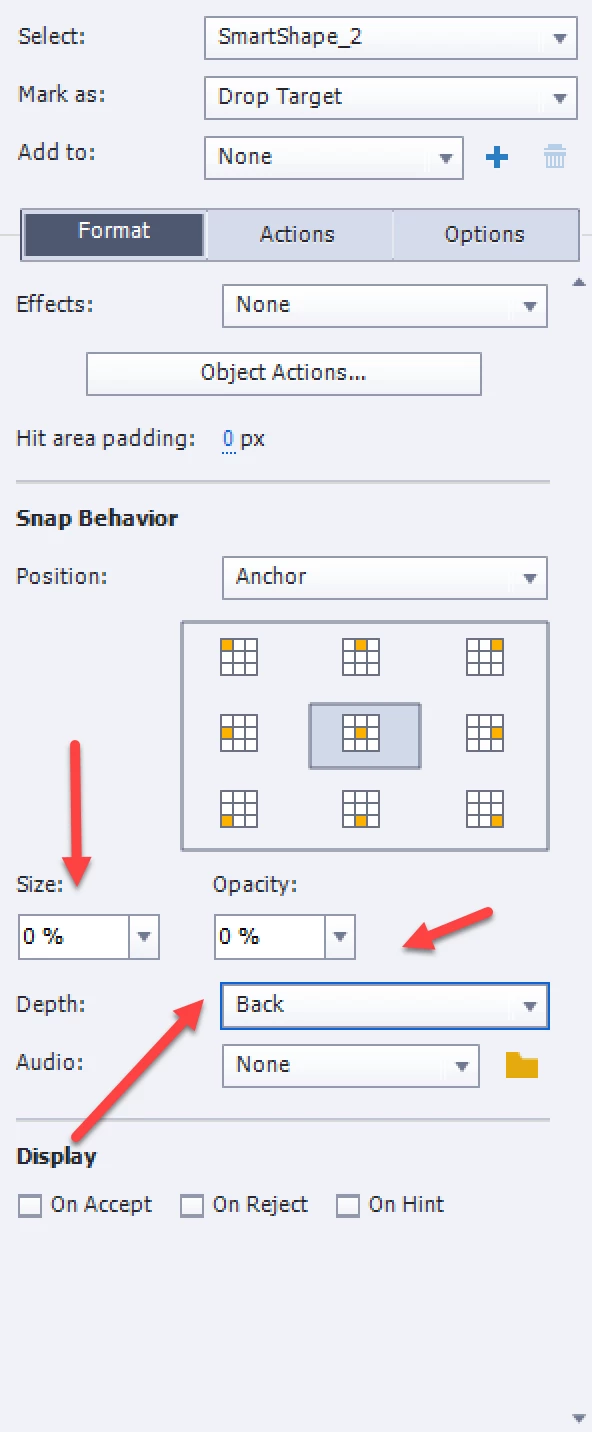
Did you try the Opacity, Depth and/or Scale settings in the Snap behavior part of the Properties panel for the drop targets?

I changed all of them in this screenshot, normally one will be sufficient.

More tips here:

Drag&Drop tips - Captivate blog

1 reply

Lilybiri
LilybiriCorrect answer
Legend
March 31, 2017

Did you try the Opacity, Depth and/or Scale settings in the Snap behavior part of the Properties panel for the drop targets?

I changed all of them in this screenshot, normally one will be sufficient.

More tips here:

Drag&Drop tips - Captivate blog

Participant
April 4, 2017

Thank you so much Lilybiri.  That solves the disappear issue. 

Now, how do I make it so the correct caption is unique to each drop target but allow any drag object acceptable?  The drop targets are currently grouped.

Lilybiri
Legend
April 4, 2017

You'll need to get rid of the default correct messages, but use the Object actions to show custom text containers that are initially hidden.