


Participant
November 20, 2020
Question

Drop Down Boxes on Matching Slide Not Appearing

  • November 20, 2020
  • 2 replies
  • 261 views

Hi All, I'm new to Captivate so please be gentle if this is an incredibly dumb question.


I am currently trying to put together a responsive training program and have inserted a few knowledge check questions (matching).  The drop down boxes appear on my slides, but when I preview the project, they don't appear at all.
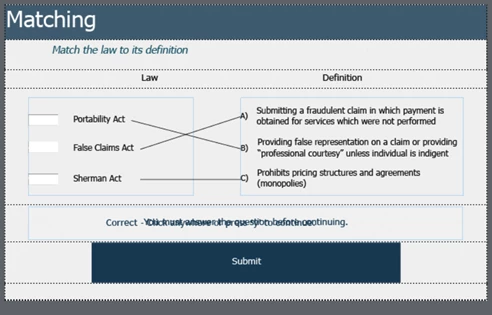
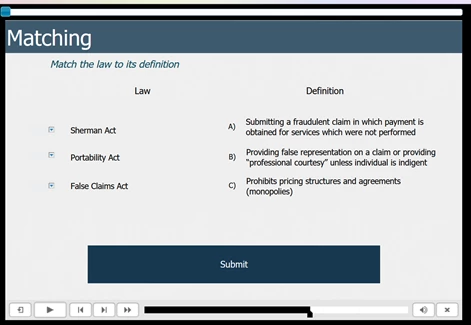
 

I'm currently using 2019 v. 11.5.1.499 (I'm waiting for my IT department to come push the latest update for me).


Thanks!

    This topic has been closed for replies.

    2 replies

    Lilybiri
    Legend
    November 21, 2020

    @christian lee Since this is a responsive project, all Preview methods use the browser. It is only for non-responsive projects that you need to use F!!m Preview HTML in browser because the other Preview mehtods do use SWF output.


    @kristinr41224209  Did you edit the Matching Quiz Master slide in any way? Which Theme do you use? Is this a theme created with the present version?


    christian lee
    Known Participant
    November 21, 2020

    missed the preview bit!! Thanks Lieve

    christian lee
    Known Participant
    November 21, 2020

    Have you previewed in HTML5? my take on this is this is that browsers no longer support some features, my company has had to redesign some slides dur to Mac issues in browsers.