
Drop Down Widget Re-opens When Leaving Browser Tab
I am using Captivate 8 on a Windows 7 computer. I have encountered the following problem in both Google Chrome and Internet Explorer 11. It happens wherever I have Drop Down Learning Interactions (Widgets), not just with the assessment course I discuss here. I've looked for mention of this elsewhere but haven't found anything yet. Is anyone else experiencing this and is there anything that can be done to work around it?
Background Info: I'm working on a custom assessment that uses the Drop Down Learning Interaction so the learner can select their answer to each question. There's more than one of these questions on each screen. It's all hooked into a custom scoring system and everything is working. That said, I think I've run into a bug.
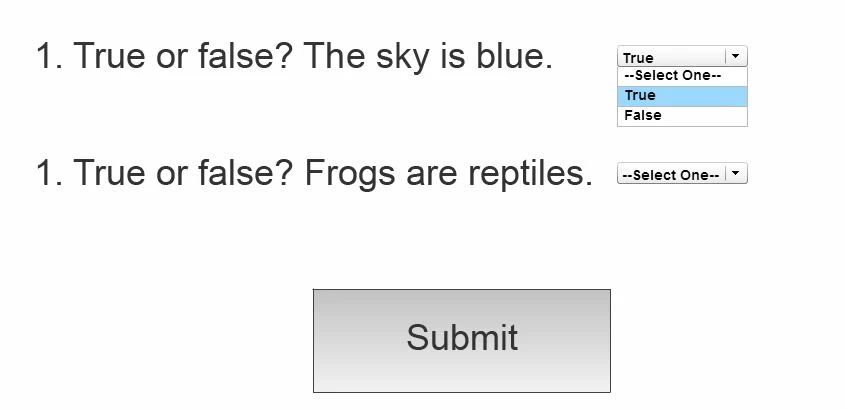
The Problem: When I test the course/assessment (in Captivate's "In Browser" Preview or from a published file) the last drop down I clicked opens again if I leave the browser tab the assessment is in and then return to it. Sometimes this accidentally changes the selected answer, which affects the score. The margin of error on this assessment is quite small so even if this only happens once or twice during an assessment it can be the difference between passing and failing. The nature of the assessment requires the learner to view job aids in order to answer the questions, so they will be switching between the assessment tab and other tabs or windows frequently. This is certainly not good for the user experience.
See the visual walk through below for a simplified mockup I put together showing the problem.
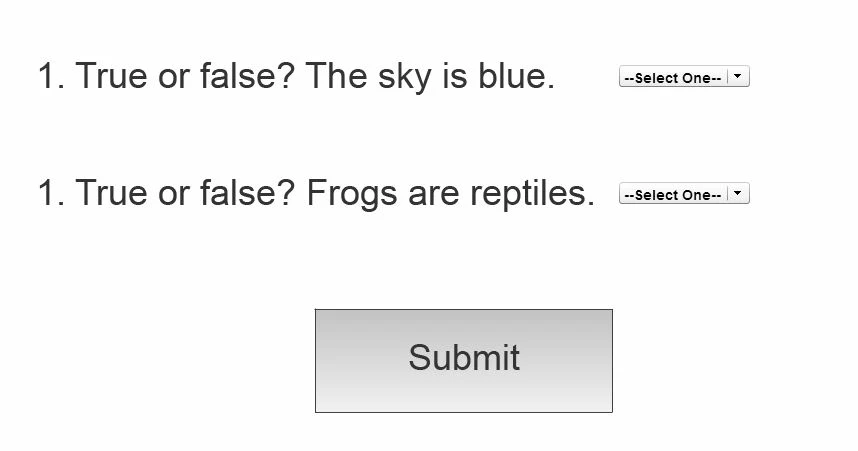
1) Assessment screen before an answer is selected
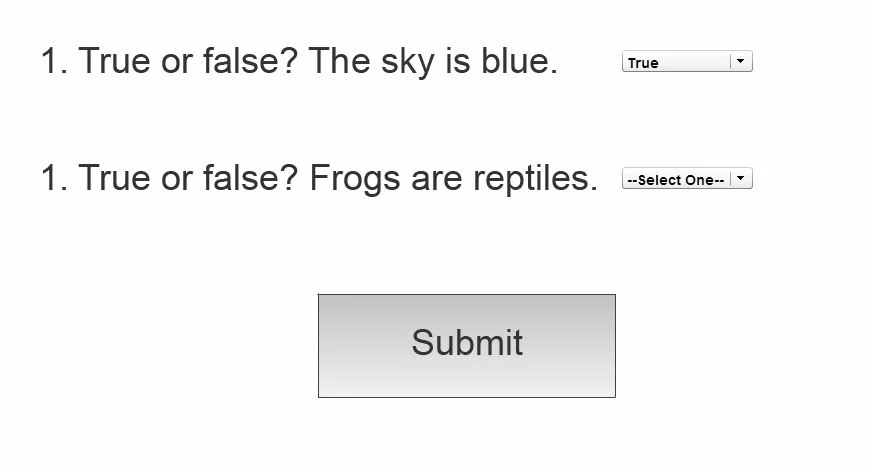
2) Assessment screen after an answer has been selected for the top question
3) Navigating away from the assessment tab to view something in another tab or window
4) Returning to the assessment tab to find the drop down open
 AdChoices