
Participant
August 14, 2016
Question

Edit default caption of quiz result page buttons

  • August 14, 2016
  • 2 replies
  • 321 views

Hi,

I'm looking for the place where I can edit the default caption of the buttons on the quiz result page.
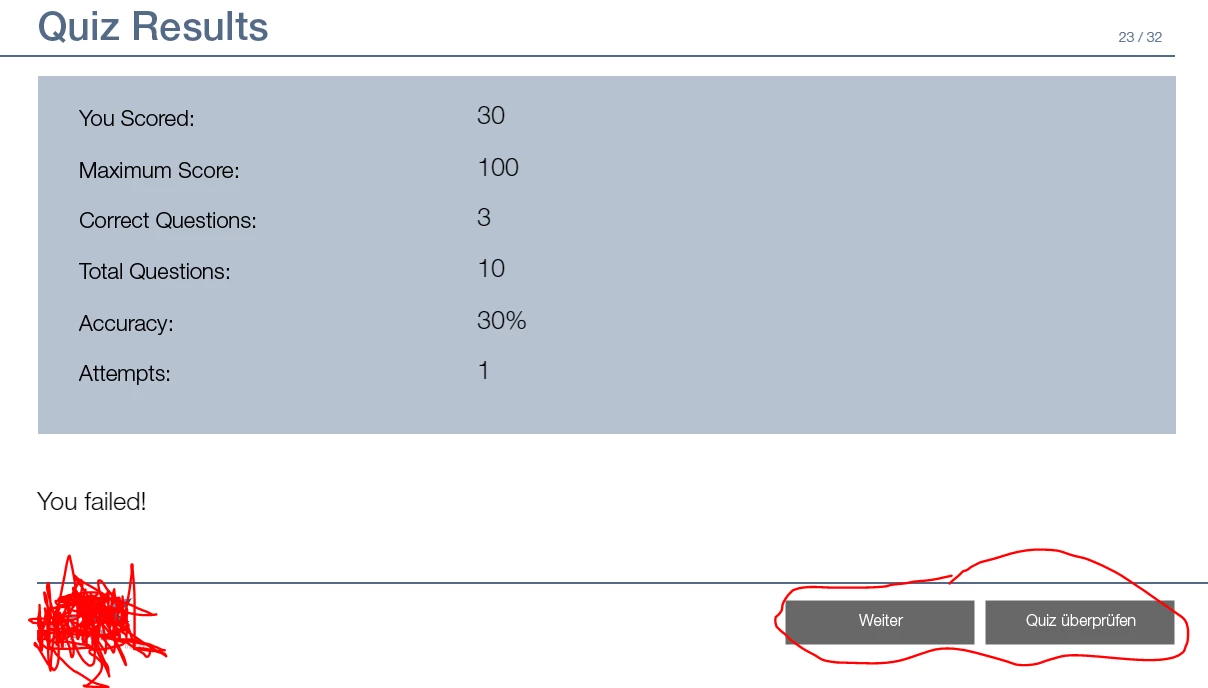
I know that I can edit the captions when I'm in the properties panel but I would like to set a default in English. My first guess to set it as default was to edit the caption of the quiz result page in the master and save the template but this is not possible.

Information:

Captivate 9

Template was created in German Captivate, I'm using the English version

Any suggestions?

This topic has been closed for replies.

2 replies

BDuckWorks
Inspiring
September 30, 2016

Most of the quizzing defaults will set preferences for courses created after editing.

By that, I mean that they wont have any effect on the current course, you'll need to search for the text you have highlighted and replace with the English text.

Participant
October 31, 2016

Thanks for your explanation!

This isn't really practicable since we have to translate multiple courses that we are creating first in english. Currently it's working pretty fine by "Localizing Text Captions and Closed Captions"

Participant
August 17, 2016

I know now that I can edit it through XML in the current project. I've saved the template but the replaced text marks weren't saved to the template. Any suggestions?

Changing Quiz "Default Labels" for Incorrect Message for Captivate 5.5