
Question
Editing Shapes in CP2017
Hi
I seem to have lost the ability to edit the colour of the fill and stoke of shapes in CP2017. All I'm getting under the style tab is the shape, opacity and style of stroke, before moving on to the characters (where I still seem to have all of the options I had before):
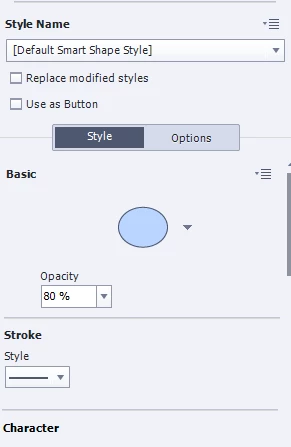
I've tried closing and restarting Captivate, and also restarting my laptop, but this doesn't seem to make any difference. I've also tried opening another project (both an older project, and a new blank project), resetting my workspace, and reverting to the classic workspace, but again, none of this has worked.
I'm assuming that this isn't a 'feature' of CP2017, so does anyone have any idea how to fix this?!
 AdChoices