
Sandra1981eriksson
Participating Frequently
October 1, 2016
Question

Effects do not "start over" when clicking the same object, CP 8

  • October 1, 2016
  • 1 reply
  • 170 views

Hello!

I created a slide with clickable images. When learner clicks on each and every image, I wanted the images to zoom in towards the screen and place itself above all the other ones (although not completely fill the screen, but stay in the centre). When being done with the image, the learner could close down through a red cross or whatsoever and then choose another image. You can see the screen shot of an example of what I mean.
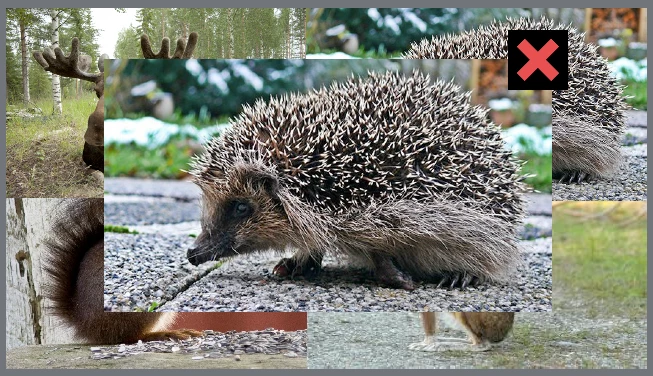
I grouped closing button with the image and added an effect, but when clicking the same image again (if you for some reason want to see it again), the effect did not appear. The image only "popped" up.

Do I have to use conditional actions? And if so, how do I do that?

This topic has been closed for replies.

1 reply

Lilybiri
Legend
October 1, 2016

You did not explain how you added the effect: time-based, button-triggered or by an advanced action?

sassasol
Known Participant
October 1, 2016

I added it through the effect timeline (self) time-based, but triggers when user clicks on the image.

Lilybiri
Legend
October 1, 2016

An effect is never reset automatically. Once I wrote a blog post about resetting an effect, for motion effects and it is pretty cumbersome.

At this moment I find the easiest way to use 'micro-navigation', use an advanced action to send the playhead back to the start of the effect. Here is a blog post explaining what I mean by micro-navigation:

Micro-Navigation in Adobe Captivate - Captivate blog