
justinm53961168
Inspiring
April 2, 2016
Question

Effects only play when I click nav

  • April 2, 2016
  • 1 reply
  • 192 views

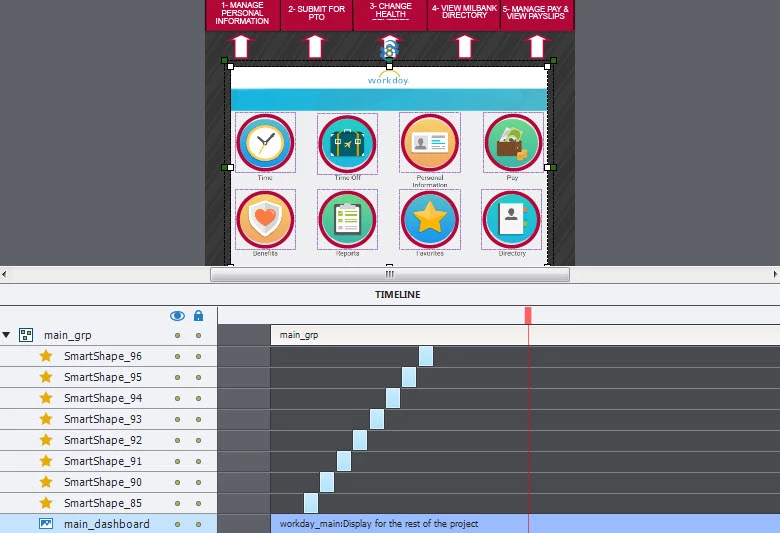
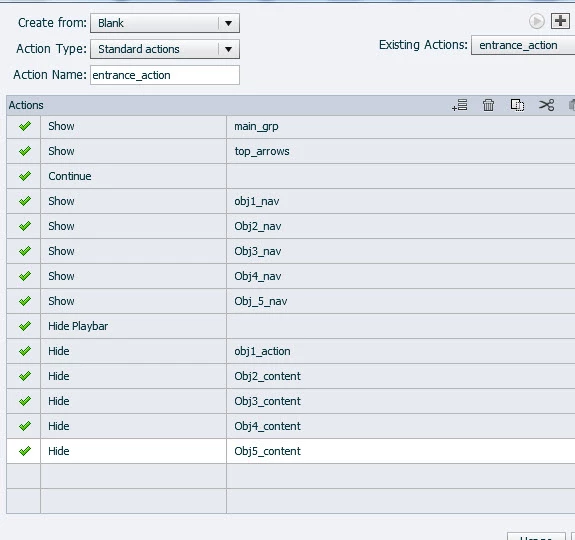
With this slide I'm loading the top nav and showing effects on the icons below (effects are the red circles), but the effects (red circles and arrows) only animate when I click one of the nav options from the top. I can't figure out why because in my Advanced Action I'm loading the arrows and screenshot with animations and then Continue. any help please?:)

how can I get the effects to play automatically? essentiallly until someone clicks the Nav which will Hide.
This topic has been closed for replies.

1 reply

Lilybiri
Legend
April 2, 2016

Sorry, but I cannot understand what you posted. The names in the screenshot of the timeline: I see only one name referred to in the advanced On Enter action (I think that is the action you showed, On enter for this slide): main_grp. That group has a background, shapes that are staggered in time, but I don't see any effects at all?

Moreover there is a lot missing from the timeline, do you have any interactive objects on them? Can you please increase the height of the timeline, you can collapse main_grp, but I want to see the other objects. If 'effects' for you is the staggering of those smartshapes on the timeline, I suspect you have a pausing point before those shapes are entering.

Oh, please mention the version you are using.

justinm53961168
Inspiring
April 2, 2016

Lilibir, sorry, those staggered objects aren't effects...but objects that display for a short amount of time. However I think I figured it out - there was a hidden object that was in the timeline BEFORE these objects and it was waiting for action.

Another question (please) - When I insert a gif and try to play-back it looks terrible. The gif/animation (30fps) staggers and lags, totally looks bad. Why do gifs output so poorly? Or what is the best way to embed and use a gif within Captivate?

Lilybiri
Legend
April 2, 2016

Hidden objects cannot prevent the playhead to continue, at least if it is hidden in output. Probably you meant hidden on the stage, you used the eye icon in the timeline? That is different from Hidden in Output (eye icon in the Properties panel).

I use Media, Animation to insert an animated GIF. I think it depends on the way the GIF was created as well, I mostly use Photoshop and only for very short animations. Do not forget that GIF limits the number of colors to 8-bit, 256.  Did you try with a lower fps?