
Participant
November 6, 2015
Question

Embed option missing in Captivate 8

  • November 6, 2015
  • 2 replies
  • 268 views

Hey,

Under object > web and in the properties panel there used to be 2 options, one for a web address and one for embedding.

I went to add a youtube embed link in today and the embed option is missing. There was only a box for a web address.
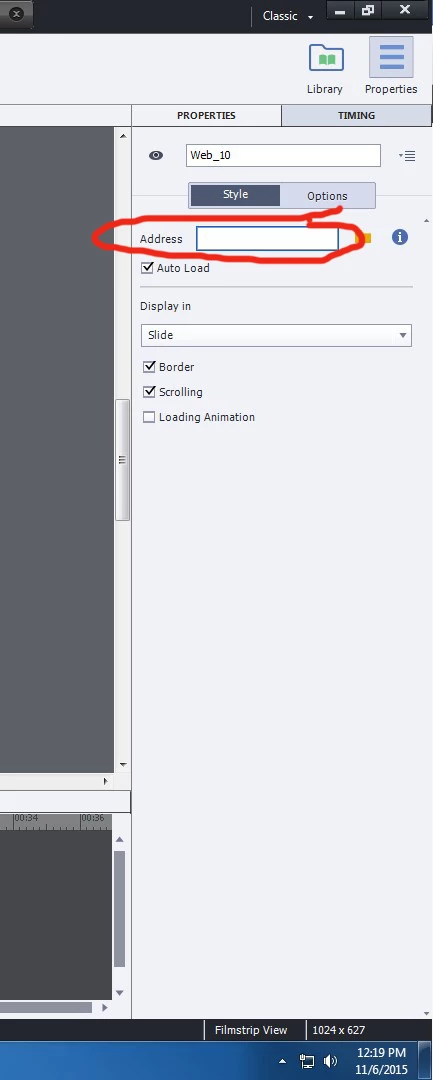
it used to be like something like this( the picture below might not be accurate of how it looked because I just photo-shopped the picture above).
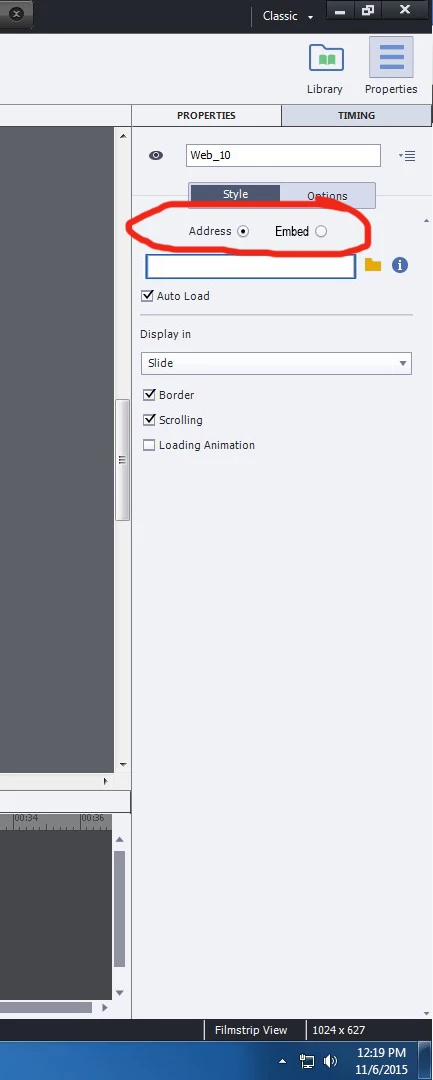
where has this option gone. Please help!

Cheers,

Frank

This topic has been closed for replies.

2 replies

mohanadas
Adobe Employee
Adobe Employee
November 6, 2015

Hello Frank,

Are you seeing this everytime you insert a web object or is it in a particular project? I suggest clearing your Preferences.

You can do this by navigating to the Captivate Installation directory (usually: C:\Program Files\Adobe\Adobe Captivate 9 x64\utils) and in a folder named "util" run the "CleanPreferencesWin.bat" file.

Can you please try if this works?

Thanks,

Mohana

Participant
November 18, 2015

Hey,

I have tried this and it didn't work

the option to embed code isn't coming up every time I insert a web object.

thanks,

Frank

RodWard
Community Expert
Community Expert
November 6, 2015

Enable Custom Workspaces in Preferences.

Then you will see this option.

Participant
November 18, 2015

Hey,

I have tried this and it did not work.

Still only has the address option.

Thanks,

Frank