
Inspiring
April 12, 2017
Question

Enabling button conditional action

  • April 12, 2017
  • 1 reply
  • 186 views

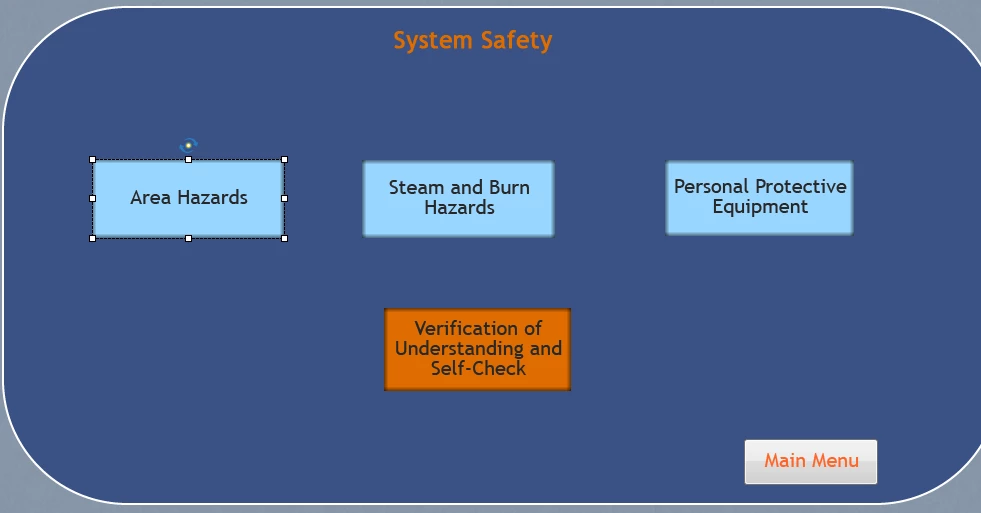
I've just finished a 585 slide training project, and now I am going back and fine tuning it.  I've created a Jeopardy interaction for the "System Safety" section, but don't want the button to be enabled until the three topic sections have been completed, or at least, the buttons have been clicked.  It takes quite awhile for the project to "preview," so trial and error in figuring this out is very time consuming.  Basically, the three light blue buttons would need to be clicked before the orange one is either visible, able to be clicked on, or even orange..
    This topic has been closed for replies.

    1 reply

    Lilybiri
    Legend
    April 12, 2017

    Is this a custom jeopardy or the learning interaction?

    In the first case, can you show the present actions attached to those buttons?

    Inspiring
    April 13, 2017

    It's a learning interaction.  Clicking the orange button takes the user to that activity.  I would like that button to either not be visible, or disabled until the three light blue buttons have been clicked (which takes the user to that section.  They will return to this slide after completing each section)

    Lilybiri
    Legend
    April 13, 2017

    Sorry, but learning interactions have to be used with their design, and this is not enabled in that interaction. The game interactions are pretty limited for customisation.

    Tips - Learning Interactions - Captivate blog