


Participant
July 20, 2023
Question

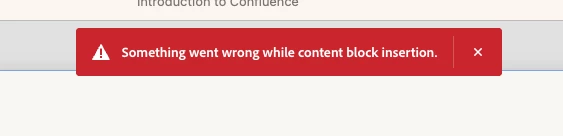
Error message: Something went wrong while content block insertion

  • July 20, 2023
  • 3 replies
  • 2452 views

To work efficiently, I'm copying and pasting the blocks within a slide as well as between multiple slides. This saves me time from having to change the template/design and helps maintain a more streamlined look throughout the presentation. However, I keep encountering an error message and I'm not sure how to remedy it. I've already restarted Captivate twice, but the issue persists. Do you have any advice on how to resolve this?
 

    This topic has been closed for replies.

    3 replies

    Participant
    December 27, 2023

    I am getting this same error when attempting to access most of the widgets or assets or even when creating a new slide from the Content Slides.  I have just downloaded Captivate.  I tried to uninstall and reinstall and still have the same error.  Using Window.  After several attempts to add these, Captivate crashes everytime

    Participant
    December 27, 2023
    Captivate_Error.mp4
    Lilybiri
    Legend
    December 27, 2023

    Which exact version number of 12 do you use? You find it under About Captivate. 

    Community Manager
    July 21, 2023

    Hi @Arya S. Sorry to hear about the error message. Can you try these steps?

    1. Delete the eLearning Assets folder in /Users/Shared/Adobe (on Mac) or 
      C:\Users\Public\Documents\Adobe (on Win)
    2. Run the file CleanPreferencesMac or CleanPreferencesWin in Adobe Captivate > utils > CleanPreferencesMac or CleanPreferencesWin

    Let us know if you're still facing the issues after applying the steps.

    Arya S.Author
    Participant
    July 24, 2023

    Hi @Saurav_Ghosh, Thank you for your response. I went ahead and deleted the eLearning Assets folder but was unable to run the file CleanPreferencesMac (I'm using a Mac) as I wasn't able to locate the utils folder (it didn't exist when I searched for it). And yes, I am still facing the error code issue. Please advise next steps?   

    Participant
    August 3, 2023

    Try reinstaling Captivate.

    Worked like charm for me ... without running the cleanpreferences-utilities.

    RodWard
    Community Expert
    Community Expert
    July 21, 2023

    Copying and pasting Captivate's own content into the same project or even other projects of the same version should not cause errors.


    I suggest you log this as a bug with Adobe.